Huidu HD-A8 Controller Overview - Features, Price and Download
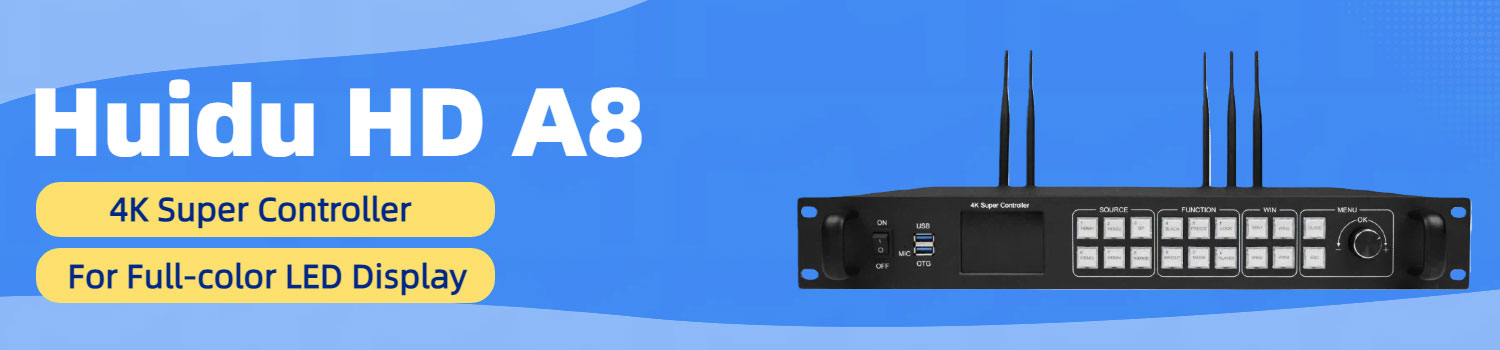
The Huidu HD-A8 is a LED controllers that can handle both 4K video and everyday content playback.
This guide will help you understand what the hd a8 controller is built for, where it works best, and why many users pick it for LED display projects.
Table of Contents
1. What the Huidu HD-A8 Actually Is?
The Huidu HD-A8 is a 4K LED display controller designed to work in both synchronous and asynchronous modes. In simple terms, it can function like a media player that stores and plays content on its own, or like a live signal processor that takes video input from HDMI or DP and sends it directly to an LED screen.
It’s built on an Android-based system, with 32GB of internal storage and a set of decoding capabilities that support common media formats used in LED advertising and presentation environments. The A8 can handle one channel of 4K video or several channels of 1080p video at the same time, which is why it appears often in exhibition halls, shopping malls, and stage layouts where multiple windows or mixed content are required.
2. HD-A8 Appearance
The Huidu A8 has two main areas you work with: the front panel and the rear panel.
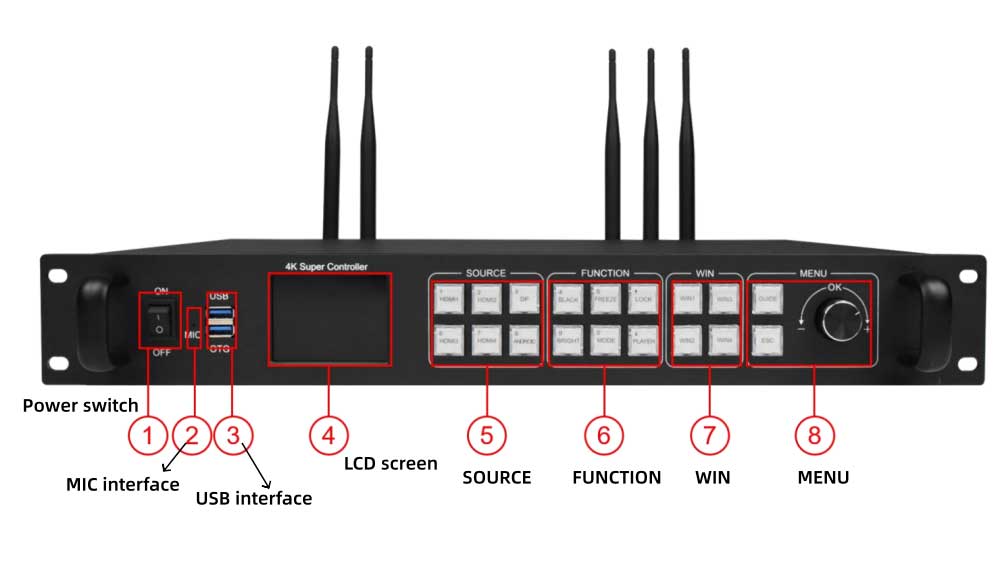
2.1 Front Panel
The front panel holds the controls and quick-access ports. Most day-to-day operations, such as switching sources or inserting a USB drive, happen here.
| Name | What It Does |
| Power Switch | Turns the controller on or off. |
| MIC Interface | For voice-related functions (when enabled). |
| USB 3.0 Port | Used for loading programs or expanding storage. |
| USB OTG | For debugging or firmware upgrades. |
| LCD Screen | Shows menus, parameters, and status information. |
| Function Keys | Used for navigation and quick actions. |
| Source Selection Keys | Used when switching input signals. |
2.2 Rear Panel
The rear panel carries all the signal inputs and the outputs to the LED receiving cards. This is where you connect the device to your LED screen system.
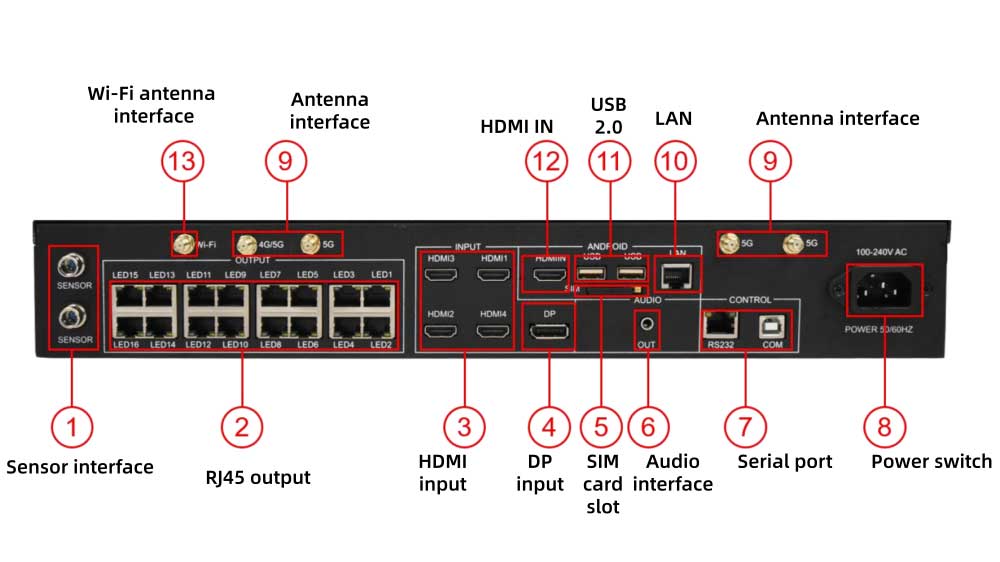
| Name | What It Does |
| Sensor Interface | Connects external sensors (brightness, temperature, etc.). |
| 16× RJ45 Output Ports | Send data to LED receiving cards. |
| HDMI Inputs | Accept synchronous input signals. |
| DP Input | Another option for synchronous input. |
| SIM Card Slot | For 4G/5G networking (optional). |
| Audio Output | 3.5mm TRS dual-channel audio output. |
| RS232 | Serial port for control and communication. |
| Power Input | AC 100-240V, 50/60Hz. |
| Antenna Interface | For optional 4G/5G antennas. |
| LAN Port | Used for debugging or connecting to LAN/Internet. |
| USB 2.0 | Additional port for program loading or storage. |
| HDMI IN | Supports mixed playback with asynchronous mode. |
| Wi-Fi Antenna Port | Connects the Wi-Fi antenna. |
3. What Makes the Huidu A8 Stand Out?
Several features separate HD-A8 from typical asynchronous players and even many mid-range synchronous systems.
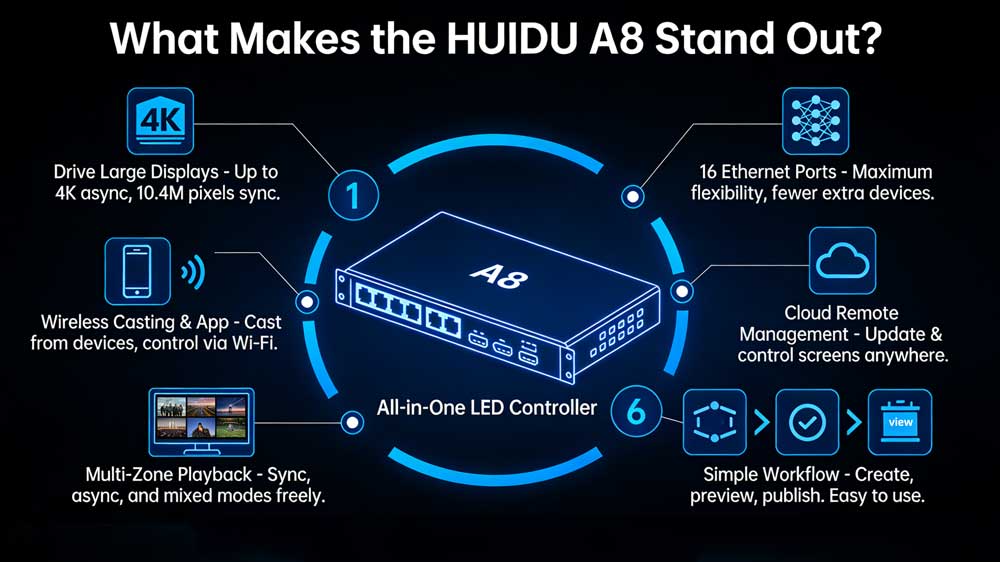
Strong pixel capacity for large displays
The A8 can handle big LED screens without adding extra processors. Its asynchronous loading limit is listed as 3840 × 2160, and synchronous mode reaches 10.4 million pixels.
For installers, this means:
- Ultra-wide commercial screens
- Lobby and hotel displays
- Exhibition LED walls
- Large indoor advertising boards
Most projects in these categories fall within this range, so a single A8 is often enough.
16 Ethernet outputs give it room to grow
Many all-in-one controllers only offer 4 or 8 outputs.
The A8 offers 16 Gigabit Ethernet ports, giving you more flexibility in cabinet layout and data distribution.
It reduces the need for external senders or splitters, which simplifies wiring and lowers the failure rate — a real advantage when dealing with large or unusual LED structures.
Wi-Fi, app control, and wireless setup
The built-in Wi-Fi supports both 2.4 GHz and 5 GHz, and works in AP or Station mode.
The companion app supports:
- Shake-to-update
- Remote control
- Scheduled on/off
- Screen locking
- Quick configuration
- System upgrade
These are small details, but they matter when you’re onsite and want to make quick adjustments without opening a laptop.
Wireless screen casting
The A8 is not limited to stored content or HDMI feeds. It also supports wireless casting from phones and tablets.
For retail displays, briefing rooms, or events where someone suddenly needs to show something from a mobile device, this reduces setup time and avoids extra hardware.
Multi-area playback and flexible modes
The A8 supports:
- Synchronous mode
- Asynchronous mode
- Mixed playback
- Multiple content regions
- Free overlay between areas
This means the screen layout can behave more like a digital canvas:
- A live HDMI window on the left
- A playlist of images on the right
- A ticker at the bottom
- Multiple layers showing independent content
This level of control is usually found in higher-priced systems.
Remote management over the cloud
With optional 4G/5G, the A8 can connect to the cloud platform and accept remote updates.
This is especially useful for:
- Outdoor signs with no stable internet
- Distributed LED networks
- Clients who want centralized control
- Screens installed in locations that are hard to visit
Simple everyday operation
Despite its capability, the A8 keeps the workflow simple:
- Create programs
- Preview
- Publish via LAN, Wi-Fi, or U-disk
- Manage devices through the platform
4. Huidu A8 Price
The Huidu A8 sits in the mid-to-high range among all-in-one LED display controllers. Its cost is higher than basic asynchronous players, but that’s expected considering it supports 4K inputs, 16 Ethernet outputs, mixed playback modes, and optional 4G/5G networking.
We provide a real-time price check service where you can view the latest cost, compare models, and download related documents.
If you want the up-to-date Huidu A8 price, you can register on our LED Screen Cloud Platform and check it instantly.
5. HD-A8 vs HD-A7
The HD-A7 and HD-A8 belong to the same 4K controller series, but they are not designed for the same level of work. Both support synchronous and asynchronous playback, multi-window display, and Wi-Fi control. But when you compare them closely, the A8 is the more capable and more scalable device.
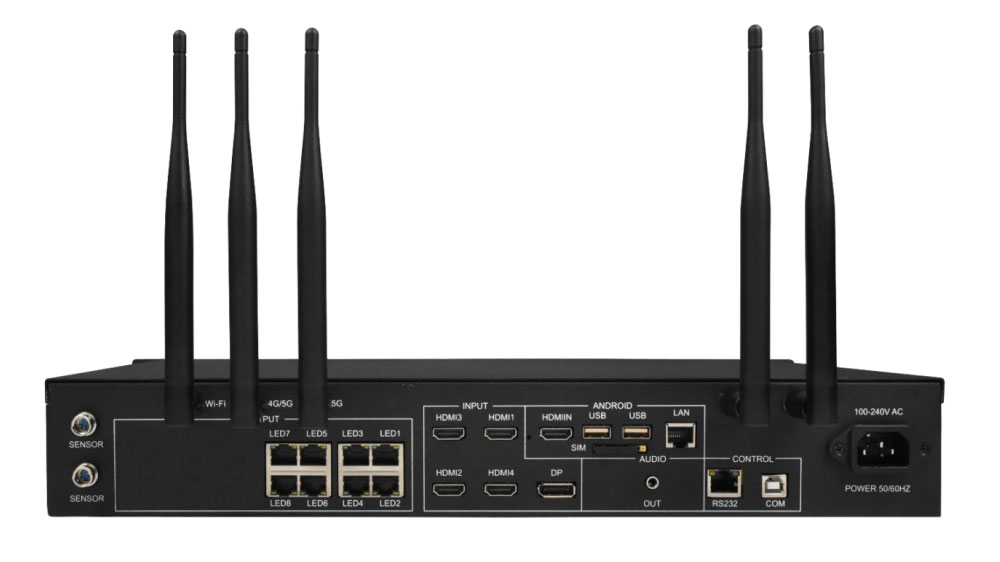
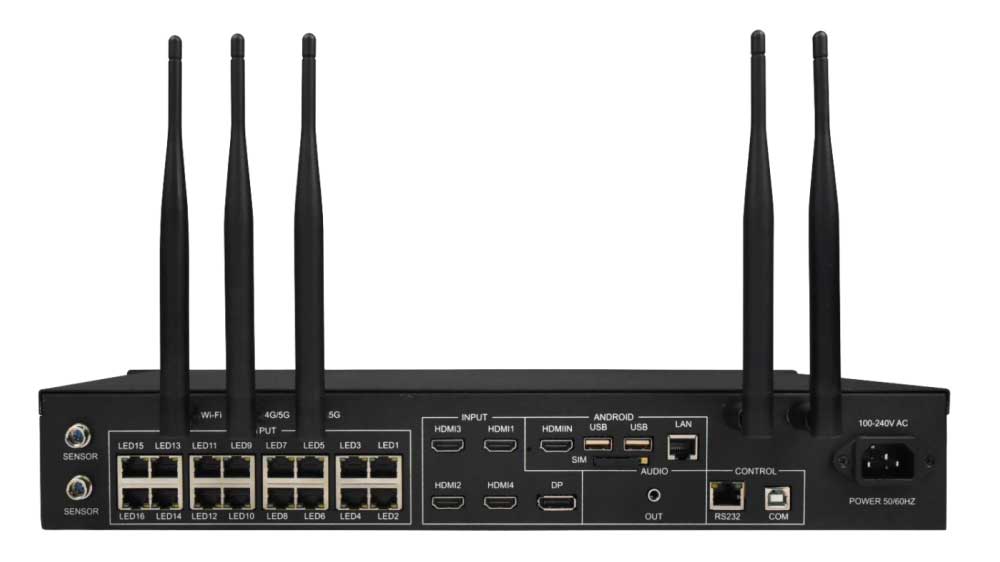
| Feature | Huidu A8 | Huidu A7 |
| Async Loading Capacity | Up to 8.29 million pixels | Up to 5.16 million pixels |
| Sync Loading Capacity | Up to 10.4 million pixels | Up to 5.2 million pixels |
| Ethernet Output Ports | 16 × Gigabit RJ45 outputs | 8 × Gigabit RJ45 outputs |
| HDMI Inputs | Multiple HDMI + 1 DP (varies by model) | 5 × HDMI + 1 × DP |
| Internal Storage | Smaller capacity (varies by version) | 32GB internal storage |
| Wi-Fi | Dual-band 2.4G / 5G, AP & Station mode | Dual-band 2.4G / 5G, AP & Station mode |
| 4G/5G Option | Supported (optional) | Supported (optional) |
| Playback Modes | Sync / Async / Mixed mode | Sync / Async / Mixed mode |
| Wireless Screen Casting | Supported (optional) | Supported (optional) |
| Best Use Case | Large screens or high-load projects | Medium screens, multiple HDMI sources |
| Overall Positioning | Higher-end, more scalable | Mid-level, more HDMI flexibility |
6. Resources Download
We provide the essential Huidu A8 user manual and specification directly on this page, including:
If you need documents for other Huidu models, you can find them on our Huidu Resource Download page.
It includes firmware, manuals, software releases, configuration tools, and updates across the full product line.
7. Conclusion
The Huidu A8 is built for projects that need more than a basic 4K controller. It is one of those controllers that works reliably without demanding much from the user, which is why it appears in so many practical installations.
If you’re planning a new screen or upgrading an existing one, comparing the A8 with other models—like the A7 or devices from NovaStar and Colorlight—can help you choose the right setup. You can find all related files, software tools, and pricing information after register LedInCloud.