

NovaStar VX1000 Pro Controller: Features, Price and Manuals
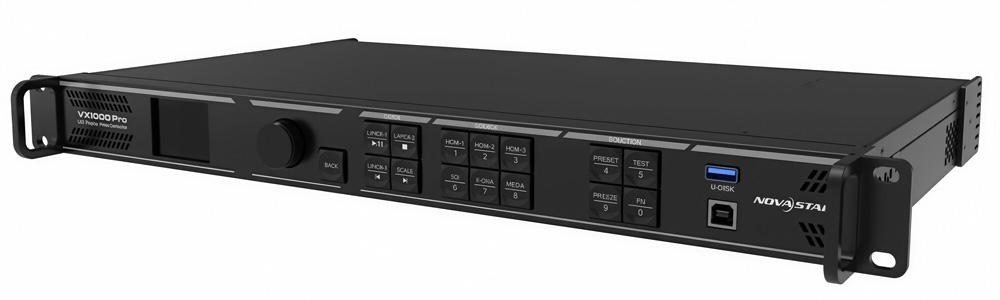
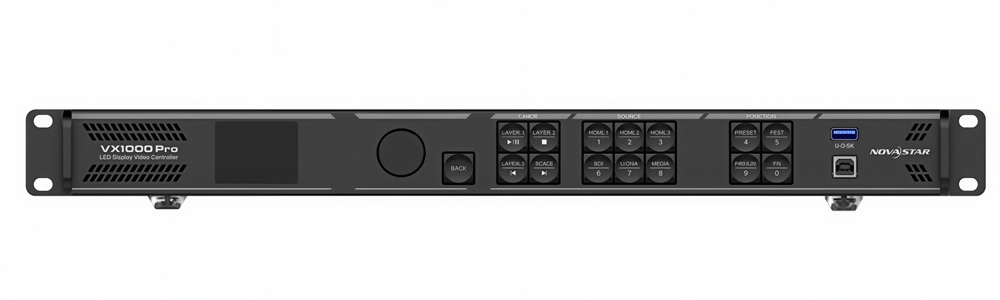
The NovaStar VX1000 Pro is positioned as an all-in-one LED display controller. It combines video processing, sending card functions, and fiber conversion in a single device. On paper, that sounds simple. In real projects, the value depends on how these functions work together and how easy they are to use on site.
This article is written for users who want a clear and practical understanding of the VX1000 Pro.
Table of Contents
1. What Is the NovaStar VX1000 Pro?
The VX1000 Pro is an all-in-one LED display controller developed by NovaStar. It is designed to sit between video sources and LED receiving cards, handling signal input, processing, and output within one hardware unit.
Unlike traditional setups that require a separate video processor, sending card, and fiber converter, the VX1000 Pro integrates these functions into a single chassis. In practical terms, this reduces system complexity, wiring, and configuration time, especially for rental, stage, and medium-to-large fixed installations.
From a system perspective, the VX1000 Pro can work in different roles depending on how it is configured:
- As a video controller, processing incoming signals and directly driving LED screens
- As a fiber converter, extending signal transmission over optical fiber
- In Bypass mode, passing signals with minimal processing and lower latency

2. What the VX1000 Pro Is Designed to Handle
The VX1000 Pro is designed for LED projects that go beyond basic screen setups. It targets larger resolutions, higher input quality, and more demanding operating conditions.
2.1 Screen Capacity and Resolution
At its core, the VX1000 Pro is built to handle large pixel loads:
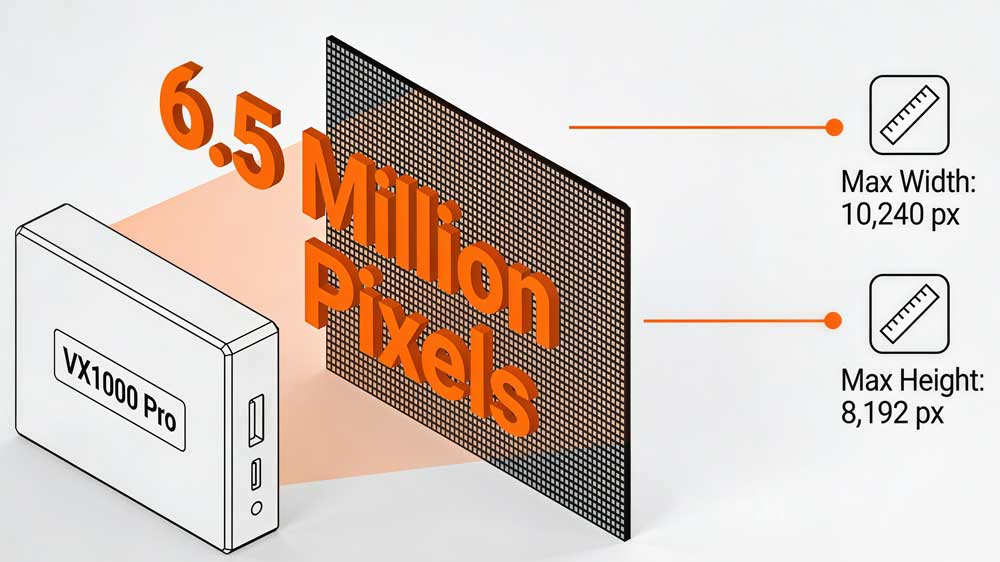
- Maximum loading capacity: up to 6.5 million pixels
- Maximum width: up to 10240 pixels
- Maximum height: up to 8192 pixels
This makes it suitable for wide stage backdrops, tall LED walls, and fine-pitch displays that require high resolution without splitting the screen across multiple controllers.
2.2 Input Signal Requirements
The VX1000 Pro NovaStar is designed to work with modern video sources used in professional environments:
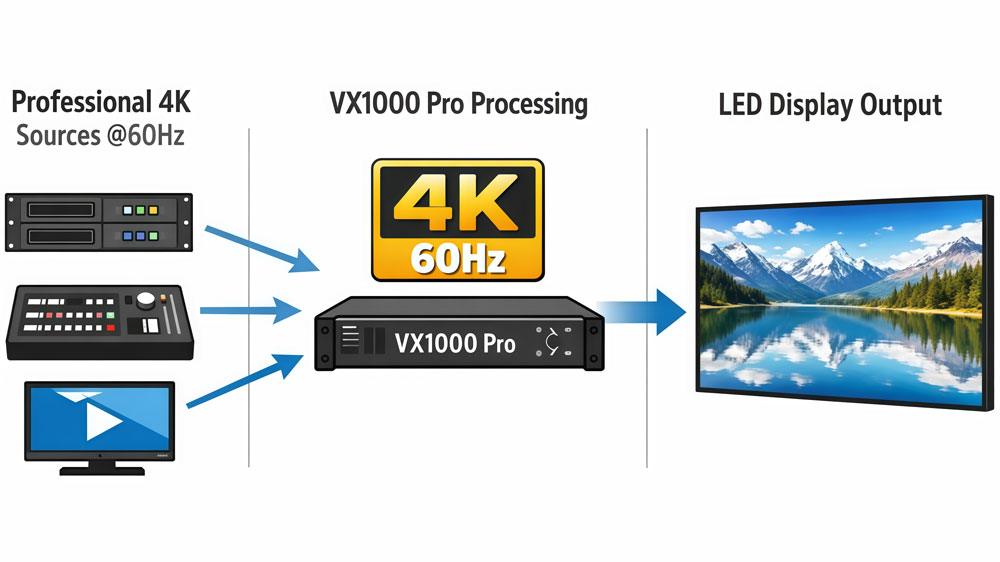
- Supports 4K input at 60Hz
- Suitable for media servers, video switchers, and professional playback systems
- Reduces the need for external scaling or signal conversion
For projects where image quality and smooth playback matter, this input capability simplifies system design.
2.3 Project Scale and Usage Intensity
The VX1000 Pro is not intended for small, low-demand LED screens. It is designed for:
- Medium to large LED installations
- Rental and touring projects with frequent setup and teardown
- Long-running displays that stay powered on for extended periods
These use cases require stable signal processing and flexible configuration, which is where this controller is positioned.

2.4 When the VX1000 Pro Makes Sense
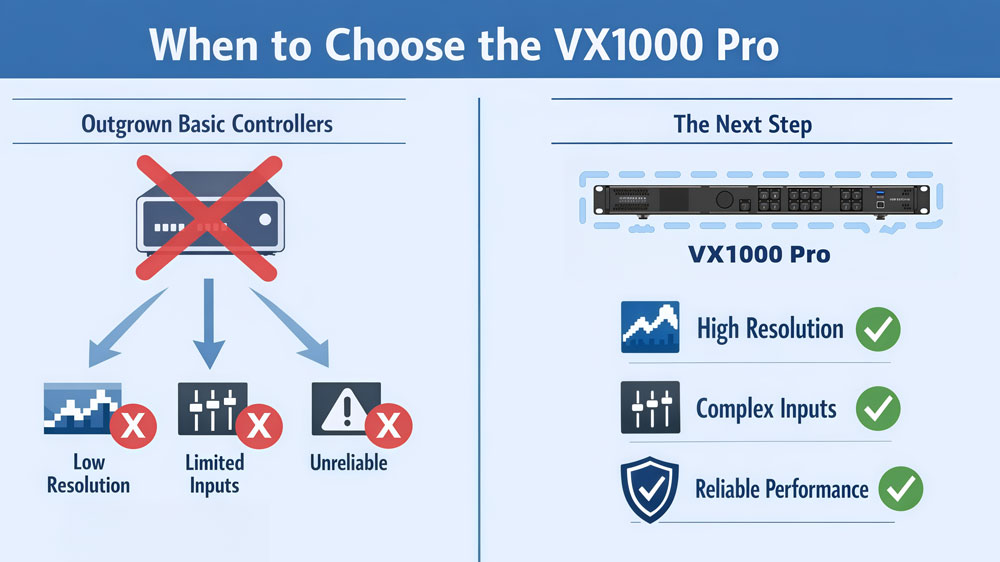
In simple terms, the VX1000 Pro is designed for projects where:
- Screen resolution is already high
- Input signals are complex or professional-grade
- Reliability and system flexibility are more important than minimal cost
If a project has already outgrown basic sending cards or entry-level controllers, the VX1000 Pro is built to handle that next step.
3. Input and Output Connections Explained
When choosing the VX1000 Pro, connection capability is not just about interface types. It directly affects screen layout, backup design, and overall system reliability.
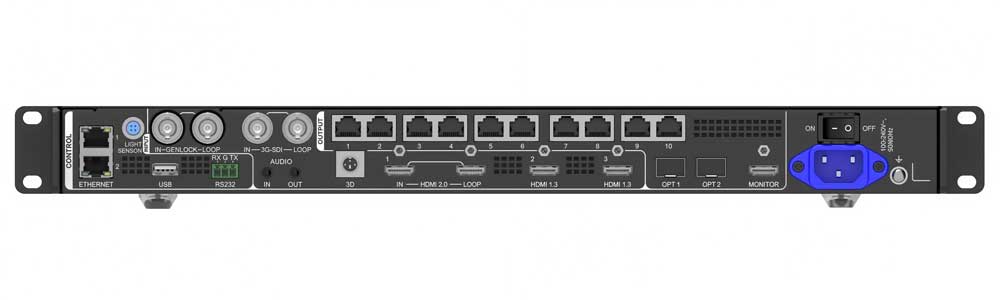
3.1 Video Input Interfaces
| Input Type | Key Specifications | Notes |
| HDMI 2.0 | Up to 4096×2160 @ 60Hz | Supports custom resolutions up to 8192 pixels wide or 8188 pixels high |
| Supports 8 / 10 / 12-bit color depth | ||
| Supports RGB 4:4:4 and YCbCr formats | ||
| HDMI 1.3 | Up to Full HD | Commonly used for backup or secondary sources |
| 3G-SDI | Broadcast standard | Used for cameras and live production equipment |
The HDMI 2.0 input is especially useful for wide-format LED screens. By using custom resolutions, the VX1000 Pro can directly process ultra-wide signals such as 8192×1080 @ 60Hz, reducing the need for external scaling devices.
- Important note on 3D signals
When 3D is enabled using Side-by-Side or Top-and-Bottom signal formats, the controller’s output capacity is reduced by half. This limitation must be considered during screen planning.
3.2 LED Output Interfaces
| Output Type | Quantity | Engineering Details |
| Gigabit Ethernet | 10 ports | Each port supports up to 650,000 pixels (at 8-bit output) |
| 10G Optical Fiber (OPT 1 & OPT 2) | 2 ports | Support output, copy, and loop modes |
| OPT 1 is a self-adaptive port and can function as a video input or sending card output |
The Ethernet ports serve as the primary data transmission path to LED receiving cards and are used for screen partitioning and load distribution. Pixel allocation per port is a key step in system design.
The 10G optical fiber ports are not only used for long-distance transmission. They also play a critical role in device cascading, signal backup, and building high-reliability LED systems.
3.3 How These Interfaces Are Used in Real Projects
In practical applications, the VX1000 Pro NovaStar allows engineers to configure redundancy directly through the device menu or software:
- Input sources can be set with automatic backup, switching to a secondary signal if the main input is lost
- Ethernet ports can be configured for port-level redundancy
- Device-level backup can be tested without physically reconnecting cables
These functions are part of the VX1000 Pro’s end-to-end backup design, which is especially important for live events, rental stages, and long-running displays where signal interruption is not acceptable
4. How VX1000 Pro Works in Real Projects
In real LED projects, the VX1000 Pro is usually used as the central control device. It sits between video sources and LED receiving cards, handling signal processing, screen mapping, and system stability in one unit.
Instead of treating it as a list of features, it is more useful to understand how the VX1000 Pro behaves during setup and live operation.
4.1 Working Modes and Signal Flow
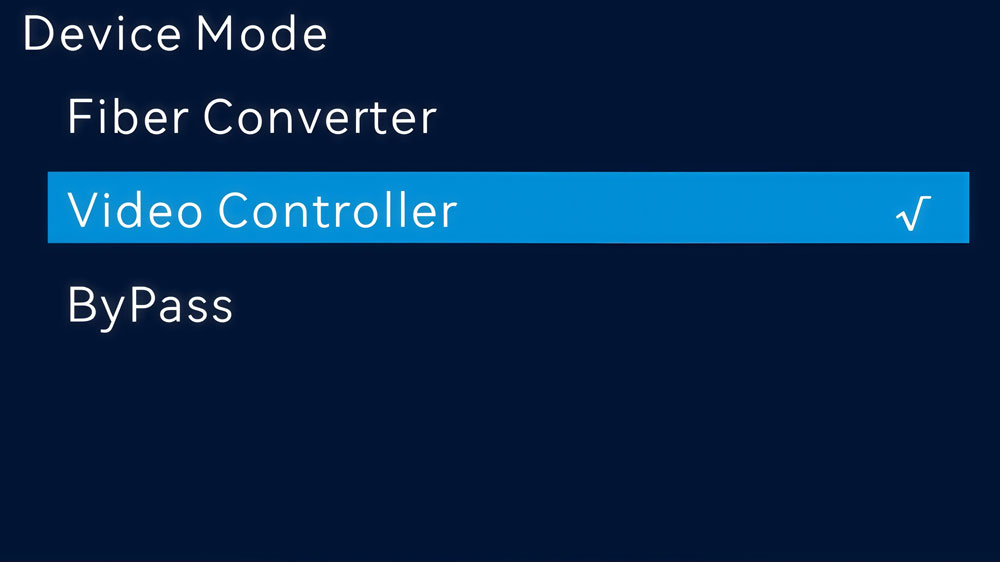
The VX1000 Pro supports multiple working modes. The selected mode directly affects signal processing behavior and available functions.
- Video Controller Mode
This is the most common working mode. The VX1000 Pro processes the input signal and sends data directly to LED receiving cards. Most image processing and screen management functions are available in this mode.
- Fiber Converter Mode
In this mode, the device focuses on optical signal transmission. It is typically used in large venues or projects where long-distance signal delivery is required.
- Bypass Mode
The input signal passes through the device with minimal processing. This mode is often chosen when lower latency is required. Some image processing functions are limited in this state.
Selecting the correct working mode at the beginning of a project, as changing modes later may affect screen configuration and signal routing.
4.2 Layer Management and Image Processing Logic
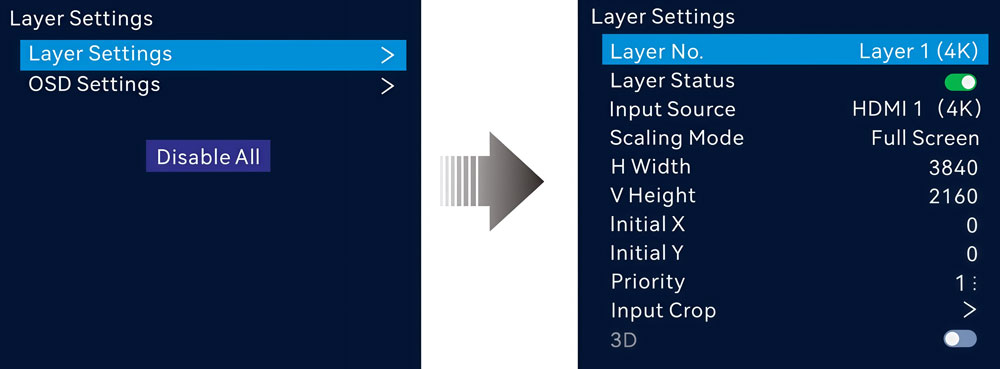
The VX1000 Pro supports up to six layers, which are used to manage how different input signals appear on the LED screen.
In practical projects, layers are commonly used for:
- Main background video
- Picture-in-picture content
- Overlay graphics such as logos or labels
- Temporary content switching during live events
Each layer can be positioned, scaled, and cropped. A single 4K input can also be used as a layer source, which helps simplify system design when working with high-resolution content.
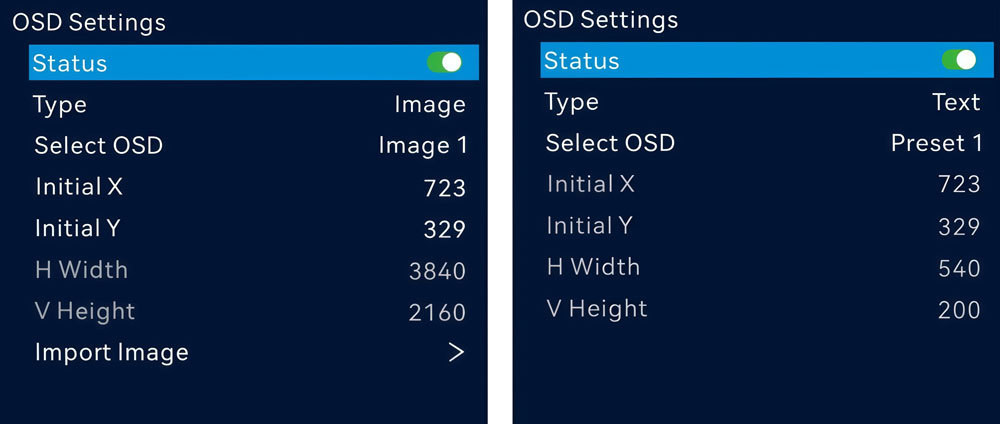
The controller also supports OSD (On-Screen Display) functions. Text and image elements can be generated directly by the device, which is useful for simple overlays without relying on external graphics sources.
4.3 Control Methods During Setup and Operation
The VX1000 Pro provides multiple control methods to match different working environments:
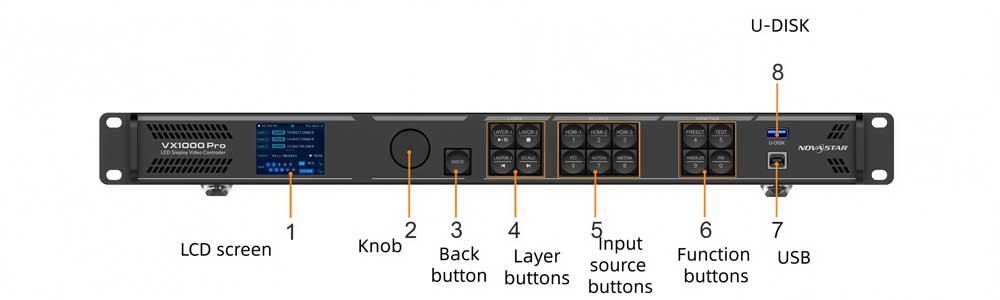
- Front panel knob and display
Commonly used for quick screen setup, signal selection, and basic adjustments on site.
- PC software (NovaLCT and Unico)
Used for detailed configuration, screen topology design, and system backup setup.

- Mobile app (VICP)
Useful for basic control and monitoring when a computer is not convenient.
- Optional remote control
Often used for simple operations such as screen on and off.
This layered control design allows engineers to choose the most efficient method depending on whether they are in setup, testing, or live operation.
4.4 Backup, Redundancy, and System Stability
System reliability is a core design focus of the VX1000 Pro. According to the user manual, the controller supports end-to-end backup across multiple levels:
- Input source backup
Automatically switches to a backup signal if the primary input is lost.

- Ethernet port backup
Provides redundancy at the data transmission level between the controller and LED receiving cards.
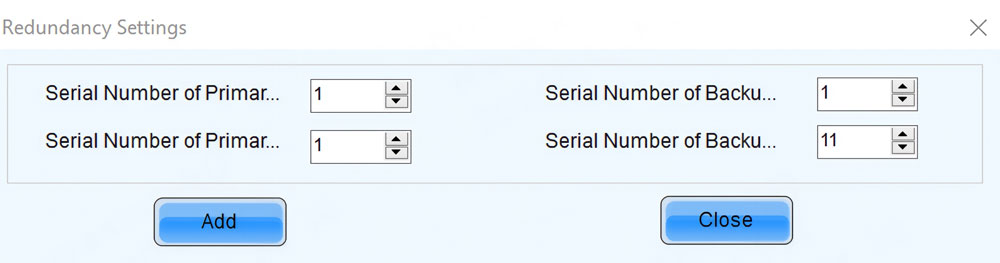
- Device backup
Allows a secondary controller to take over if the primary device encounters a failure.
These backup functions can be configured and tested through the device menu or control software, without physically reconnecting cables. This is especially important for rental stages and live events.
4.5 Typical On-Site Operation Logic
In real projects, engineers usually follow a simple working order when using the VX1000 Pro:
- Choose the appropriate working mode based on latency and processing needs.
- Confirm the input signal resolution and format, especially when using custom or ultra-wide signals.
- Assign Ethernet port loads according to the pixel capacity of each port.
- Configure and test backup settings before live operation begins.
This approach helps reduce setup time and avoids last-minute adjustments during events.

4.6 Power-Off Memory and Recovery
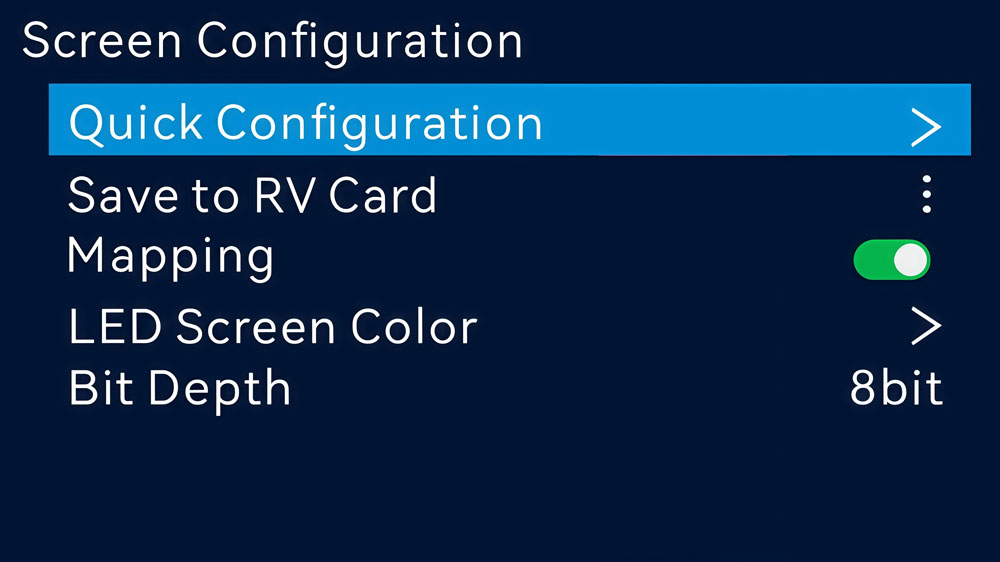
The VX1000 Pro supports power-off memory. If the device loses power unexpectedly, it can restore the previous configuration after power is recovered.
For projects where quick recovery is required, this behavior helps minimize downtime and avoids repeating the entire configuration process.
4.7 Practical Setup Notes
- Custom input resolutions should be confirmed before screen mapping to avoid scaling issues.
- When using 3D input formats, output capacity planning should be adjusted in advance.
- Backup functions should be tested during setup, not after the event starts.
- Saving the configuration after setup helps speed up recovery if power is interrupted.
5. NovaStar VX1000 Pro Price
In practice, the NovaStar VX1000 Pro is positioned as a mid-to-high level all-in-one LED controller, and pricing is typically project-based.
5.1 What Affects the VX1000 Pro Price
The final price of a VX1000 Pro is usually influenced by several practical factors:
- System configuration
- Accessories and options
- Project scale and complexity
- Service and regional factors
5.2 How Pricing Is Usually Handled in Real Projects
For system integrators and rental companies, the VX1000 Pro is typically evaluated as part of a complete LED control solution. The controller price is considered together with screen size, signal routing, backup requirements, and on-site operation needs.
To make this process clearer, LedInCloud provides registered users with access to detailed product information, configuration references, and pricing guidance based on real project scenarios. This allows users to review pricing in context, rather than relying on outdated or incomplete listings.
Register LedInCloud helps ensure that the information you see matches current configurations and technical requirements, especially when comparing different control solutions or planning complex LED systems.
6. VX1000 Pro Manual and Specs Download
For the VX1000 Pro, using the right manual and software version helps avoid configuration issues and mismatched settings.
For VX1000 Pro, we provide dedicated download resources on this page.
- Resources for Other VX Series and NovaStar Products
For other VX series controllers or different NovaStar products, are centralized on the NovaStar Software page.
This approach makes it easier for users who work with multiple NovaStar devices to:
- Find the latest versions of NovaLCT and Unico
- Access manuals for different models in one place
- Stay aligned with official NovaStar updates
If you are working with multiple controllers or planning to compare different NovaStar solutions, the software page provides a more complete overview.
7. VX400 Pro vs VX600 Pro vs VX1000 Pro vs VX2000 Pro
The table below highlights the practical differences between the main NovaStar VX Pro models.
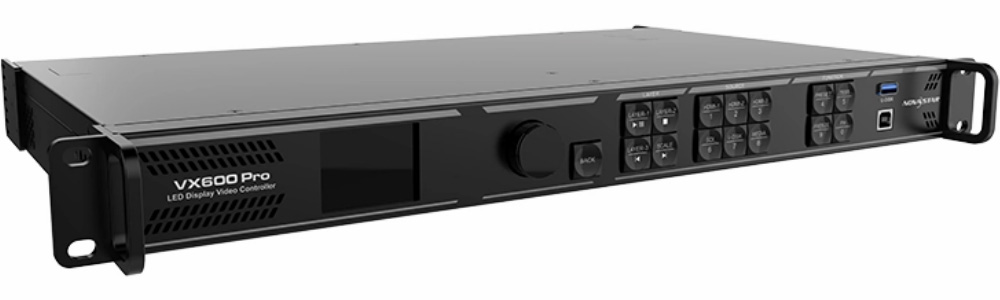
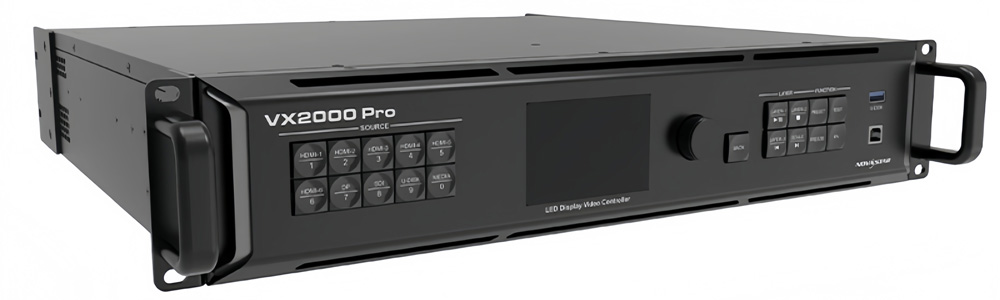
| Feature | VX400 Pro | VX600 Pro | VX1000 Pro | VX2000 Pro |
| Product Positioning | Entry-level all-in-one controller | Mid-range rental controller | High-capacity professional controller | Ultra-large system controller |
| Max Loading Capacity | 2.6 million pixels | Higher than VX400 Pro | Large-scale LED systems | Ultra-large LED systems |
| Ethernet Outputs | 4 × Gigabit | 6 × Gigabit | 10 × Gigabit | 20 × Gigabit |
| Optical Fiber Support | Limited / basic | Supported | Supported (system-level use) | Designed for large-scale cascading |
| Layer & Image Processing | Supported | Supported | Advanced multi-layer control | Advanced multi-layer control |
| Backup & Redundancy | Basic | Enhanced | Full device, input, and output backup | Designed for multi-device redundancy |
| Typical Screen Size | Small to medium LED walls | Medium rental LED screens | Large stages and venues | Mega LED installations |
| Typical Application | Fixed installation, small events | Rental, touring, corporate events | Large rental, stage, control rooms | Broadcast, landmark displays |
- Narrow down options quickly
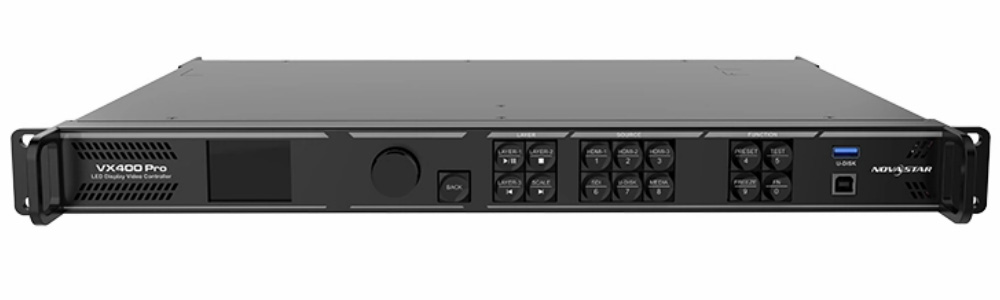
✓ NovaStar VX400 Pro is usually chosen when screen size and signal routing are simple.
✓ NovaStar VX600 Pro fits most mid-size rental and touring projects.
✓ NovaStar VX1000 Pro is selected when system stability, backup, and capacity matter more than compact size.
✓ NovaStar VX2000 Pro is used for projects that exceed single-controller limits.
For a broader overview of our LED display solutions and control systems, you can visit the LedInCloud – LED Screen Cloud Platform.
8. FAQs
Q1. What is the maximum pixel capacity of the VX1000 Pro?
The VX1000 Pro supports a maximum loading capacity of 6.5 million pixels.
Q2. How many pixels can one Ethernet port handle?
Each Gigabit Ethernet output supports up to 650,000 pixels at 8-bit output depth.
Q3. Does the VX1000 Pro support 4K input?
Yes. The VX1000 Pro supports 4K video input, including standard 4096×2160@60Hz signals.
Q4. Can the VX1000 Pro be used for 3D LED display?
The VX1000 Pro supports 3D display, including different 3D signal formats.
However, when certain 3D formats are enabled, the output capacity is reduced, and this should be considered during system design.
Q5. Is backup supported, and how does it work?
Yes. The VX1000 Pro supports end-to-end backup, including:
- Input source backup
- Ethernet output backup
- Device-level backup
These backup functions can be configured and tested through the device menu or control software, without reconnecting cables.
9. Conclusion
The NovaStar VX1000 Pro is designed for LED projects that sit between mid-scale setups and ultra-large systems. It combines video processing, signal sending, and system backup into a single unit, which helps reduce overall system complexity.
Compared with other models in the VX Pro series, it offers a balanced position. It handles demanding rental stages, fixed installations, and control-room applications while keeping operation and configuration manageable for on-site engineers.