
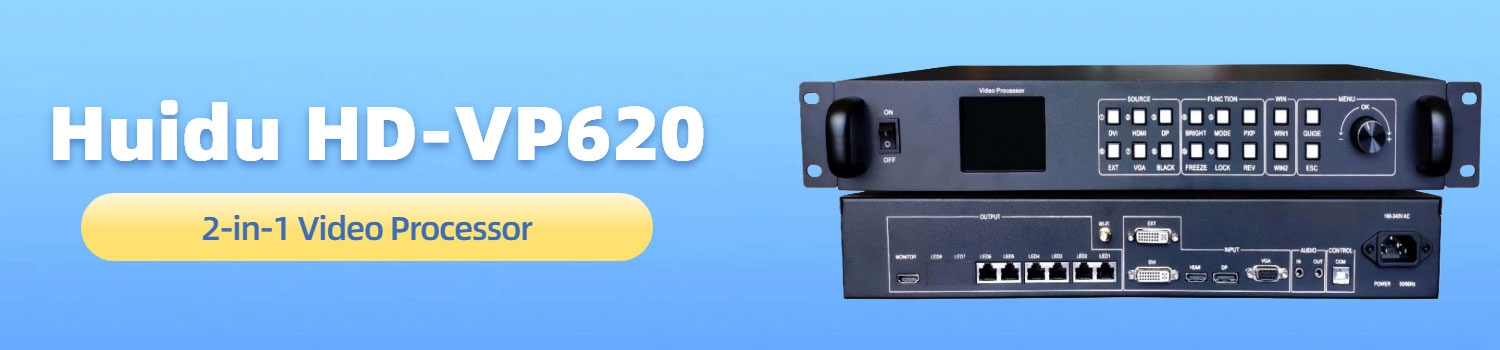
Huidu VP620 All-in-One Video Processor for LED Screens
Huidu VP620 is a video processor designed for LED display systems where signal stability and flexible input handling matter.
For users looking into the HD VP620, the key question is simple: how does this device fit into a real LED setup, and what role does it play?
Before discussing features or specifications, it helps to start with a clear definition.
Table of Contents
1. What Is Huidu VP620?
Huidu VP620 is an all-in-one video processor for LED displays. It sits between the signal source and the LED receiving cards, handling video processing and LED output in one device. In a typical system, it replaces the need for separate processors and senders.
From a system perspective, VP620 acts as the control center for the screen. It receives video signals from different sources, processes the image, and then sends the data directly to the LED display. Because of this structure, the overall wiring and device layout remain relatively simple.
2. Key Features
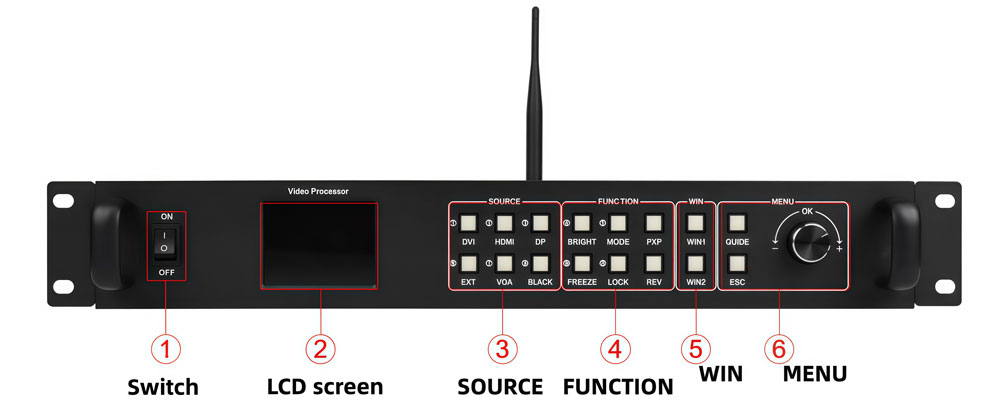
The Huidu VP620 is designed around practical needs in LED display projects. Its key features focus on system simplicity, signal flexibility, and stable output.
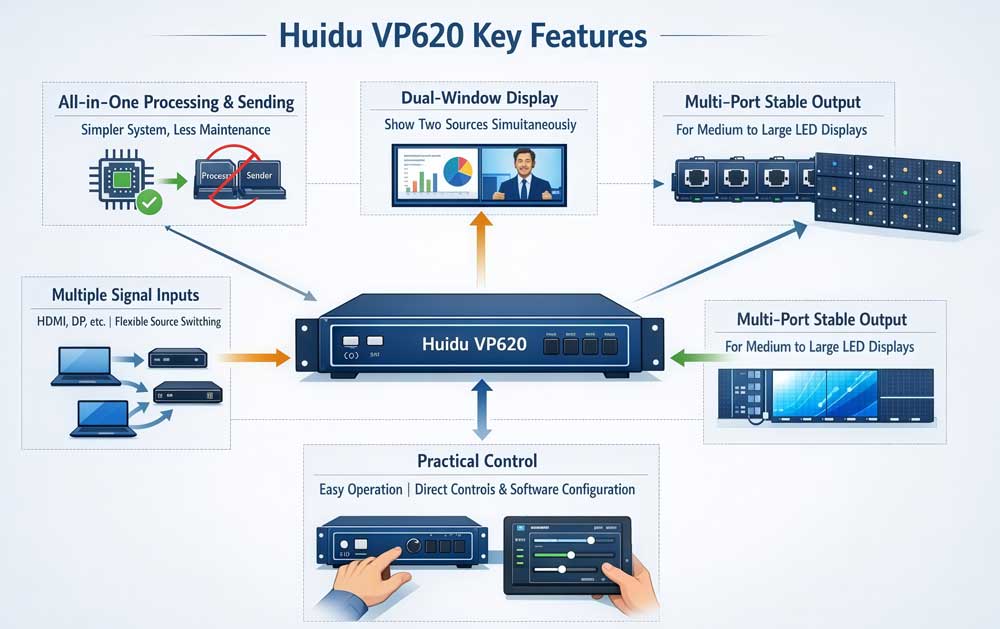
VP620 combines video processing and LED sending in a single device. This means there is no need to add a separate sender in most projects. As a result, the system structure becomes simpler, and the signal path is easier to manage. In fixed installations, this setup also reduces long-term maintenance pressure.
The device provides LED output through multiple network ports, designed for stable data transmission. For medium to large LED screens, this output structure helps maintain consistent image performance. It also matches common receiving card setups used in standard LED display projects.
VP620 supports displaying two video sources on the same LED screen at the same time. One window can act as the main image, while the other provides secondary content. This feature is often used in conference rooms, monitoring displays, and commercial screens where mixed content is required.
LED screens often connect to different sources over time. A laptop today, a media player tomorrow, or a backup computer during events. The huidu vp620 is built to accept multiple common input signals, so switching sources does not require changing the system layout. This makes it suitable for environments where input devices change frequently.
Instead of complex control logic, VP620 focuses on straightforward operation. Common tasks such as input switching and basic display adjustments can be handled directly on the device. For deeper configuration, software control is available. This balance makes the hd vp620 easier to manage in long-term use.
3. Main Functions
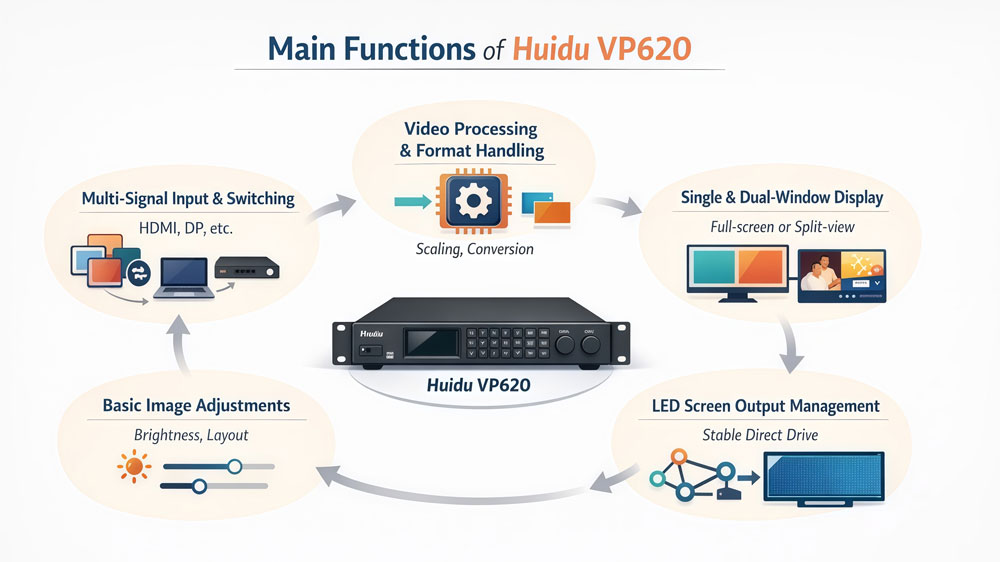
The Huidu VP620 is designed to handle the core tasks required in most LED display systems. Its functions focus on signal handling, image control, and stable screen output. These are the main functions users rely on in daily projects.
3.1 Video signal processing and format handling
VP620 receives video signals from different sources and processes them before sending the image to the LED screen. This includes basic scaling and format conversion so that the input signal matches the display resolution. In real use, this function helps avoid compatibility issues between sources and screens.
3.2 Signal switching between multiple inputs
In many setups, more than one signal source is connected at the same time. The huidu vp620 allows users to switch between these inputs without interrupting the display system. This is commonly used in conference rooms and control environments where content sources change during operation.
3.3 Single-window and dual-window display control
VP620 supports both full-screen display and dual-window layouts. Users can show one source across the entire screen or display two sources simultaneously. This function is useful when main content and supporting information need to appear together, such as presentations with live data or monitoring views.
3.4 LED screen output management
After processing the image, VP620 sends display data directly to the LED receiving cards through its network outputs. This function replaces the need for a separate sending device in most cases. For medium to large LED screens, this setup keeps data transmission stable and predictable.
3.5 Basic image and display adjustments
The device provides basic control over display parameters such as brightness and screen layout. These adjustments help adapt the LED screen to different environments, including indoor lighting changes or long-term operation conditions. The HD VP620 handles these tasks without adding unnecessary complexity.
4. Typical Applications
The Huidu VP620 is mainly used in fixed LED display projects where the system structure stays the same for long periods.
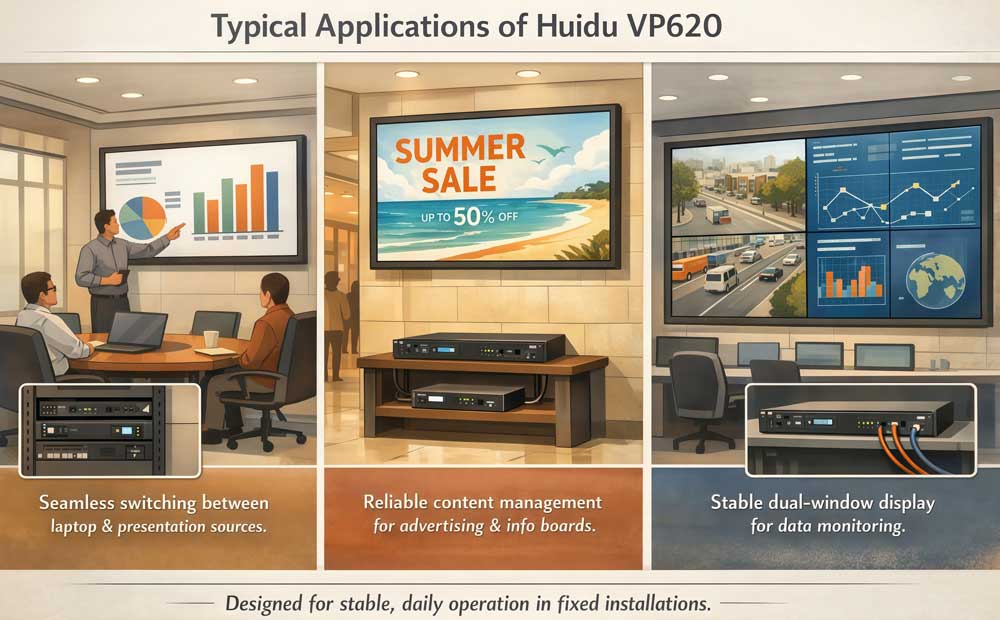
It is commonly found in conference rooms, meeting spaces, and training environments. In these setups, the Huidu VP620 handles input from laptops or presentation systems and keeps the display stable during daily use.
Commercial LED displays also use VP620, such as retail screens, indoor advertising displays, and information boards. These projects usually focus on clear content delivery rather than complex visual effects.
In monitoring and control environments, the HD VP620 supports showing multiple sources on one screen. This makes it suitable for control rooms and data display applications.
5. How Huidu VP620 Is Used?
In a typical LED display setup, Huidu VP620 is used as the central device that connects signal sources to the LED screen. The basic usage process follows a clear order.
- Step 1: Connect the video sources
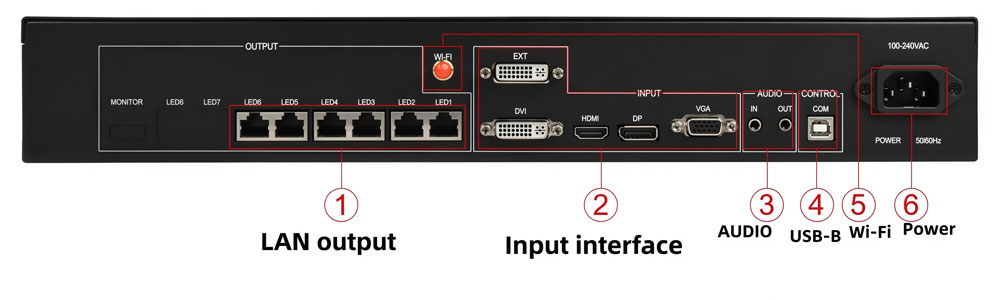
Video sources such as laptops, media players, or control computers are connected to the input ports of the VP620. In most projects, more than one source is connected at the same time to allow switching when needed.
- Step 2: Connect VP620 to the LED screen
The network output ports of the VP620 are connected to the LED receiving cards. These connections carry the processed display data from the processor to the screen. Once connected, VP620 takes over the role of both processor and sender in the system.
- Step 3: Configure the screen and input mapping
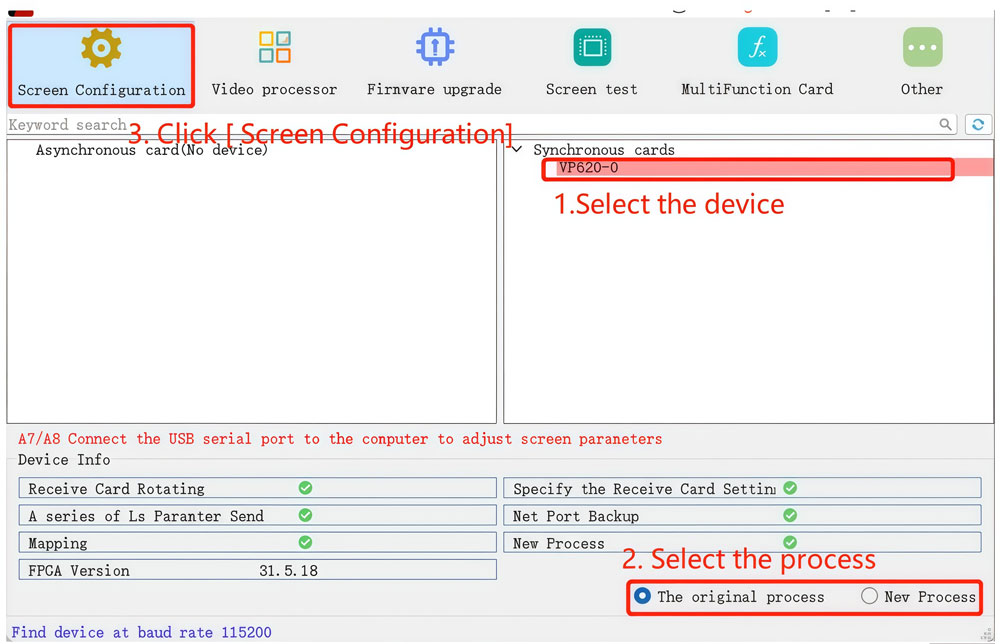
During setup, users define the LED screen size and assign input signals to the display area. This configuration is usually done once at the beginning of the project. After that, it rarely needs to be changed in fixed installations.
- Step 4: Select and switch signal sources
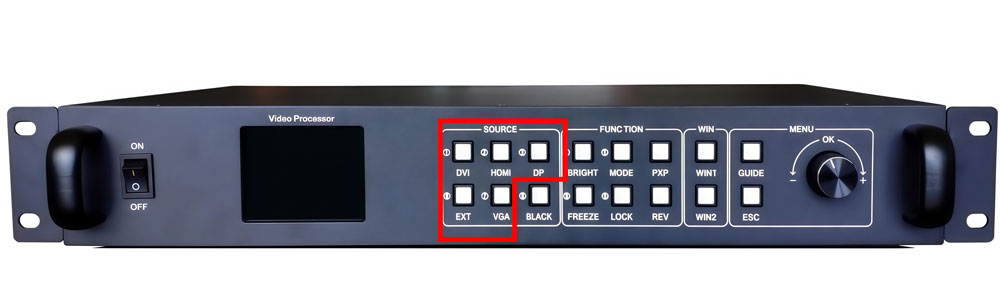
During operation, users can switch between connected input sources as needed. This is common in conference rooms or control environments where content changes throughout the day.
- Step 5: Adjust basic display settings
Basic adjustments such as brightness or display layout can be made to match the environment. These adjustments help the Huidu VP620 adapt to different lighting conditions or usage scenarios.
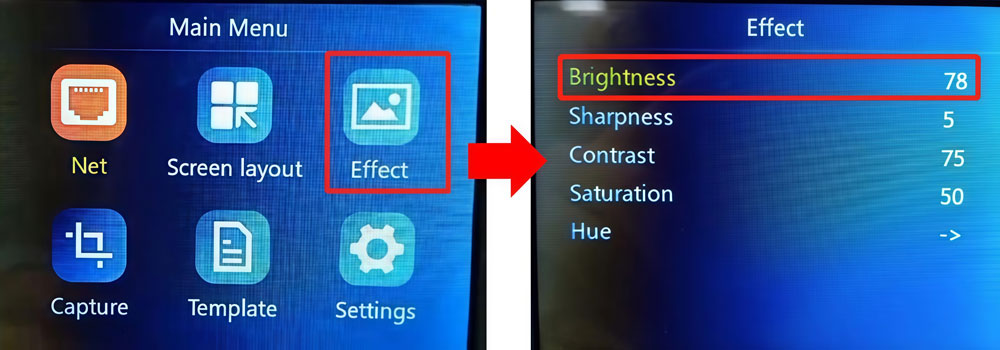
After the initial setup, the system enters a stable working state. In most cases, operators only interact with VP620 for source switching or simple adjustments. This workflow is one of the reasons the HD VP620 is widely used in fixed LED display projects.
6. Huidu HD VP620 Price
For users researching Huidu VP620, price is usually one of the first practical questions. Based on current market references, the unit price is typically around USD 366.7 for a standard configuration. This provides a useful baseline when estimating project costs.
However, LED display projects rarely involve only one device. The final cost often depends on factors such as order quantity, system setup, and overall project scale. Because of this, many users prefer to check pricing in a real project context rather than relying on a single listed number.
To check current specific pricing and compare VP620 with other models, you can visit our LED Screen Cloud Platform and register for direct access.
7. HD VP620 Specs and Manual Download
To support product evaluation and system planning, we provide several resources related to Huidu VP620. These files help users better understand the device specifications and setup requirements.
Available downloads include:
If you are looking for additional materials, such as software tools, firmware updates, or documentation for other Huidu products, you can visit Huidu Resource Download. It provides a centralized place to access the latest resources and supporting files.
8. Conclusion
When evaluating video processors for LED displays, Huidu VP620 sits in a very clear position. It is not designed for experimental layouts or complex creative displays. Instead, it focuses on the core requirements of most fixed LED screen projects.
For users who need stable signal handling, flexible input support, and a straightforward system structure, VP620 is often part of the shortlist. Its role in the system is easy to define, and its pricing level makes it a practical option during early project planning.