
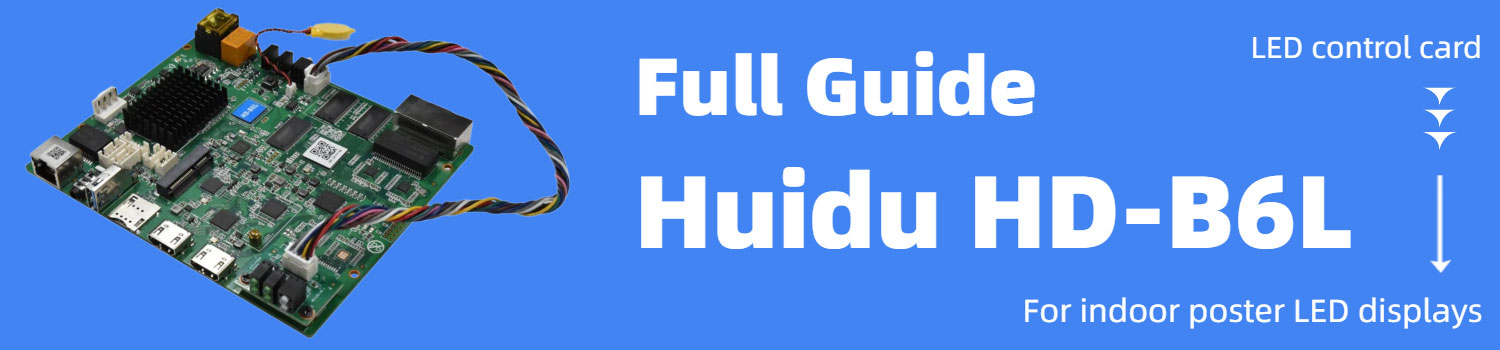
Huidu B6L LED Poster Control Card: Full Technical Guide
Huidu B6L is frequently used in indoor LED poster systems. To understand its role, it helps to first look at where this type of controller fits inside a display structure.
Table of Contents
1. What Is Huidu B6L?
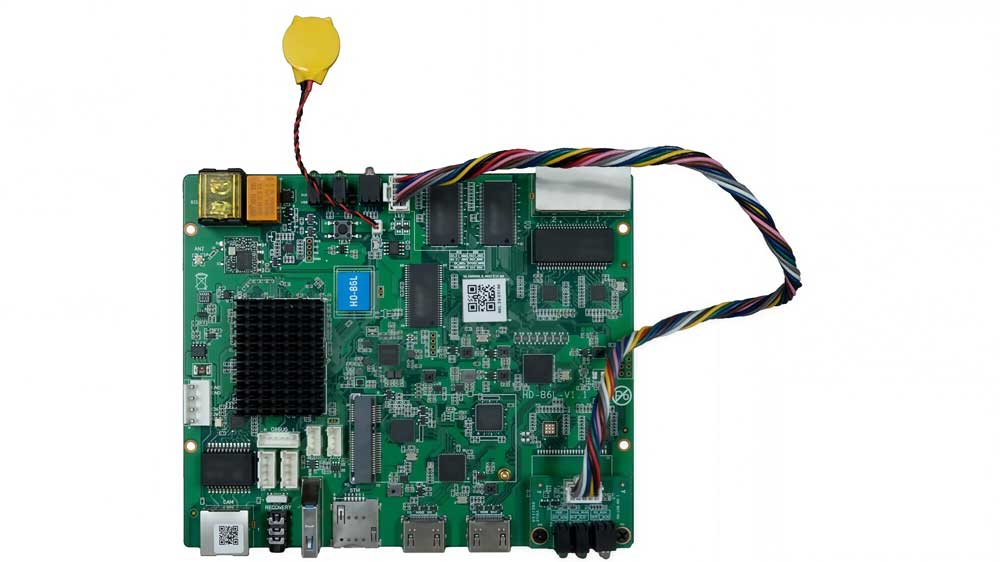
Huidu B6L is a multimedia LED control card developed for indoor poster-type LED displays. It integrates an Android 11 operating system with FPGA-based signal processing on a single board.
Unlike a traditional sending card that relies entirely on external video input, the Huidu B6L can operate independently. It supports local media storage and scheduled playback. At the same time, it accepts HDMI 1.4b input when synchronous display is required.
Because of this dual capability, the HD B6L is typically used in indoor commercial LED posters, digital signage totems, mirror displays, and small creative splicing layouts. These projects often need flexible content control rather than large-scale pixel loading.
2. Why HD-B6L Is Popular in LED Poster Projects?
In LED poster systems, the control card needs to solve several practical requirements. The Huidu B6L fits this category for the following reasons:
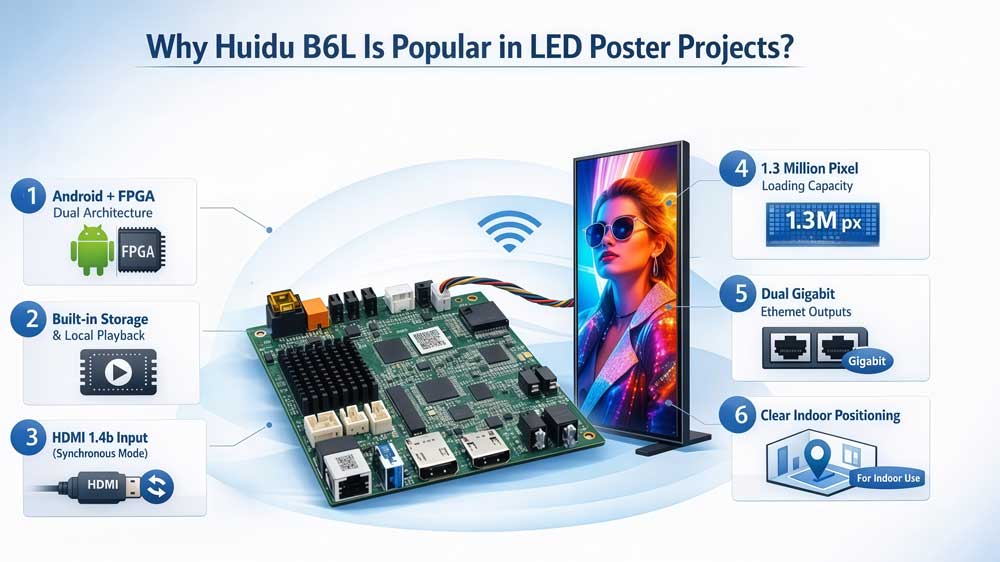
Huidu B6L integrates an Android 11 system with FPGA processing on the same board.
- Android handles content management, storage, scheduling, and application-level control.
- FPGA handles real-time image processing and data output to receiving cards.
The controller includes onboard storage and supports local media playback.
For indoor LED posters in retail or exhibition environments, this simplifies deployment. Content can be stored directly in the controller without relying on continuous external signal input.
Although it supports standalone playback, the HD B6L also includes HDMI input.
This allows the same LED poster to switch to synchronous display when needed. For example, a poster screen may show scheduled advertising most of the time, but switch to live content during an event.
Because both modes exist in one controller, system wiring remains simple.
The maximum loading capacity of Huidu B6L is 1.3 million pixels.
For most indoor vertical poster cabinets, this range is appropriate. It supports high-resolution narrow-pitch layouts without requiring a higher-class sending system.
The maximum supported dimensions (16,384 pixels in width and 8,192 pixels in height) provide structural flexibility when designing custom aspect ratios.
The HD B6L uses two Gigabit Ethernet output ports to connect to receiving cards.
In poster structures, this is sufficient for stable signal distribution while keeping the internal hardware layout compact.
This device is not waterproof. It is designed for indoor installation.
This clear boundary actually simplifies project decisions. For indoor commercial LED posters, the Huidu B6L fits naturally. For outdoor billboard projects, a different class of controller is required.
3. Technical Overview
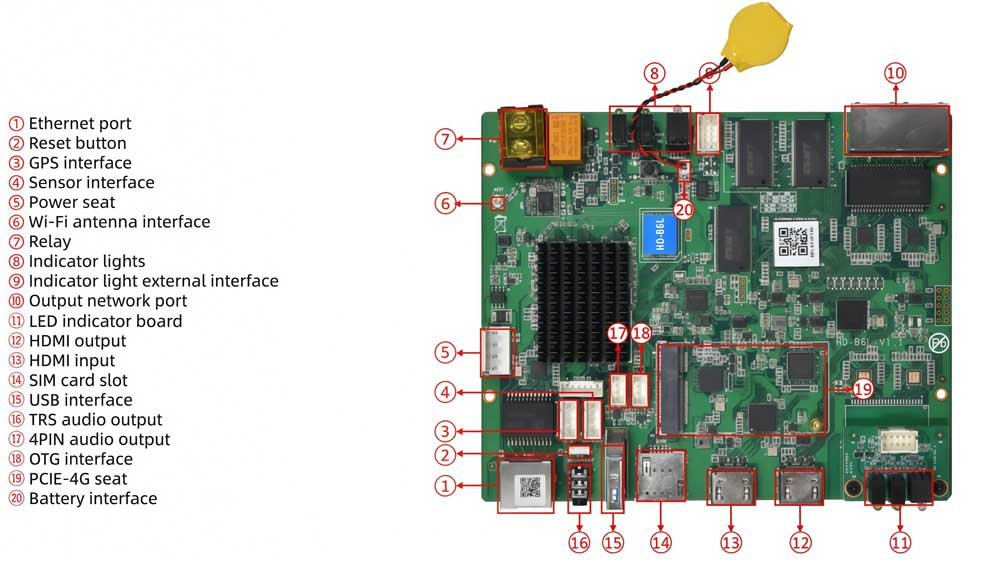
The technical structure of HD B6L can be divided into system architecture, signal capacity, interfaces, and environmental limits.
| Item | Specification |
| Operating System | Android 11 |
| Processing Core | FPGA-based image processing |
| Control Type | Multimedia control card |
| Operation Modes | Asynchronous playback + HDMI synchronous |
| Item | Specification |
| Maximum Loading Capacity | 1.3 million pixels |
| Maximum Width | 16,384 pixels |
| Maximum Height | 8,192 pixels |
| Output Ports | 2 × Gigabit Ethernet |
| Item | Specification |
| Video Input | HDMI 1.4b |
| Media Playback | Built-in storage with local playback support |
| Content Control | Android-based management system |
| Item | Specification |
| Operating Temperature | -40°C to 70°C |
| Storage Temperature | -40°C to 80°C (non-condensing) |
| Waterproof Rating | Not waterproof (indoor use only) |
4. How to Configure Huidu B6L?
Setting up Huidu B6L in an indoor LED poster project usually follows a fixed sequence. The goal is simple: define screen resolution, establish communication with receiving cards, and configure playback mode.
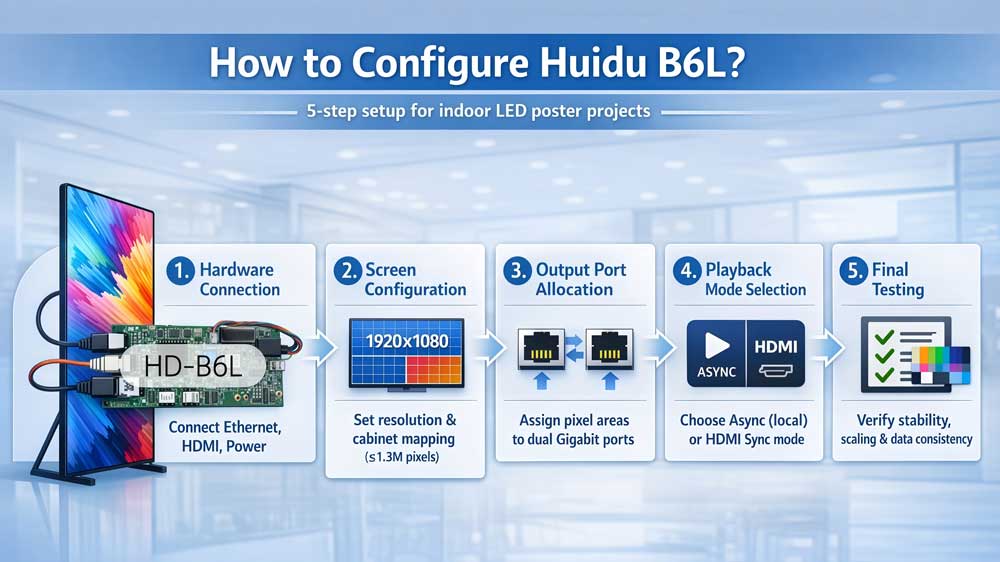
Step 1: Hardware Connection
First, complete the physical connections.
- Connect the two Gigabit Ethernet output ports of the HD B6L to the receiving cards.
- Connect power supply according to the cabinet design.
- If synchronous display is required, connect the HDMI 1.4b input to the signal source.
At this stage, the controller acts as the central node between signal and LED modules.
Step 2: Screen Configuration
After hardware wiring, screen parameters must be defined.
This typically includes:
- Total screen resolution
- Cabinet arrangement (if splicing is used)
- Receiving card mapping
- Pixel width and height settings
The configured resolution must stay within the 1.3 million pixel loading capacity of a single Huidu B6L.
Accurate mapping is critical. Incorrect port allocation can result in partial display errors or misaligned image segments.
Step 3: Output Port Allocation
The HD B6L uses two Gigabit network outputs.
During configuration:
- Assign pixel areas to each network port.
- Keep data distribution balanced when possible.
- Avoid exceeding single-port bandwidth limits in high-resolution vertical layouts.
Proper port allocation improves signal stability in continuous playback scenarios.
Step 4: Playback Mode Selection
The Huidu HD-B6L supports two main operating modes:
- Asynchronous playback (local content)
- HDMI synchronous display
For standalone poster screens, asynchronous mode is typically selected. Media is uploaded and scheduled within the Android system.
If HDMI input is connected, the controller can switch to synchronous mode, mapping external signal to the configured LED resolution.
Step 5: Final Testing
Before project delivery:
- Verify full-screen playback stability.
- Check resolution scaling in HDMI mode.
- Confirm receiving card data consistency.
- Test operation under normal indoor temperature conditions.
Because the unit is not waterproof, ensure installation environment meets indoor protection requirements.
5. Huidu B6L vs Huidu B6 vs Huidu B8L
| Feature | HD-B6 | Huidu B6L | HD-B8L |
| Product Position | Dual-mode LED display player | Multimedia LED control card | Poster screen control system |
| Operating Structure | Dual-mode playback | Android + FPGA architecture | Android system platform |
| Max Loading Capacity (Single Card) | 1.3 million pixels | 1.3 million pixels | 1.3 million pixels |
| Cascading Capacity | Up to 2.3M pixels via HDMI splicing | Poster-level cascading | Up to 5.24M pixels, max 14 units |
| HDMI Input | 1 × HDMI | 1 × HDMI 1.4b | 2 × HDMI 1.4 |
| HDMI Output / Loop | HDMI OUT | — | HDMI LOOP |
| Storage | 8GB Flash | Multimedia internal storage | 4GB RAM + 64GB internal storage |
| Expansion Interfaces | Basic interfaces | Standard poster interfaces | RS232 / RS485 / TTL / Relay / USB 3.0 |
| Suitable Scale | Standard advertising display | Indoor LED poster screens | Large splicing poster systems |
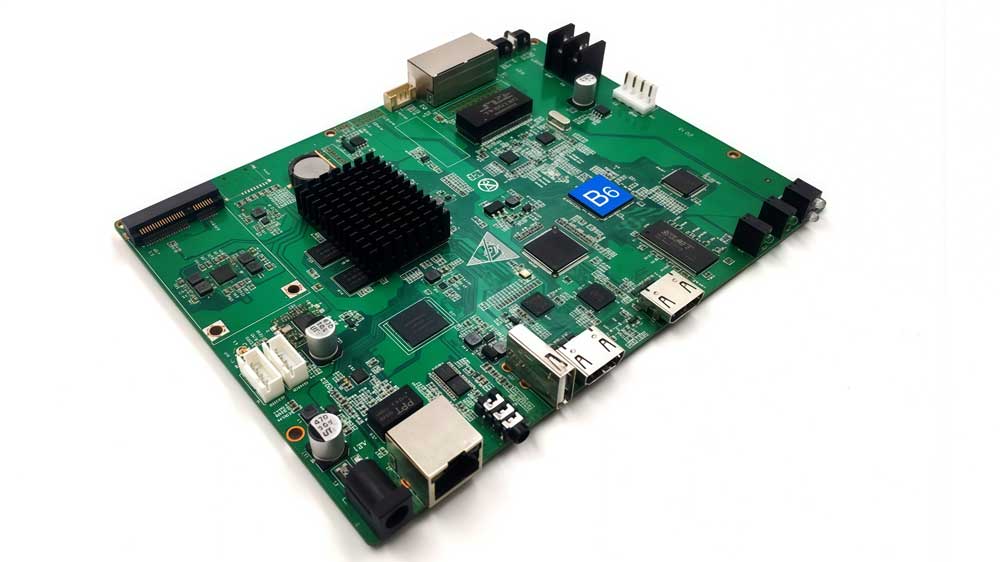
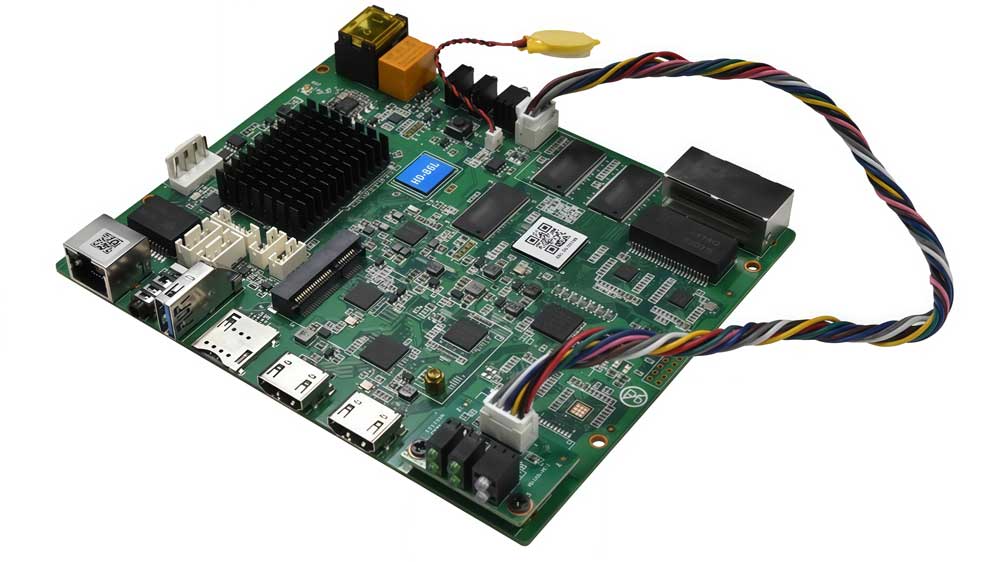
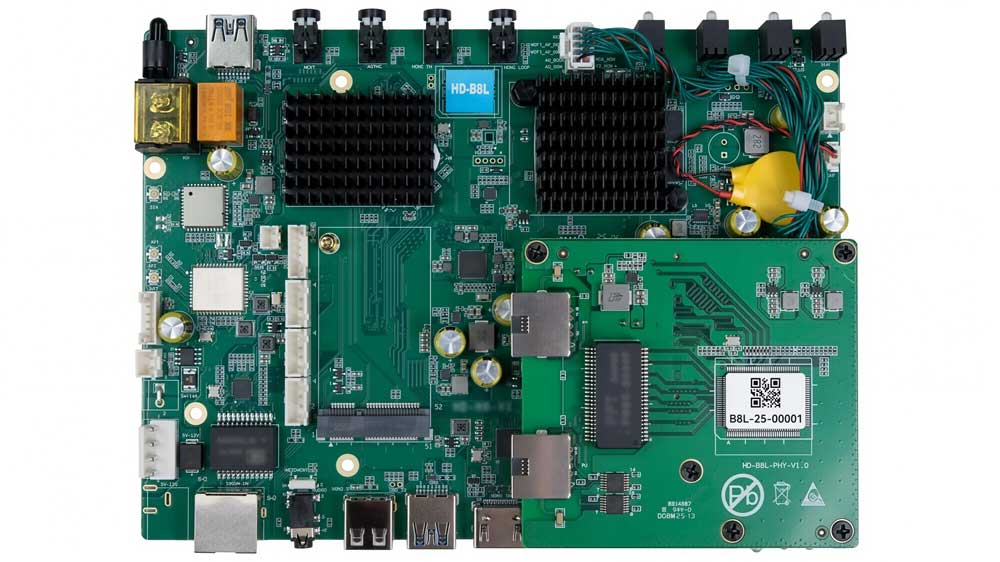
- This table shows the structural difference clearly:
- HD-B6 is positioned as a standard dual-mode player.
- Huidu B6L sits in the middle, focused on indoor poster systems.
- HD-B8L is built for larger and more complex poster networks.
6. Who Should Choose HD B6L?
Huidu B6L is not the most powerful option in the series. But it is often the most balanced one.
It makes sense in projects where scale is controlled and system complexity is moderate. Below is a practical selection guide.
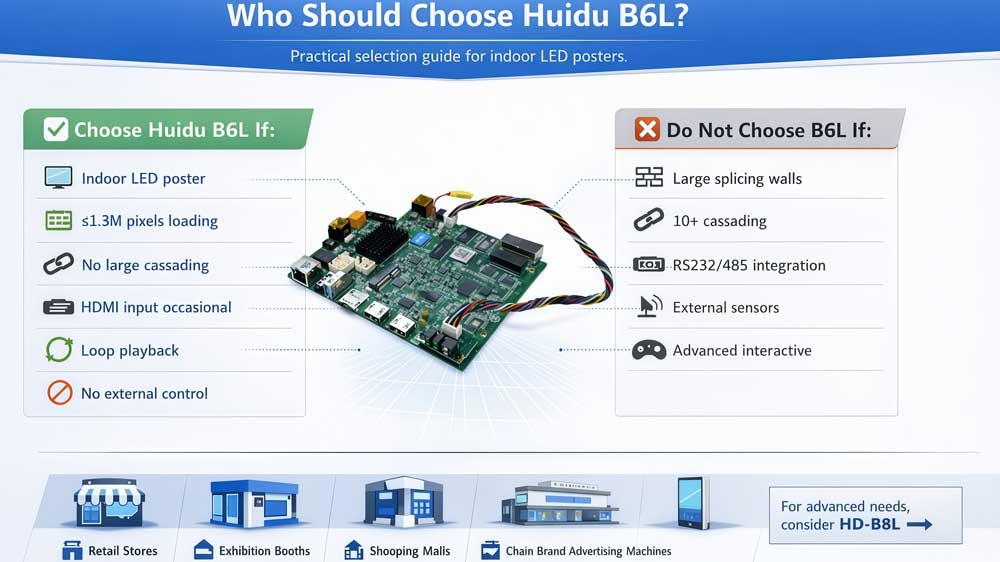
- Choose Huidu B6L If:
- The screen is a standard indoor LED poster
- Total loading stays around 1.3 million pixels per unit
- The system does not require large-scale multi-unit cascading
- HDMI input is needed for occasional synchronous display
- Content is mainly advertising, branding, or loop playback
- No external control system integration is required
It handles multimedia playback and signal input without adding unnecessary hardware complexity.
- Do Not Choose B6L If:
- The project involves large splicing walls
- You need cascading up to 10+ units
- The system must integrate with RS232 / RS485 control networks
- External sensors or automation devices must connect directly
- The application demands advanced interactive expansion
In those cases, HD-B8L is structurally more suitable.
7. Huidu B6L Price and Resource Download
Below you can find pricing access and official document resources for Huidu B6L.
7.1 How to Check Huidu B6L Price?
Huidu B6L pricing varies depending on quantity and supplier.
Instead of waiting for manual quotations, you can register on our LED Screen Cloud Platform to:
- Check real-time price references
- Compare Huidu B6L with other brands
- Evaluate different control card options side by side
This helps you quickly see whether HD B6L matches your project budget.
If you are planning bulk purchasing, you can also submit your project details for a customized quote.
7.2 Huidu B6L Specification Download
We provide the official Huidu B6L specification sheet for direct download here.
If you need additional materials such as:
- Software tools
- Firmware files
- Configuration guides
- Other Huidu controller documents
You can visit Huidu Resource Download to access the complete Huidu document library.
8. Conclusion
Huidu B6L is designed for standard indoor LED poster screens.
It supports 1.3 million pixels per unit, HDMI input, and typical poster-level cascading. For most retail, mall, and exhibition projects, HD B6L is enough.
Need help confirming whether HD B6L fits your screen size?
Contact LedInCloud with your screen resolution and cabinet layout, and we will help you choose the right controller.