Indoor LED Display Screen: Complete Buying Guide for 2026
Buying an indoor LED display screen isn’t complicated — but getting the specs wrong is expensive. This guide covers everything: types, key specs, pricing, common mistakes, and how to find the right supplier. By the end, you’ll know exactly what to look for.
1. What Is an Indoor LED Display Screen?
An indoor LED screen is a modular display system built from LED panels. Each panel contains thousands of tiny red, green, and blue LEDs that work together to produce full-color images and video.
The panels lock together to form a seamless screen — any size, any shape. There’s no fixed dimension, no bezel gaps, and no backlight. Each pixel generates its own light directly.
Indoor LED displays are designed for controlled lighting environments like retail stores, conference rooms, corporate lobbies, and event venues. They run at lower brightness than outdoor screens — typically 600 to 1,500 nits — because they don’t need to compete with sunlight.
2. Types of Indoor LED Display
Indoor LED displays come in several different types. Understanding the differences helps you narrow down what you actually need. Here are three ways to look at it.
2.1 By Installation Method
✔ Fixed LED Display
A fixed indoor LED display is built for permanent installation. You mount it on a wall or integrate it into a structure, and it stays there. This is the standard choice for retail stores, corporate lobbies, conference rooms, and airports. Fixed displays are optimized for long-term, continuous operation — so durability and serviceability matter more than portability.
✔ Rental LED Screen
LED video wall rentals are designed to be assembled, disassembled, and moved repeatedly. The cabinets are lightweight and built with fast-lock systems so setup is quick. This type is common for concerts, exhibitions, product launches, and conferences. If your screen needs to move between venues, rental is the right format.
2.2 By Encapsulation Technology
This one matters more than most buyers realize. The encapsulation method affects image quality, durability, and long-term maintenance.
✔ SMD (Surface-Mount Device)
SMD is the most widely used technology for indoor LED displays. Red, green, and blue chips are packaged into a single unit and mounted onto the PCB. It offers good color uniformity and wide viewing angles. And it’s the most cost-effective option for general indoor use.
✔ COB (Chip-on-Board)
COB bonds LED chips directly onto the substrate without individual packaging. The result is a smooth, seamless surface with no visible lamp dots. COB delivers better contrast, higher durability, and superior performance at fine pixel pitches. That’s why it’s becoming the standard for high-end indoor LED video walls and control room displays.

✔ GOB (Glue-on-Board)
GOB starts with SMD but adds a transparent resin layer over the module surface. This protects the LEDs from dust, moisture, and physical impact. So it’s a good middle ground — better protection than standard SMD, lower cost than COB. Rental screens and high-traffic environments benefit most from GOB.
3. Where Indoor LED Screens Are Used?
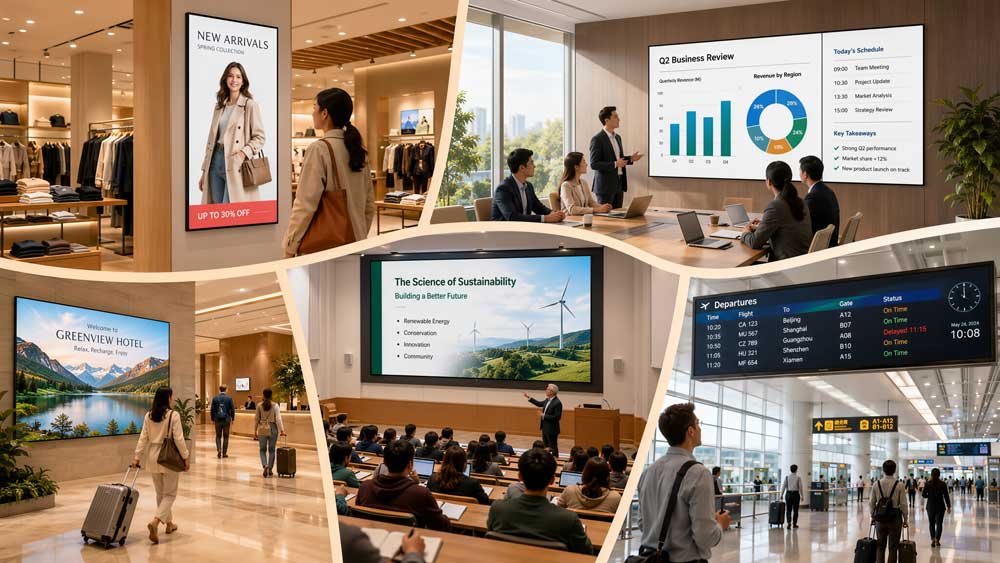
Indoor LED displays show up in more places than most people expect. Here are the most common application environments — and what makes LED the right fit in each one.
(1) Retail
Retail is one of the biggest markets for indoor LED advertising screens. Stores use them at entrances, display windows, and product zones to run promotions, brand visuals, and campaign content. An LED display screen for advertising indoor updates instantly — no printing costs, no static posters. Motion catches attention in a way printed signage never will.
(2) Corporate
Conference rooms, boardrooms, and corporate lobbies are common installations for led video wall indoor setups. The image quality at close range makes them a better choice than projectors in well-lit rooms — no washed-out image, no projection distance required, and no lamp replacements.
Larger corporations also use indoor led screen wall displays in command centers and operations rooms, where multiple data feeds run simultaneously across a single seamless screen.
(3) Education
Schools, universities, and training centers use indoor full color LED displays as lecture hall backdrops, interactive presentation screens, and campus information boards. The wide viewing angle means students across a large room all get a clear view — something that matters in tiered lecture theaters.
(4) Events & Exhibitions
This is where indoor rental LED screens are most common. Concert stages, trade show booths, product launches, and award ceremonies all rely on modular rental displays that go up fast and come down just as quickly. The content is high-impact and temporary, so flexibility matters more than long-term durability.
(5) Hospitality
Hotels, restaurants, and entertainment venues use indoor advertising LED display screens for ambient content, promotional messaging, and wayfinding. A hotel lobby LED wall running scenic visuals creates atmosphere. A restaurant digital menu board updates pricing without printing costs.
(6) Transportation Hubs
Airports, train stations, and bus terminals use indoor LED display signs for real-time passenger information — flight schedules, platform updates, and directional signage. The format here is usually narrow and horizontal, designed for quick reading at a distance.
(7) Healthcare
Hospitals and clinics use indoor led panel display screens for patient information systems, wayfinding displays, and waiting room content. The screens run continuously, so reliability and low maintenance are the priority.
4. Key Specs & How to Choose
Picking the wrong specs is the most common — and most expensive — mistake buyers make. Here’s what each parameter means, and how to apply it to your project.
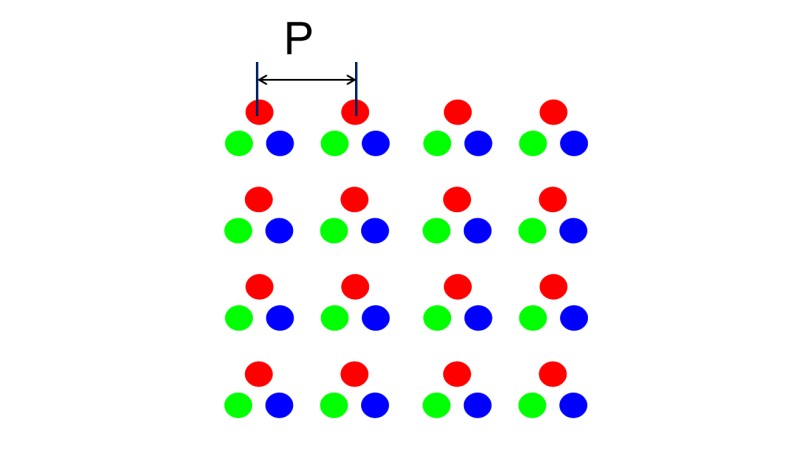
4.1 Pixel Pitch
There’s a simple rule the industry uses:
Minimum viewing distance (meters) ≈ Pixel Pitch (mm)
So a P1.5 screen works well from 1.5 meters away. A P2 from 2 meters. A P2.5 from 2.5 meters. It’s not an exact science, but it’s a reliable starting point.
Here’s a quick reference:
| Viewing Distance | Recommended Pixel Pitch |
| 1 – 2m | P0.9 – P1.5 |
| 2 – 3m | P1.5 – P2 |
| 3 – 5m | P2 – P2.5 |
| 5m and above | P2.5+ |
Content type also matters. Text-heavy content — data dashboards, presentations, detailed graphics — needs a finer pitch than video or motion graphics. The human eye blends motion more easily than it reads small text. So if your screen will mostly show video, you can afford a slightly larger pitch than the table suggests. If it’s showing dense text or data feeds, go finer.
And one more thing: pixel pitch is the biggest cost driver in indoor LED displays. Going one step finer than you need can add significant cost for no visible improvement at your actual viewing distance.
4.2 Brightness
Brightness is measured in nits. It tells you how much light the screen outputs. Indoor LED panel displays typically run between 600 and 1,500 nits.
More brightness is not always better. In a dim environment, a screen running too bright causes eye strain. In a well-lit retail space, too little brightness makes the content look dull.
Match brightness to your ambient light:
| Environment | Recommended Brightness |
| Dim office / conference room | 600 – 800 nits |
| Standard retail / lobby | 800 – 1,200 nits |
| Bright retail / showroom | 1,200 – 1,500 nits |
Most quality indoor LED displays come with adjustable brightness. That matters — because the light level in a space changes throughout the day, and a screen that looks right at noon may be too bright at night.
4.3 Refresh Rate
Refresh rate is how many times per second the screen redraws the image, measured in Hz. Common values for indoor LED screens are 1,920Hz, 3,840Hz, and 7,680Hz.
For the human eye, anything above 1,920Hz looks smooth. But cameras are a different story. If your screen will ever be photographed, filmed, or live-streamed — at events, in showrooms, broadcast studios, or retail environments where customers take photos — a low refresh rate shows up as visible flicker or rolling bands in the footage.
A simple rule:
- Standard signage and advertising displays: 1,920Hz is sufficient
- Any environment where cameras are involved: 3,840Hz minimum
- Broadcast studios and high-end production environments: 7,680Hz
4.4 Grayscale
Grayscale refers to how many brightness levels each LED can produce. It’s measured in bits — 8-bit, 12-bit, or 16-bit.
At 8-bit, each color channel has 256 levels. At 16-bit, over 65,000. The difference shows up in dark scenes and subtle color transitions. Low grayscale produces visible banding — colors shift abruptly instead of blending smoothly.
For general signage and text content, 12-bit is workable. For photography, film, detailed graphics, or any application where color accuracy matters, 16-bit grayscale makes a visible difference.
4.5 Viewing Angle
Viewing angle measures how far off-center a viewer can stand and still see an accurate image. It’s expressed in degrees — for example, 140° or 160° horizontal.
Narrow viewing angles don’t always show up on a spec sheet in a meaningful way. But they show up immediately in real use. Move too far to the side, and colors shift or the image dims noticeably.
In open spaces where people move freely — retail floors, exhibition halls, hotel lobbies, airport terminals — a wide viewing angle matters. In a fixed-seating environment where everyone faces the screen directly, it matters less.
4.6 Cabinet Material
Cabinet material affects weight, structural strength, and heat dissipation. The three most common options for indoor LED screens are die-cast aluminum, magnesium alloy, and iron.
Die-cast aluminum is the standard choice for most indoor fixed LED display installations. It’s lightweight, rigid, and handles heat well — important for screens running 12–16 hours a day. Magnesium alloy is lighter still, which is why it’s often used in indoor rental LED screens where assembly speed and transport weight matter. Iron cabinets are cheaper but heavier and less efficient at dissipating heat — not the right call for continuous-use installations.
4.7 Quick Reference by Use Case
| Scenario | Pixel Pitch | Brightness | Refresh Rate |
| Control Room | P0.9 – P1.2 | 600 – 800 nits | 3,840Hz+ |
| Conference Room | P1.5 – P2 | 600 – 800 nits | 3,840Hz |
| Retail Store | P2 – P2.5 | 800 – 1,200 nits | 1,920Hz+ |
| Corporate Lobby | P2 – P2.5 | 800 – 1,200 nits | 1,920Hz |
| Exhibition / Events | P2.5 – P3.9 | 800 – 1,200 nits | 3,840Hz+ |
| Hotel / Hospitality | P2 – P2.5 | 600 – 1,000 nits | 1,920Hz |
| Airport / Transit | P2.5 – P3 | 1,000 – 1,500 nits | 1,920Hz |


5. How Much Does an Indoor LED Screen Cost?
Indoor LED display screen prices vary more than most buyers expect. Pixel pitch drives most of the cost — finer pitch means more LEDs per square meter, so the price goes up fast. As a rough reference, P0.9 to P1.2 screens run $3,000–$6,000 per m². P2 to P2.5, the range most retail and lobby projects use, falls around $800–$1,500 per m². These are panel prices only, not the full installed cost.
Component quality matters just as much as pitch. A cheap indoor LED display screen might look like a good deal upfront, but lower-grade chips and driver ICs often mean dead pixels and uneven brightness within a year or two. That’s why two quotes for the “same” screen can be so different — they’re rarely using the same components or warranty terms.
The panel price also isn’t the full project cost. Controllers, cabling, structure, and installation typically add another 30–50% on top. So when comparing quotes, always ask what’s included.
Want exact numbers? LedInCloud – LED Screen Cloud Platform shows real pricing by series and pixel pitch.

6. How to Find a Reliable Indoor LED Display Supplier?
Specs only get you halfway. The supplier you pick decides whether those specs actually hold up.
(1) Can you see the production line?
A lot of “manufacturers” online are really trading companies. They take your order, then forward it to a factory you never see. Ask straight up — can I see your production line? A real indoor LED display factory won’t dodge that question.
(2) What’s actually inside the panel?
Two suppliers can quote you the same P2.5 screen, and one uses name-brand chips while the other uses whatever’s cheapest that week. You won’t see the difference on day one. You’ll see it eight months later when half the panel runs dim.
(3) How long have they actually been shipping?
Not since when they registered a website — since when they started shipping containers. A supplier ten years deep has already broken things, fixed things, and learned what not to do. That’s worth more than a slick product page.
(4) What happens when something breaks?
A panel fails six months after install. Some suppliers ghost you. Some ship a replacement in a week. You want to know which one you’re dealing with before you wire any money — not after.
(5) Do they give you anything beyond a quote?
LedInCloud skips a lot of this guesswork. You get pricing, software, and config files straight from the platform — no sales call required.
(6) Can they show you real projects?
Real photos, real installs, someone you can actually message. If a supplier’s done good work, they’ll show you without flinching.
(7) LedInCloud – a leading indoor LED display factory
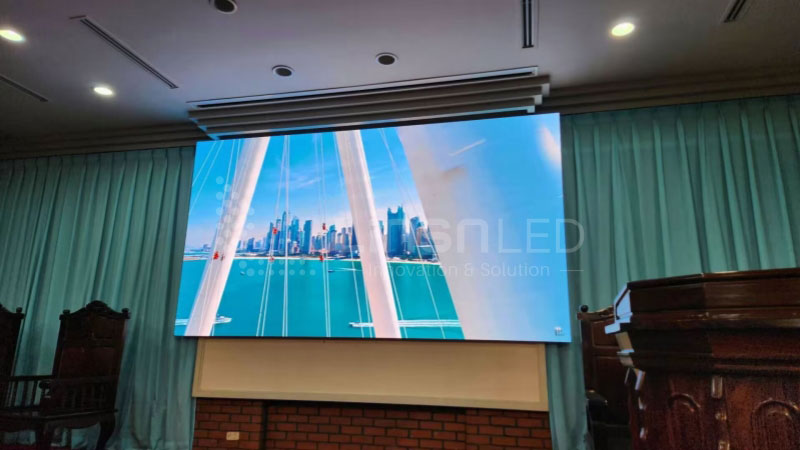
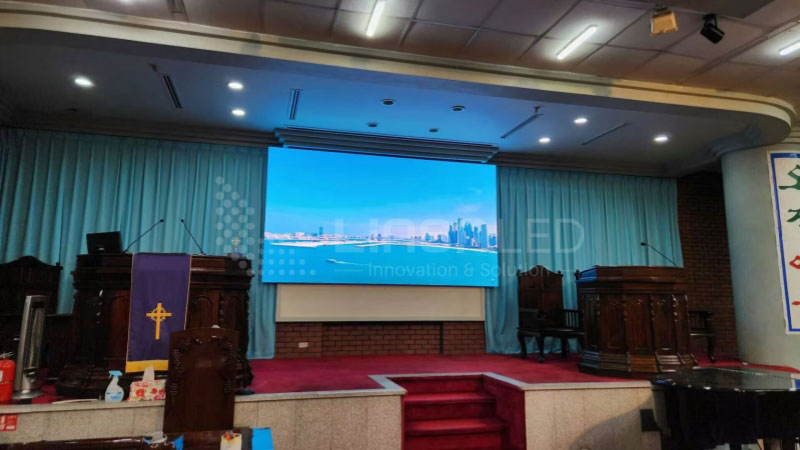
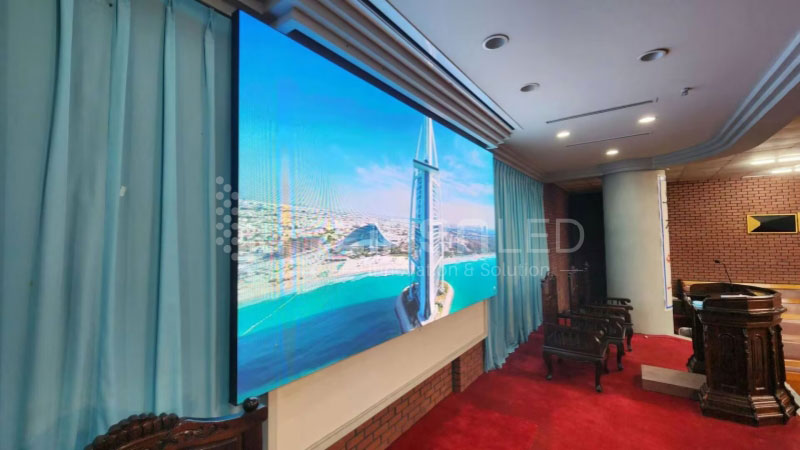
Korea Customer Cases
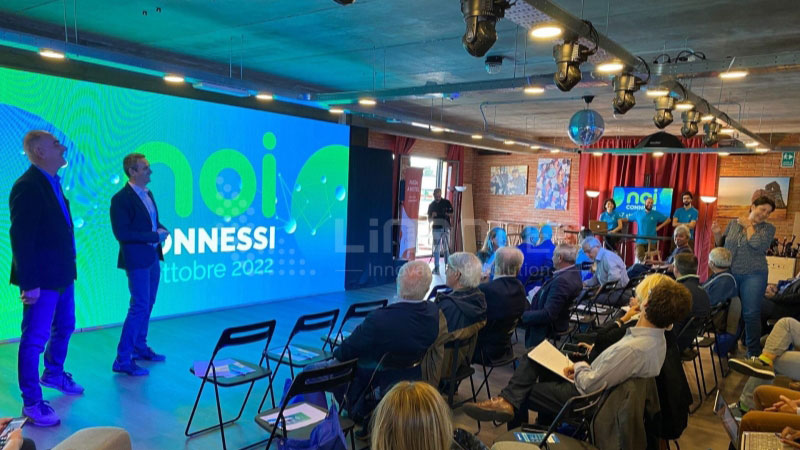
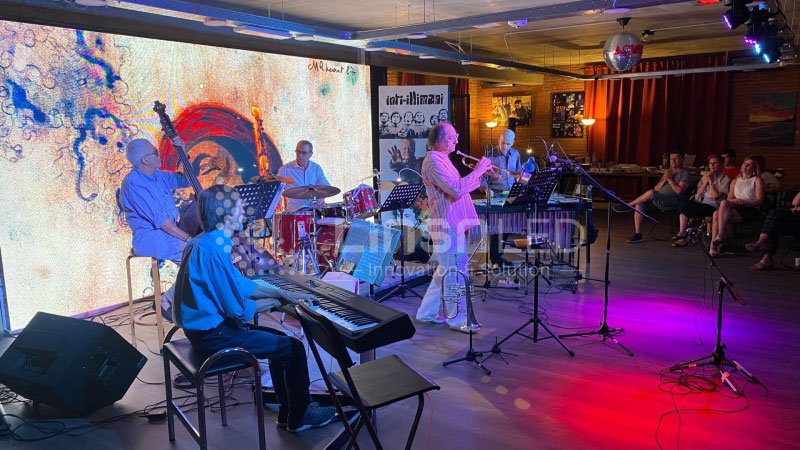
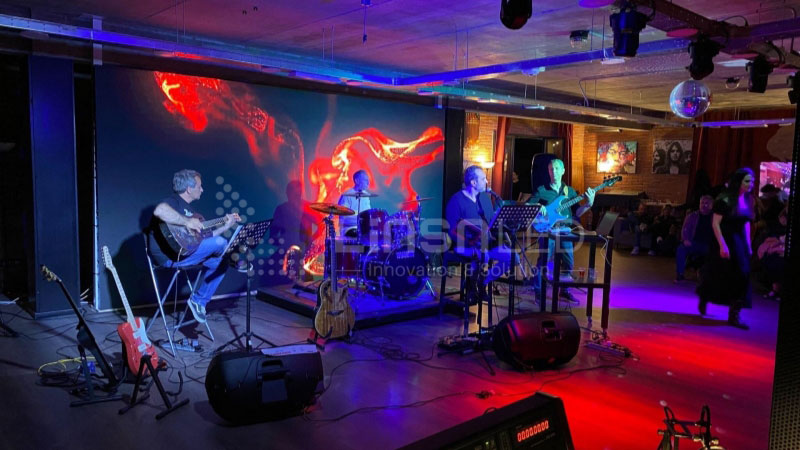
Italy Customer Cases
7. Five Mistakes Buyers Make
Buying an indoor LED display is a significant investment. And most mistakes happen before the screen even ships. Here are the five most common ones — and how to avoid them.
✘ Choosing the Wrong Pixel Pitch
This is the most common mistake. Buyers either go too fine and overpay, or go too coarse and end up with a pixelated image at their actual viewing distance.
A P1.2 screen in a large conference room where nobody sits closer than 4 meters is wasted money. A P2.5 screen in a control room where operators sit 1.5 meters away looks rough. Get the viewing distance right first, then pick the pixel pitch. Everything else follows from that.
✘ Ignoring Refresh Rate
Most buyers focus on resolution and brightness. Refresh rate gets ignored — until someone pulls out a phone to film the screen and the footage comes back with visible flicker or rolling bands across the image.
If your indoor LED screen will ever be photographed or filmed, 3,840Hz is the minimum. Don’t find this out after installation.
✘ Buying on Price Alone
A low quote is tempting. But cheap indoor LED display screens usually cut corners somewhere — lower quality LED chips, inferior driver ICs, or thin cabinet construction. These don’t show up immediately. They show up six months later as uneven brightness, dead pixels, or panels that warp under heat.
Always ask what brand of LED chips and driver ICs the screen uses. That’s where quality differences actually live.
✘ Overlooking After-Sales Support
An indoor LED display runs for years. Things will need attention — firmware updates, panel replacements, calibration. So what happens when something goes wrong?
Many buyers don’t ask this question until they need support and can’t get it. Before you commit to any indoor LED display supplier, find out what after-sales support looks like. Response time, spare parts availability, remote diagnostics — these matter more than most people realize.
✘ Not Considering Maintenance Access
Indoor fixed LED displays need occasional maintenance — cleaning, panel swaps, calibration. But if the screen is mounted flush against a wall with no rear access, every maintenance job becomes a major operation.
Front-service cabinets solve this. They allow technicians to access the modules from the front without dismantling the structure. If your installation doesn’t allow rear access, make sure your screen supports front servicing. It saves significant time and cost over the life of the display.

8. FAQs
What is the difference between an indoor and outdoor LED display?
Indoor LED displays typically operate at 600 to 1,500 nits because they are designed for controlled lighting environments. They also use finer pixel pitches for closer viewing distances. Outdoor LED displays require much higher brightness, weather-resistant construction, and larger pixel pitches to remain visible in direct sunlight and at longer viewing distances.
Is COB or SMD better for indoor LED screens?
It depends on the application. SMD technology is more cost-effective and suitable for most indoor installations. COB technology offers higher durability, improved contrast, and supports finer pixel pitches, making it a better choice for control rooms, broadcast studios, and premium retail displays where image quality and impact resistance are priorities.
How do I find a reliable indoor LED display manufacturer?
Look for a manufacturer with its own production facilities rather than a trading company. Ask about the LED chips, driver ICs, export experience, quality control process, and after-sales support. A reputable supplier should be able to provide clear answers and supporting documentation.
Can indoor LED screens be customized in size and shape?
Yes. Indoor LED displays use a modular cabinet design, allowing them to be customized into almost any size or shape. Curved, cylindrical, corner, and other irregular display configurations are all possible depending on the project requirements.
What's the difference between rental and fixed indoor LED displays?
Fixed indoor LED displays are designed for permanent installation and continuous operation. Rental LED displays use lightweight cabinets with quick-lock mechanisms, making them easier to assemble, dismantle, and transport for exhibitions, conferences, concerts, and temporary events.
What is the lifespan of an indoor LED display?
A high-quality indoor LED display typically lasts 8 to 10 years under normal operating conditions and can last even longer with proper maintenance. The lifespan depends largely on the quality of the LED chips, driver ICs, power supplies, and overall system design.