Shelf LED Display
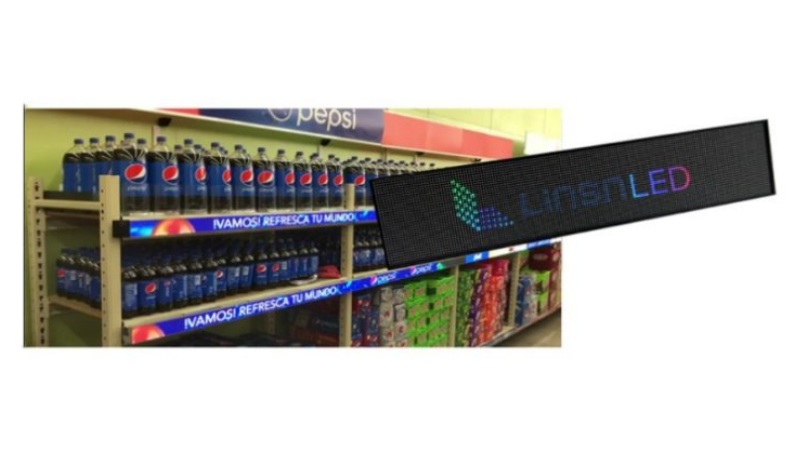
- Ultra-slim design and lightweight
- Various connection methods
- Versatile installation options
- Multiple linkage capabilities
- Simple installation and mobility
- 3-year warranty


Overview
The Smart LED Shelf Display is a sleek advertising screen designed to deliver impactful and creative visual marketing. It allows content uploads via USB, Wi-Fi, 4G, or a network connection. You can connect multiple Smart Shelf LED Price Tags to create a larger display or partition screens for multiple video promotions. Its lightweight design enables easy mobility, while its visibility ensures it captures attention from a distance—making it an essential asset for businesses seeking high visual impact.

Features
✔ Ultra-Slim and Lightweight: At just 22mm thick, the thinnest in the market, these displays are easy to install and transport.
✔ Versatile Installation Options: Supports various modes, including stand and wall-mounted setups.
✔ User-Friendly Operation: Plug-and-play functionality for simple management.
✔ Flexible Linkage Modes: Includes single display, cascaded applications, and creative configurations.
✔ Multiple Connection Methods: USB, Wi-Fi, HDMI, and cable connections, with quick management through mobile phones and PCs.
✔ Remote Publishing: LAN integrated and internet-based publishing for easy content updates.
✔ Quick Calibration: Calibration data is saved on modules, with the ability to restore factory settings in just 5 seconds.
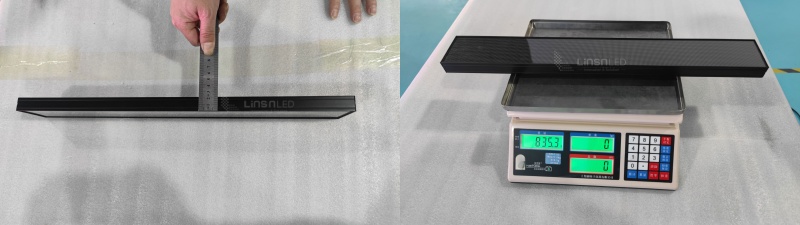
Super Thin and Lightweight
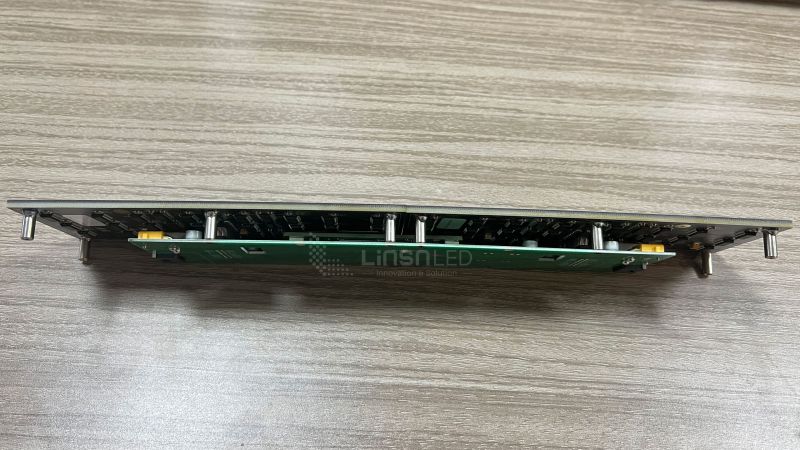
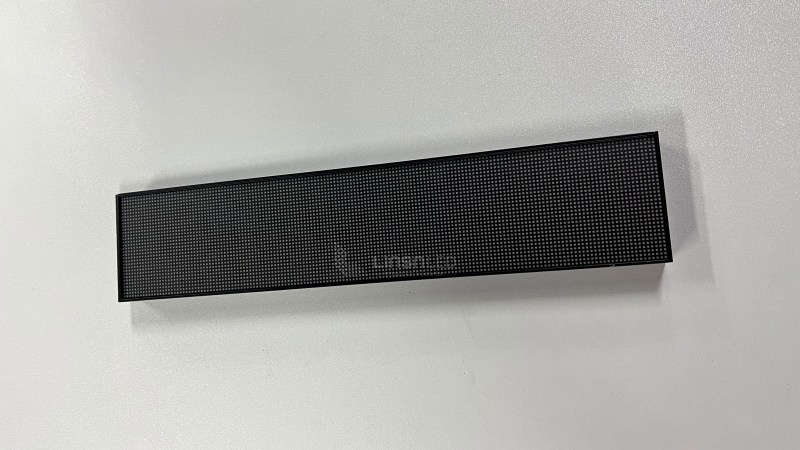
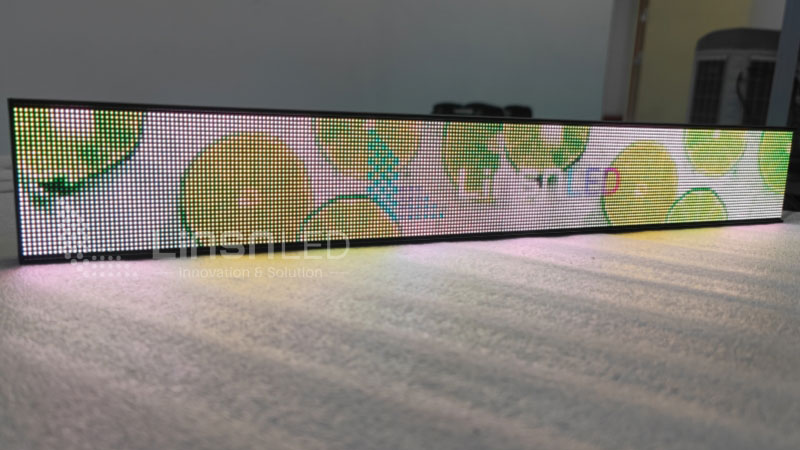
The Linsn LED Shelf Display features an incredibly slim profile and lightweight design, easing installation and transportation while minimizing shelf burden. With a thickness of only 2cm, it takes up minimal space and is straightforward to install. The structure and quality materials result in a weight of just 835g per unit.

Size
With Frame: 303mm x 64mm x 21mm
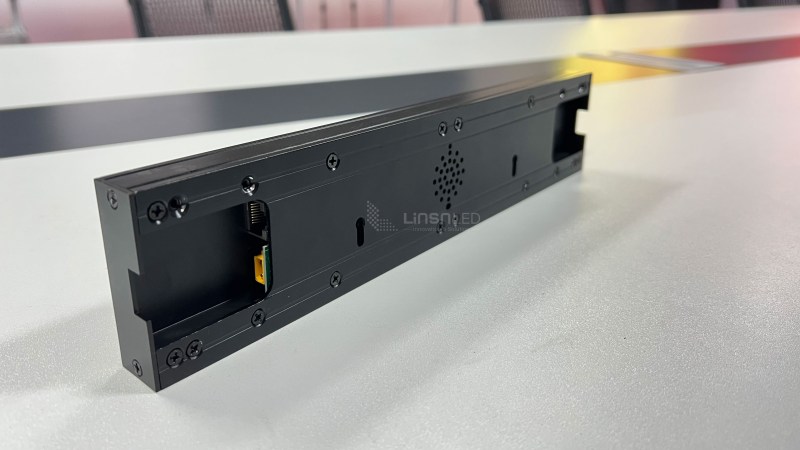
Display Area: 300mm x 60mm x 21mm (Refer to front and rear views for a 300mm length.)
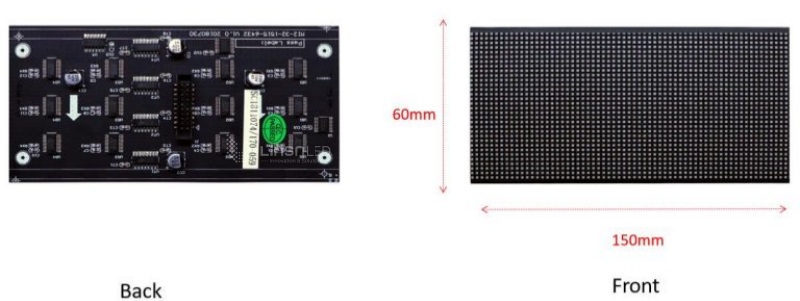
LED Module
The shelf LED display module employs GOB technology for an exceptional visual experience.
Available sizes include: 150x60mm, 300x120mm, 200x50mm, 200x150mm, 200x100mm, 128x128mm, 128x64mm.
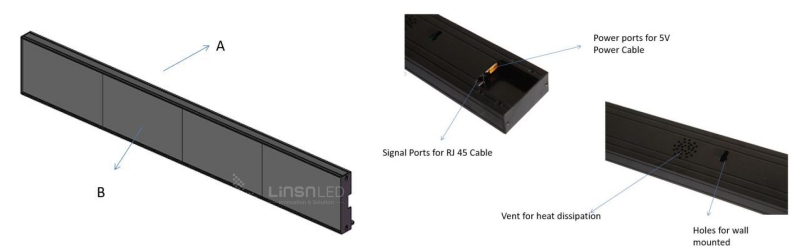
Product Makeup
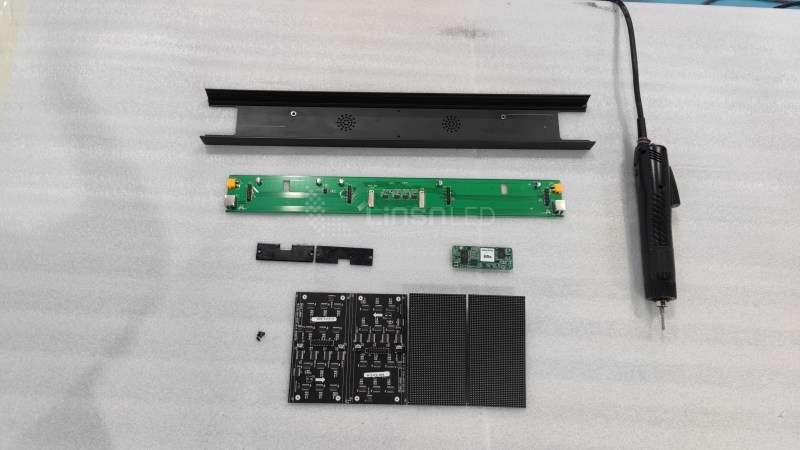
Aluminum Alloy Frame: Constructed from a single, straight long frame connected to an aluminum plate on the side for perfect display flatness.
GOB Technology on Modules: Provides enhanced protection against touch, impact, and water spray.

GOB Technology for High Protection
The TOP-GOB process involves surface coating and fully sealing the PCB board with epoxy resin, enhancing protection against physical damage. It offers features like anti-fog, dust-proofing, easy cleaning, abrasion resistance, damp-proofing, anti-collision, antistatic properties, oil pollution resistance, and oxidation protection.
Product Videos
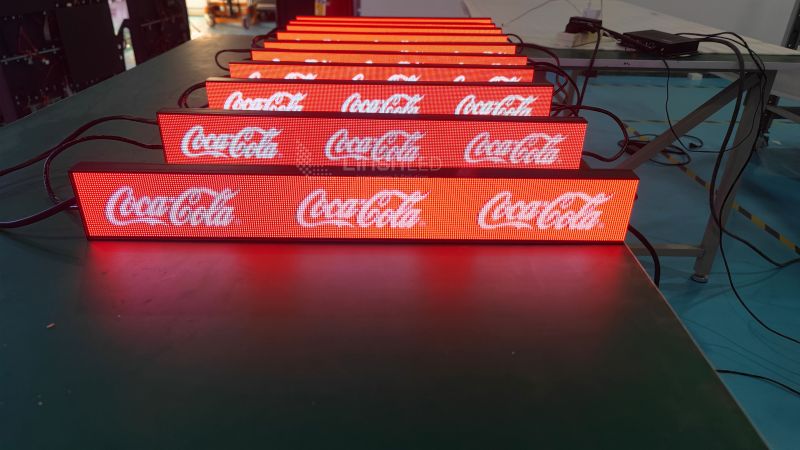
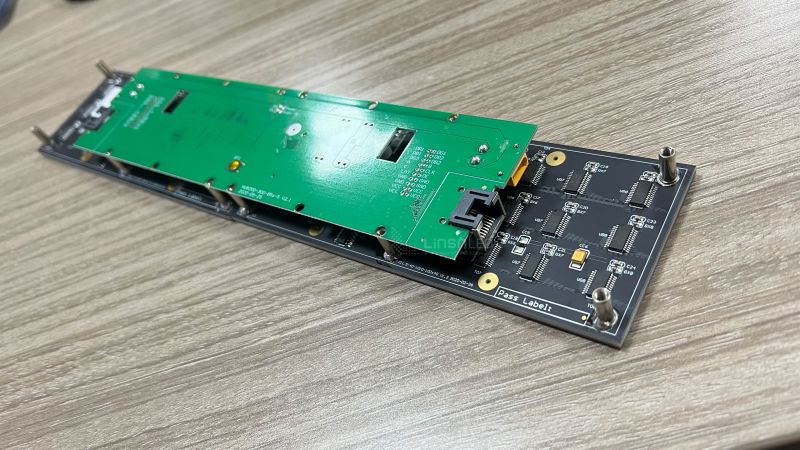
Product Images
Specification
| Optical Parameter | Pixel Pitch (mm) | P1.2mm | P1.5mm | P1.875mm | P1.5625mm | P2mm |
| Viewing Angle (H/V) | 160° / 160° | 160° / 160° | 160° / 160° | 160° / 160° | 160° / 160° | |
| Brightness (cd/sq.m.) | 800 | 800 | 800 | 800 | 800 | |
| Refresh Rate (Hz) | >3840 | >3840 | >3840 | >3840 | >3840 | |
| Optimized Viewing Distance (m) | 1~10 | 1~10 | 1~10 | 1~10 | 1~10 | |
|
Electrical Parameter |
Input Voltage | AC110V or AC220V±10%50/60Hz | ||||
| Input Interface | Ethernet / USB / Wi-Fi | |||||
|
Structure Parameter
|
Module Size in Pixel (W×H) | 125×50 | 100×40 | 80×32 | 128×32 | 64×32 |
| Module Size in mm (W×H) | 150x60mm/300x120mm | |||||
| IP Rating | IP 40 | |||||
| Maintenance | Rear | |||||
|
Operation Parameter |
Operating Temperature/ Humidity (℃/RH) | -10℃~40℃/10~90RH% | ||||
| Certification | CCC / CE / ETL / FCC | |||||
Send Us Message
If you have any LED display projects or technical problems regarding our LED display products. Please send us a message, we will reply to you in 24 hours.
ATTENTION: lf you bought LED Display & LED Module from other suppliers, Please get help from them directly.
Ultra-Slim Shelf LED Display for Supermarket Shelves
A shelf LED display replaces printed price tags with a slim digital screen. It plays videos, shows promotions, and updates prices in seconds.
LedInCloud makes these screens for supermarkets and retail stores. Each unit is 21 mm thick, weighs 835 g, and runs pixel pitches from P1.2 to P2. Every screen carries GOB protection and a 3-year warranty.
Table of Contents
1. What Is a Shelf LED Display?
2. Core Applications
3. What Can a Shelf LED Screen Do?
4. Shelf LED Display vs. Shelf LCD Display
5. Shelf LED Display Price Factors
6. How to Install a Shelf LED Display?
7. How to Control Shelf LED Displays
8. Shelf LED Display Manufacturer
9. FAQs
10. Conclusion
1. What Is a Shelf LED Display?
A shelf LED display is a slim digital screen that sits along the front edge of a retail shelf. It replaces paper price tags and printed promotion cards. Instead of printing new labels every week, you update the screen with a few clicks.
So what is inside? Each unit combines a small LED module, a receiving card, a controller, and a power supply. The screen pulls content from a USB drive, Wi-Fi, or a network connection. You can push prices, product photos, or short videos to one shelf—or to a hundred shelves across different stores at the same time.
And because the content is digital, it changes with your promotions. Show a breakfast deal in the morning and a discount video in the afternoon. The shelf itself becomes an ad space, right where shoppers make their final choice.
2. Shelf LED Display Applications
The hardware only matters if it fits your store. So before we get into functions and specs, here is where these displays actually earn their keep.

2.1 Supermarkets and Grocery Stores
This is the main battlefield for shelf LED displays, and each aisle uses them differently.
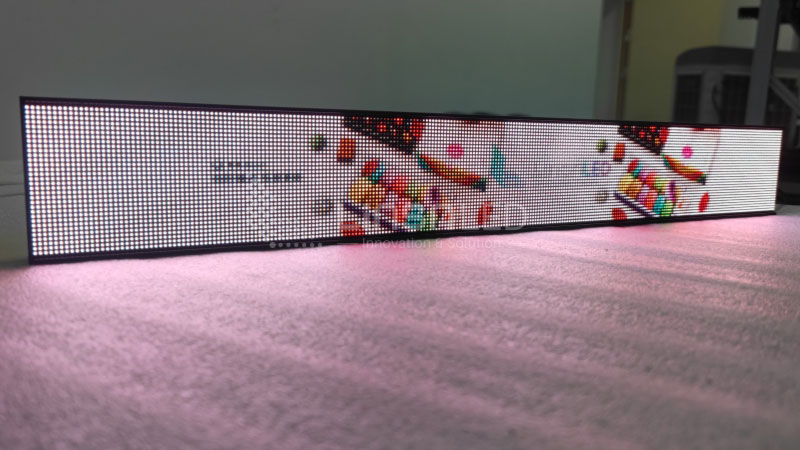
In the beverage section, the screens sit along cooler edges and loop short video ads. A soda brand can run a summer promo video in July and switch to a holiday bundle in December. No reprinting, no wasted posters.
In daily goods and personal care, the display works as a price and info board. Ingredients, usage tips, and discounts update as stock changes. When a promotion ends at midnight, the screens switch back to regular prices on their own. Nobody touches a single label.
Bakery and deli counters get the most out of scheduling. Morning content pushes fresh-bread deals. Afternoon content promotes ready-to-eat meals for the commute home. Same screens, different shifts.
2.2 Retail and Specialty Stores
Outside supermarkets, the display turns shelf edges into branding space.
Electronics stores put spec highlights and comparison points right next to the products, where shoppers actually read them. Cosmetics counters run brand videos in loops, adding a premium feel that paper cards cannot match. And for seasonal end caps, one screen tied to a themed display is often all it takes to pull eyes to the promotion.
3. What Can a Shelf LED Display Do?
You have seen where it works. Now let us look at what it actually does day to day, because this is where the display pays for itself.

3.1 Replace Paper Labels with Dynamic Content
The core job is simple: swap printed tags for screens that change on demand. One unit shows prices, promotions, product photos, and short videos, all on the same spot where a paper card used to sit. When a promotion ends, the screen switches back to regular prices by itself. And because the content is digital, you can schedule it. Breakfast deals in the morning, dinner promos in the evening, weekend specials on Saturday. Paper can never do that.
3.2 Update Everything Remotely, in Batches
Changing one label is easy. Changing 500 labels across a chain is a full-time job, and that is where this display earns its keep.
Your team publishes new content through LAN or the internet, and it reaches every screen at once. One store or fifty stores, the process is the same. No printing, no site visits, no ladders. The management works from a phone, a tablet, or a PC, so a price change that used to take days now takes minutes.
3.3 Splice Screens into Bigger Displays
One unit covers one shelf level. But the hardware does not stop there. Connect several units in a row, and they play as one continuous strip across the entire shelf. Split the layout instead, and different sections run different videos side by side. You can even build a video wall across multiple shelf levels for a flagship display. In short, the screens adapt to the merchandising plan, not the other way around.
3.4 Keep Working Without a Network
Not every store has stable Wi-Fi, and the display handles that. Load content by USB drive, plug and play, and the screen stores it for loop playback. If a screen ever acts up, calibration data is saved on each module. Restore factory settings in 5 seconds, and it is back on the shelf.
3.5 Stay Readable Where Shoppers Stand
A screen is worthless if no one can read it. Shelf-edge viewing happens at close range, so the specs matter here:
- Pixel pitches from P1.2 to P2 keep text sharp at the 1–10 m viewing distance
- 800 nits brightness holds up under typical supermarket lighting
- A 160° viewing angle keeps content visible from the side, not just head-on
4. Shelf LED Display vs. Shelf LCD Display
Before you spend money, it is worth knowing why LED shelf screens cost more than LCD bar screens, and when that difference actually matters. The two technologies look similar on a shelf, but they work in different ways.
An LCD screen uses a liquid crystal panel with a backlight behind it. An LED display emits light directly from its own pixels. That one difference drives everything else, so here is a side-by-side look.

| Feature | Shelf LED Display | Shelf LCD Display |
| Form factor | Slim modular strip | Stretched bar panel |
| Size flexibility | Splice modules to any length | Fixed panel sizes |
| Content | Images, video, text | Images, video, text |
| Installation | Light, flexible mounting | Needs fixed mounting space |
| Multi-screen setup | Cascaded as one seamless strip | Each unit plays separately |
| Maintenance | Replace single LED module | Replace whole panel or backlight |
The length question matters most. LCD bar screens come in fixed panel sizes, so your shelf has to match the screen. If a shelf run is 1.4 m long, no standard LCD bar fits it exactly. LED modules splice together, so the strip matches the shelf, not the other way around. That also means a damaged section gets replaced module by module, instead of swapping an entire panel.
Refresh rate is the second one to check. This LED display runs above 3,840 Hz, which keeps video content smooth on camera and to the eye. For stores that plan to run video promotions, or film content for social media, that number is worth the premium. If you only plan to show static prices and text, an LCD bar can be the cheaper tool for that job.
So the choice comes down to your content plan. Video-heavy, custom lengths, seamless splicing: LED wins. Simple pricing labels on a budget: LCD deserves a look.
5. Shelf LED Display Price Factors
There is no fixed price for a shelf LED display, and that is exactly what this section explains. Instead of a number that changes with every project, here are the factors that actually move the cost.

| Price Factor | How It Affects Cost |
| Pixel pitch | Finer pitch (P1.2) costs more than P2, because it packs more LEDs into the same area |
| Screen length | Longer shelves need more modules, so cost rises with length |
| LED module type | Standard SMD modules cost less than GOB-protected ones |
| Control system | Local USB control is the baseline; network and cloud management add cost |
| Installation | Simple slot-in mounting costs little; custom brackets add labor |
| Order quantity | Small trial orders pay more per unit than volume projects |
Two of these deserve extra attention. Pixel pitch is the biggest lever. If your shoppers stand within a meter of the shelf, P1.2 or P1.5 gives sharp text and justifies its price. If the viewing distance is two meters or more, P2 saves money with no visible loss. Do not pay for resolution the shopper cannot see.
Quantity changes the math too. Most buyers start with a pilot: a few units on one aisle to test content and shopper response. Per-unit cost drops clearly at project volume, so the pilot price is not the project price.
Ready for a real number? Tell us the shelf length, the pixel pitch, and the quantity. Register on the LedInCloud – LED Screen Cloud Platform for self-service pricing, or contact us for a project quote.
6. How to Install a Shelf LED Display?
This is not a construction job. The display mounts on the shelf edge with basic tools, and one person can finish the work. Here is how it goes.
6.1 Before You Start
Two small preparations save a lot of trouble later:
- Clear and level the mounting spot on the shelf edge, so the frame sits flush
- Wear gloves during handling, which keeps fingerprints and scratches off the module surface
6.2 Installation Steps
The whole process takes four steps:
Step 1. Secure the screen to its base with the M6X14 screws. This locks the display to the stand and keeps the connection firm.
Step 2. Attach the fold plate to the screen with the M3X6 screws. The fold plate is the bridge between the screen and your shelf.
Step 3. Fix the other side of the fold plate to the gondola or display frame with screws. Now the screen is held from both ends.
Step 4. Check every screw connection, then power on and confirm the image shows correctly and the screen sits level.
That is the whole job. Power comes next, and a standard power supply connection is all the screen needs to start playing content. No electrician, no structural changes to the shelf, and no downtime for the aisle while you work.


7. How to Control Shelf LED Displays
Screens on the shelf are only half the setup. The other half is control, and this display supports three methods. Each one fits a different store size:
| Control Method | Best For | Connection |
| Control box | A few screens in one store | Local |
| Router | Screens across one building | Store network (LAN) |
| Cloud | Screens in multiple locations | Internet |
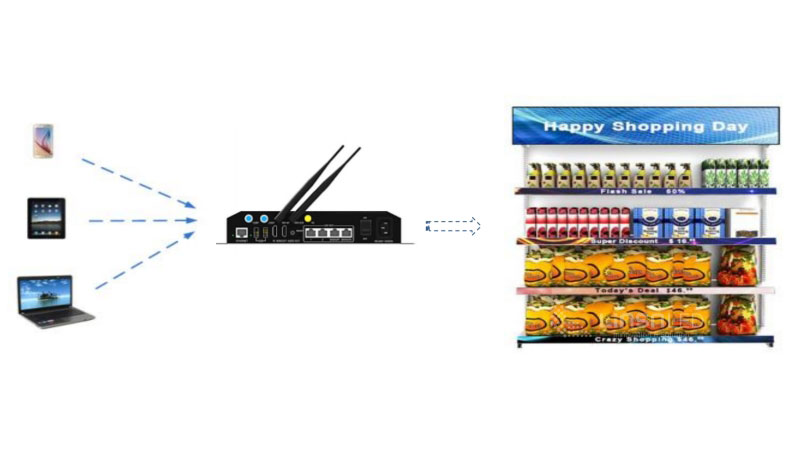
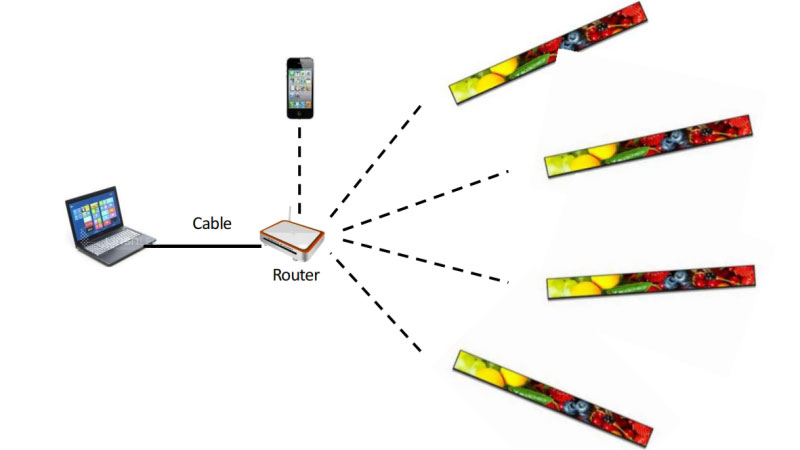
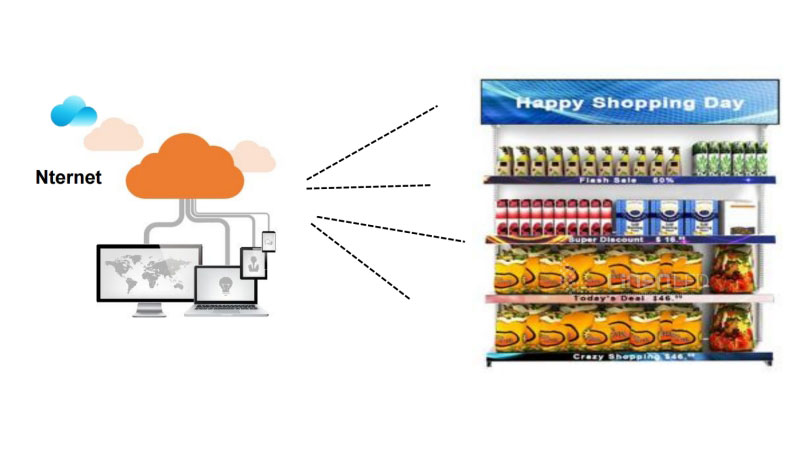
The three setups share one goal: your team changes content from a phone or PC, without touching the screen itself. Small stores run fine on a control box, while chains usually end up on cloud management.
8. Shelf LED Display Manufacturer
LedInCloud is a China-based LED display manufacturer with a 12,000 m² factory and its own LED screen cloud platform. Every screen in this catalog comes from that production line, not from a trading office.
Here is what that means for your project:
- OEM and ODM support. Shelf size, pixel pitch, and control method can all be adjusted to your project. Custom builds are a normal order here, not an exception.
- Certified hardware. Screens carry CCC, CE, ETL, and FCC certifications, which covers the compliance checks for most target markets.
- 3-year warranty with 5% spare parts. Every order includes spare parts worth 5% of the shipment. If a module fails during installation or early operation, you swap it on site instead of waiting for a replacement to ship.
- Direct factory pricing. You buy from the production line, so there is no middle layer between your project and the factory.
- One note on sourcing: if your current screens came from another supplier, contact them for support first. We take full responsibility for what we build, and we expect other suppliers to do the same.
That is the whole pitch. If it works for you, send us your shelf dimensions and quantity, and we will quote the project.
9. FAQs
Q1. What is the difference between a shelf LED display and an electronic shelf label (ESL)?
An ESL is a small e-paper tag that shows static prices and updates slowly. A shelf LED display is a full-color video screen that plays promotions and updates content in real time. They solve different jobs: ESLs replace price tags, while LED displays turn the shelf edge into an advertising channel.
Q2. What happens if a unit fails after installation?
Every order ships with spare parts worth 5% of the total, so a failed module can be swapped on site. For bigger issues, our support team works with you to find the cause and get the screen back in service.
Q3. What information should I prepare before requesting a quote?
Four details speed things up: the shelf length you want to cover, the number of screens, your preferred control method (USB, Wi-Fi, or cloud), and the destination country. With these, we can come back with an accurate project quote.
Q4. Do I need a network connection to use the display?
No. The display updates through USB without any network. Wi-Fi and Ethernet are there when you want remote management, but the screen works out of the box with a USB drive alone.
Q5. Are the displays suitable for all shelf types?
The screen mounts on standard retail shelving, including metal gondolas and wooden shelves. For special shelf structures, tell us the dimensions and we will confirm the right mounting option before you order.
10. FAQs
A shelf LED display pays for itself in saved printing, faster promotions, and more attention at the shelf edge. Contact LedInCloud your shelf length, screen quantity, and target market, and LedInCloud will come back with a project quote for your LED shelf screens.
More Products
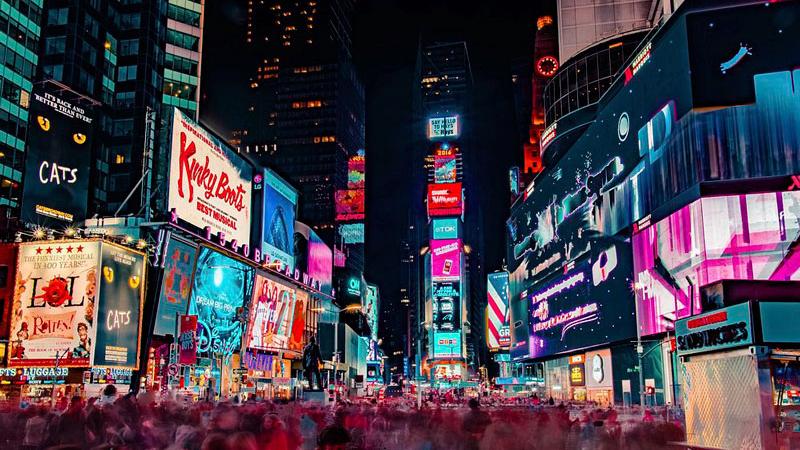
Outdoor LED Screen
Outdoor series featuring high protection, brightness, and easy installation.
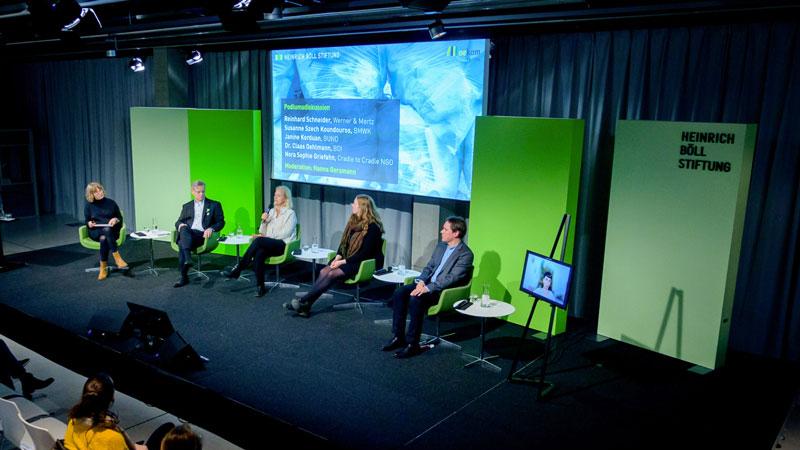
Indoor LED Screen
The high-definition LED screen delivers vibrant and clear visual performance.
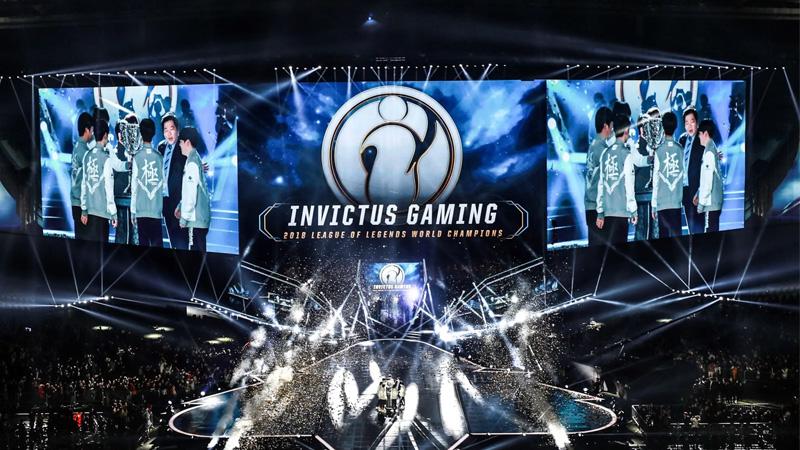
Rental LED Screen
Easy installation and maintenance, with excellent visual performance.
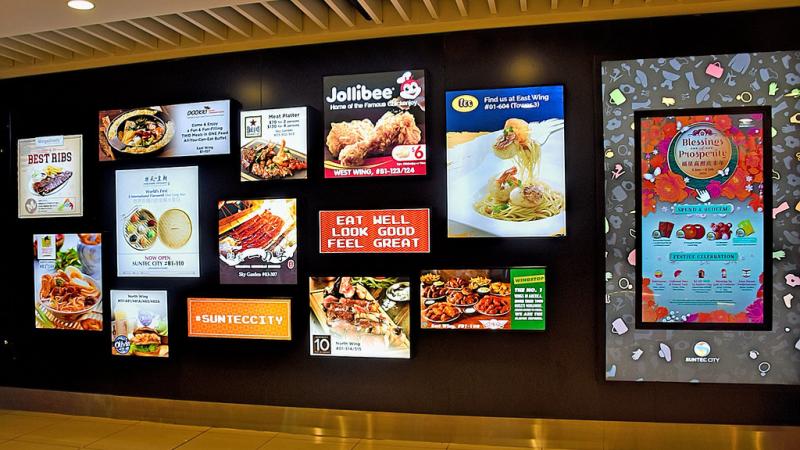
Commercial LED Screen
Various types of LED screens to enhance benefits for commercial venues.