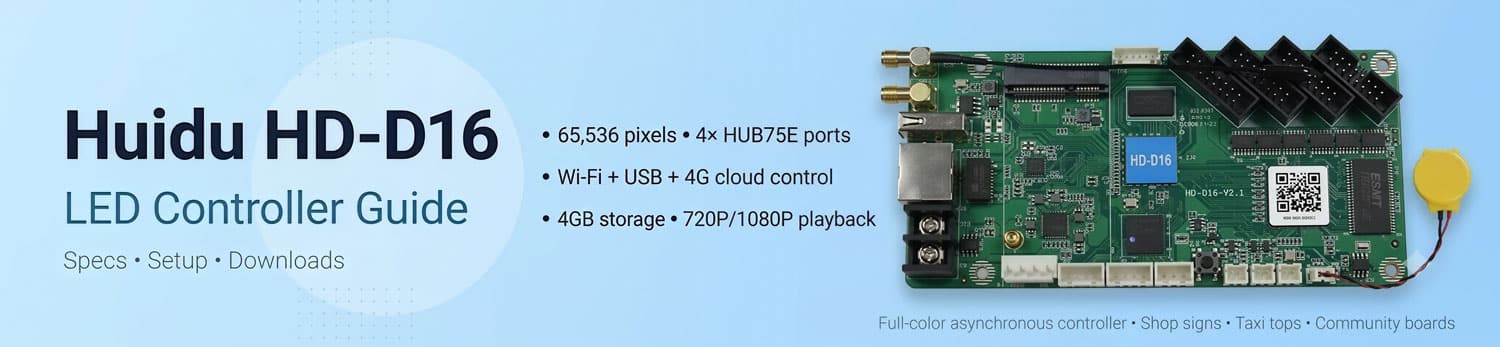
Huidu HD-D16 LED Controller Guide: Specs, Setup & Downloads
Running small LED screens like shop doorheads or taxi top signs requires a simple, solid card. The Huidu HD-D16 is a compact full-color asynchronous controller that drives up to 65,000 pixels. With four HUB75E ports on board, it plays video and handles remote updates without extra sending boxes.
This guide covers its core specs, setup steps, pricing, and downloads so you can quickly get your screen running.
1. What is the Huidu HD-D16?
The Huidu HD D16 is a full-color asynchronous LED control card made by Huidu Technology. In simple terms, it acts as the central brain for small and medium-sized LED displays.
The word “asynchronous” means that the Huidu D16 operates on its own. It has its own built-in processor and storage. So, you do not need to keep a computer connected to your LED screen all the time. You simply create your video or text content on a PC or phone, send it to the card, and the card plays it automatically on a loop.
Overall, it is designed for users who need a simple, self-contained controller to drive full-color LED screens without complex extra hardware.
2. Technical Specs
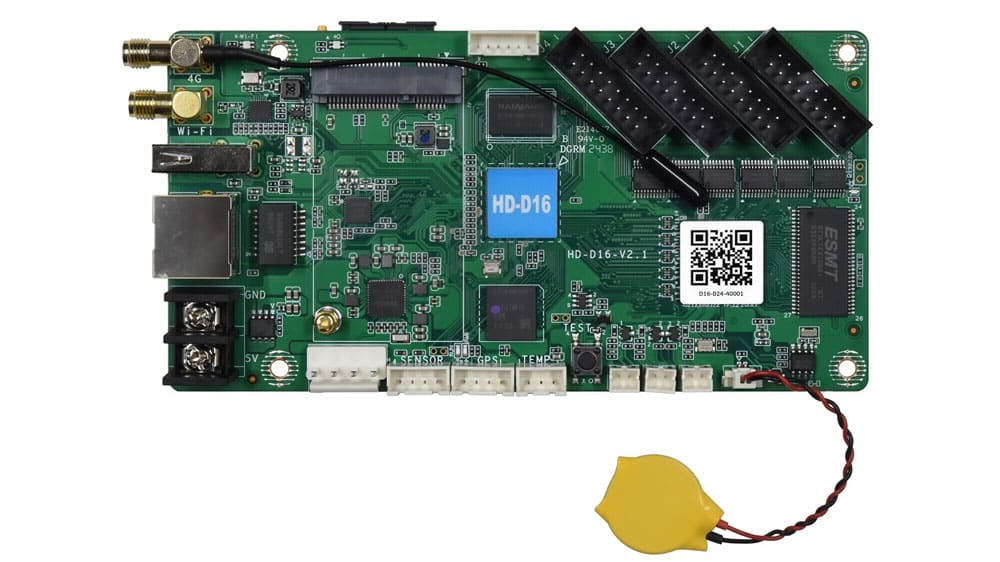
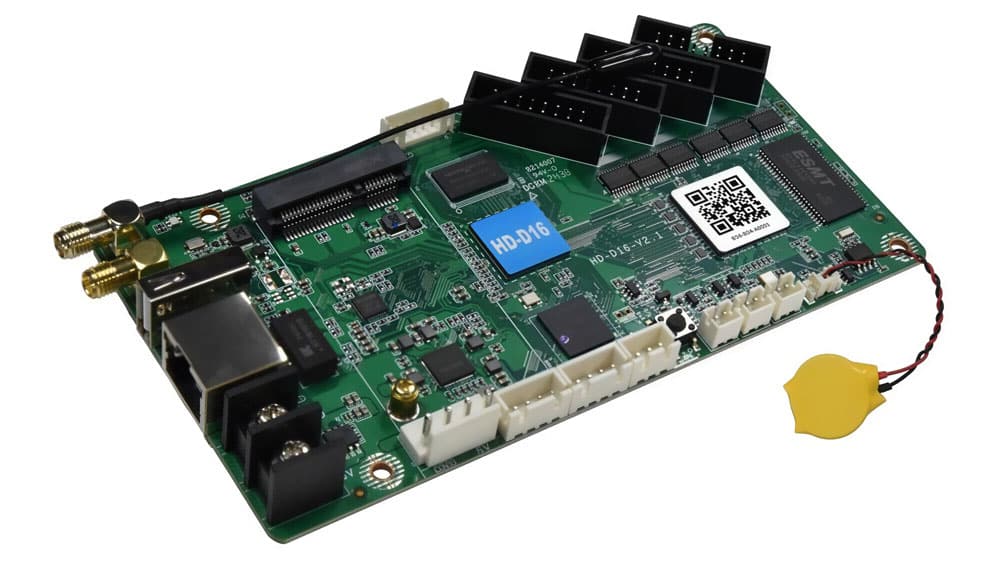
Let us look at what these hardware numbers from a specification sheet actually mean for your daily display projects. Here is a practical breakdown for the Huidu HD D16:
| Hardware Feature | Technical Limit | What It Means for Your Project |
| Pixel Capacity | Up to 65,536 pixels | Drives a full-color screen up to 1024 x 64 or 320 x 128 resolution cleanly. |
| Onboard Hubs | 4 x HUB75E ports built-in | Connects ribbon cables straight to LED modules, saving you money on extra HUB cards. |
| Storage Memory | 4GB onboard flash | Holds hours of short promotional videos and graphics without needing external memory cards. |
| Communication | LAN, USB, and built-in Wi-Fi | Gives you flexible ways to push content locally via phone or desktop software. |
| Video Playback | 720P / 1080P hardware decoding | Plays standard MP4 video files directly at 60Hz without manual video conversion. |
| Power & Size | DC 5V (< 5W), 142mm x 74mm | Fits easily inside shallow display frames and runs on standard 5V power supplies. |
As you can see, the huidu d16 balances basic pixel power with physical convenience. It gives small display installers everything they need in one compact board.
3. Control Methods: Wi-Fi, USB, and 4G Cloud
Different display sites need different ways to update content. The huidu hd d16 offers three main control options:
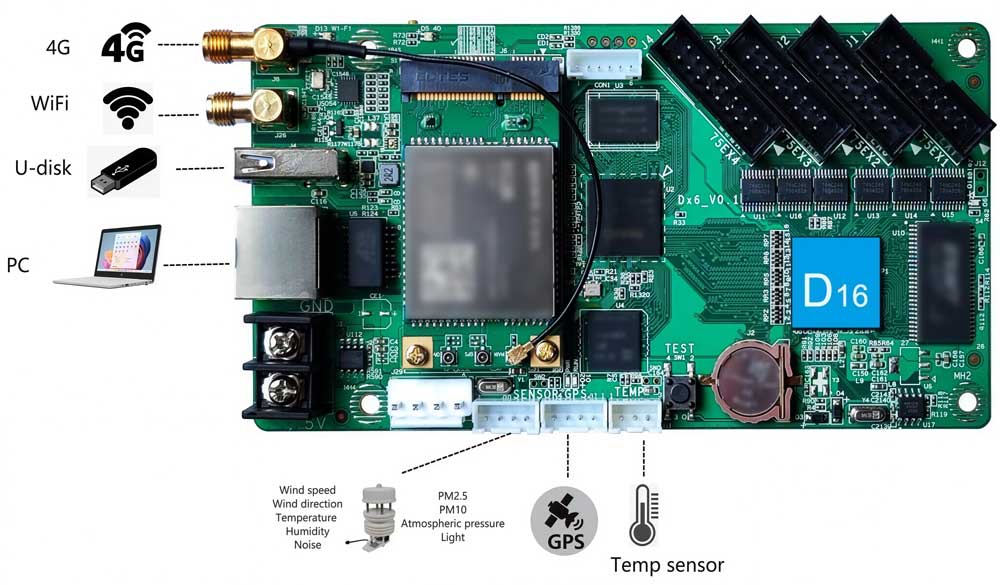
(1) Wi-Fi Connection
The card creates its own Wi-Fi hotspot. You connect your phone or laptop directly to the card without needing a local router. Using the mobile app, you can edit text or upload photos on the spot. This option works best for storefront signs and single indoor screens.
(2) USB Drive Update
For offline screens or places without wireless signal, USB plug-and-play is the simplest choice. You export your finished media program from HDPlayer to a USB drive. When you insert the USB drive into the huidu d16, it automatically saves the file to onboard memory and starts playing.
(3) 4G Cloud Management
If you add the optional 4G module and a SIM card, the card connects directly to the internet. This allows you to log into the cloud platform from a web browser and manage hundreds of screens remotely. It is built specifically for taxi top billboards and multi-store chains.
4. Typical Applications
Because of its compact size and onboard HUB75E headers, installers choose the Huidu HD-D16 for specific small-scale LED projects:
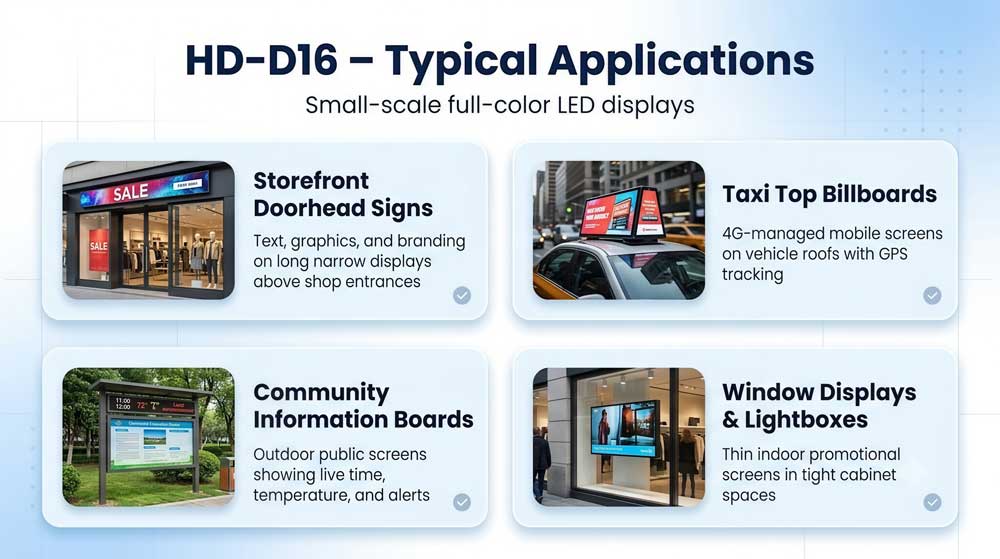
✔ Storefront Doorhead Signs: Long, narrow full-color text and graphic displays above retail shops or pharmacy entrances.
✔ Taxi Top Billboards: Double-sided mobile screens mounted on vehicle roofs, managed remotely using 4G and GPS tracking.
✔ Community Information Boards: Outdoor public notice screens that show live time, temperature, and local announcements.
✔ Window Displays & Lightboxes: Thin indoor promotional screens placed inside retail windows where cabinet space is limited.
The HD-D16 works best in these setups because it delivers reliable full-color playback without needing a bulky external sending box.
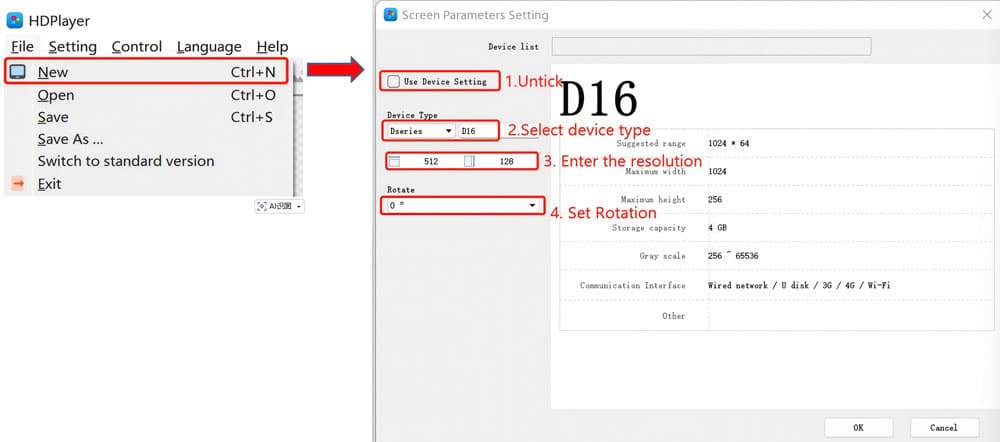
5. How to Set Up HD-D16 in HDPlayer
Setting up the Huidu HD-D16 using HDPlayer software on a Windows PC requires three basic steps:
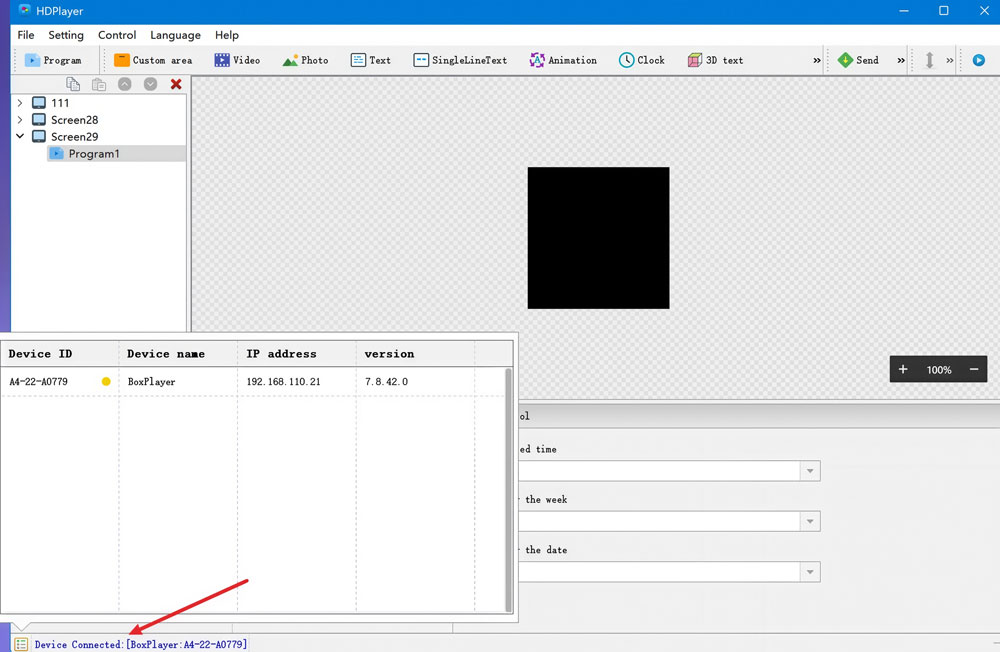
Step 1: Connect Your PC to the Card
Connect your computer to the card using an Ethernet cable, or join its local Wi-Fi network. Open HDPlayer. The software will detect the connected huidu d16 card automatically.
Step 2: Configure Screen Parameters
Navigate to Screen Settings and enter the system password (default is 168 or 888888). Select HD-D16 as your device model. Input your exact display width and height in pixels, then choose the correct scan pattern for your LED modules.
Field Tip: If your screen shows scrambled images or reversed colors after sending settings, your scan pattern is incorrect. Use the “Smart Setup” wizard in HDPlayer to trace your module pinout step-by-step until the text shows properly.
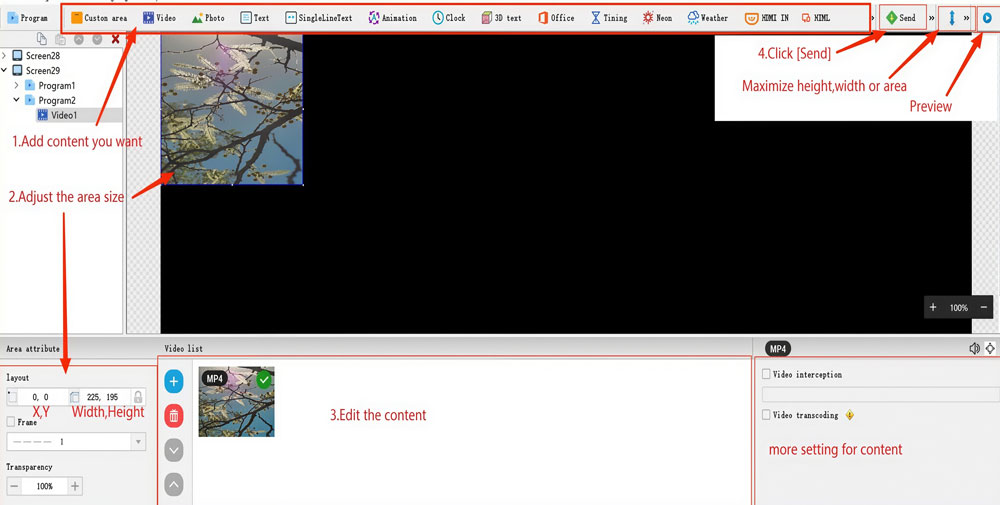
Step 3: Create and Publish Content
Add a new program layout. Insert your preferred text, graphics, clock, or MP4 video clips. Click Send to upload the program over network/Wi-Fi, or export it to a USB drive for offline updates.
6. HD-D16 vs. HD-C16C vs. HD-D36
Choosing the right Huidu control card depends on your display size, module layout, and signal needs. All three models run full-color screens, store 4GB of media, and connect via Wi-Fi. However, their hardware setups target different installation types.
6.1 Specifications Comparison
| Model | Max Resolution | Max Pixels | Built-in Ports | Cascade Support | Audio Out | Power Switch Port |
| HD-D16 | 1024 × 128 | 65,536 | 4× HUB75E | No | No | No |
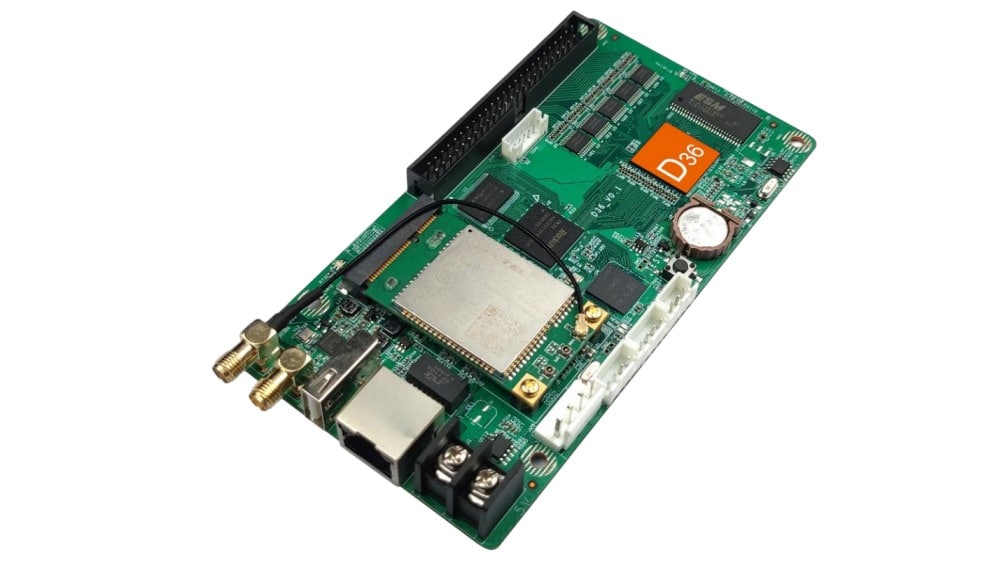
| HD-D36 | 1024 × 128 | 65,536 | 1× 50-PIN | No | No | No |
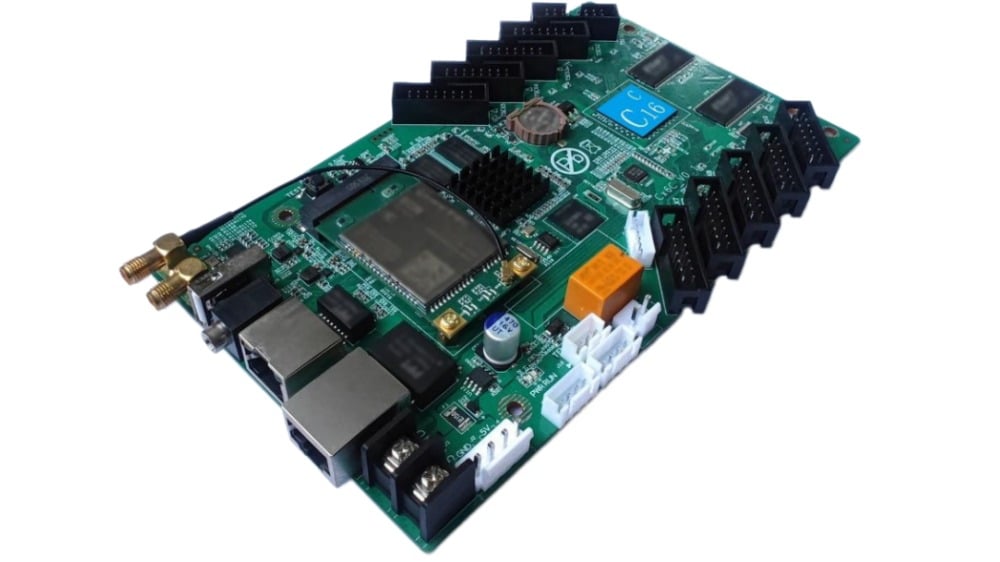
| HD-C16C | 384 × 320 | 120,000 | 10× HUB75E | Yes (1× Gigabit OUT) | Yes (3.5mm) | Yes (Relay) |
6.2 Selection Guide
- Use HD-D16 for simple doorhead banners or small shop signs using 4-row HUB75 modules.
- Use HD-D36 for custom slim frames or vehicle screens that require a 50-PIN transfer board.
- Use HD-C16C for medium-sized screens, commercial displays needing audio, or systems that need extra receiving cards later.
7. Pricing and Market Value
The HD-D16 delivers high cost-efficiency for small full-color LED screens. Combining the controller, memory, and onboard HUB ports onto one board removes the need for separate sending boxes or extra hub cards.
7.1 Estimated Pricing Overview
The HD-D16 typically costs around $55 per unit. Actual pricing varies based on order volume, shipping methods, and current market supply.
Because it eliminates extra hardware, the HD-D16 reduces your total setup costs compared to multi-card control systems.
7.2 Get Live Quotes with Our Price Calculator
Control card prices update frequently, and bulk orders qualify for volume discounts. You can check real-time pricing and compare hardware costs instantly on our website:
- Register a free account on our LED Screen Cloud Platform to access our online Price Calculator.
- Select brands and models to compare HuiDu cards directly against Novastar, Colorlight, or Linsn controllers.
- Generate instant quotes for complete systems, including control cards, modules, and accessories.
- Export your Quotation List in one click for project planning and budgeting.
8. Downloads and Useful Resources
Getting the right documentation helps you set up and configure your HD-D16 controller without troubleshooting delays. You can download the official technical files directly below:
HD-D16 Specification (PDF): Check detailed hardware dimensions, electrical specs, and port definitions.
HD-D16 User Manual (PDF): Follow step-by-step instructions for screen wiring, HDPlayer software setup, and Wi-Fi configuration.
If you work with other Huidu control cards, processors, or software versions, visit our dedicated Huidu Resource Download page.
9. Conclusion
The Huidu HD-D16 offers an efficient, low-cost control solution for small full-color LED screens. With 4 onboard HUB75E ports, integrated 4GB storage, and Wi-Fi connectivity, it eliminates extra sending boxes or hub boards for standard banner displays.
If your display needs fewer than 65,536 pixels and runs on standard HUB75 modules, the HD-D16 gives you the best balance of cost and functionality. For larger pixel counts, sound output, or expandable systems, consider stepping up to the HD-C16C.