Huidu HD-T901 Sending Card Guide – Features, Price, Setup Tips
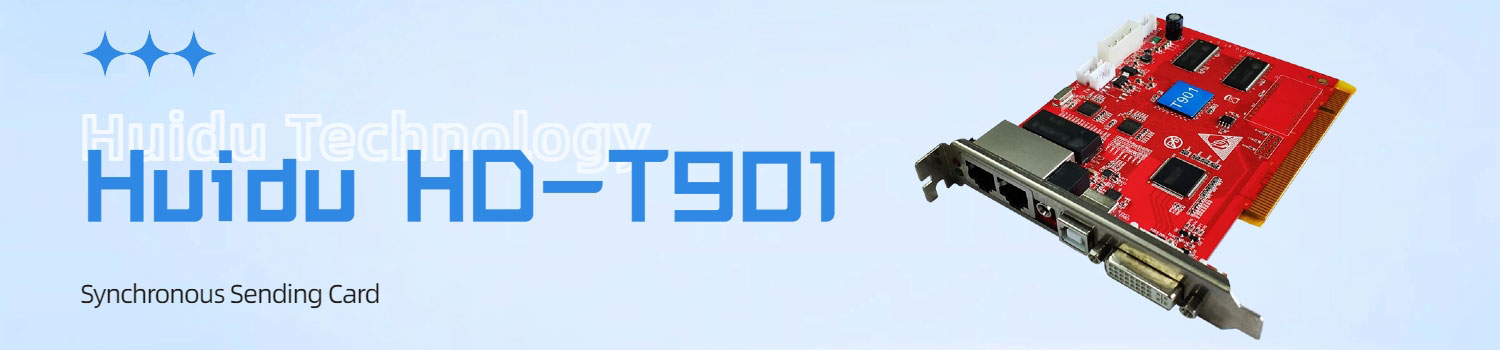
The Huidu HD-T901 is a sending card used in many LED screen projects today. This guide breaks the HD-T901 down in a straightforward way.
Table of Contents
1. What the HD-T901 Is
The HD-T901 is a synchronous sending card. It takes video from your computer through a DVI input and sends that data to LED receiving cards through two Gigabit Ethernet ports. Whatever your computer shows, the LED screen shows in real time.
If you’re checking whether the HD-T901 fits your project, here’s the simple version:
- It handles up to about 1.3 million pixels.
- The maximum width it supports is 3840 pixels.
- The maximum height is 2048 pixels.
- It is made for synchronous, real-time playback, not offline storage.
- About the price
If you want the current pricing or need support choosing the right sending card, you can register LedInCloud. After logging in, you can get pricing, recommendations, and technical help based on your actual screen size.
2. Core Capabilities in Daily Use
The HD-T901 does not try to be a complex device. Its value comes from a few reliable capabilities that matter in everyday LED projects. These are the parts users care about most when choosing a sending card.
- DVI real-time input
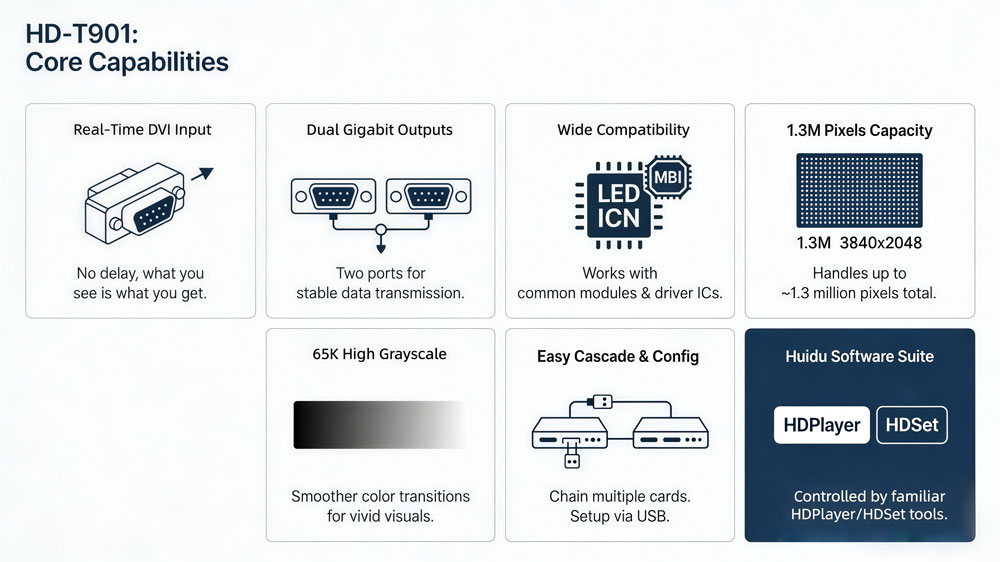
The card takes a DVI signal from a computer and sends it to the screen. What you see on the computer appears on the LED screen at the same time. No delay. No complicated setup.
- Two Ethernet outputs
It sends data to receiving cards through two Gigabit Ethernet ports. For many small and mid-size screens, these two ports are enough to cover the whole display.
- Works with common LED modules
The HD-T901 supports indoor and outdoor modules, full-color or single-color. It also supports scan modes from static up to 1/64 scan. It works with many common driver ICs too, such as MBI, ICN, MY, and SM.
- Loading capacity: about 1.3 million pixels
The card can handle up to around 1.3 million pixels in total.
The width can reach 3840 pixels, or the height can reach 2048 pixels, as long as the total pixel count stays within its limit.
- High grayscale support
The HD-T901 supports up to 65,536 grayscale levels. In daily use, this means smoother color transitions and cleaner visuals for videos and images.
- Simple configuration and cascade support
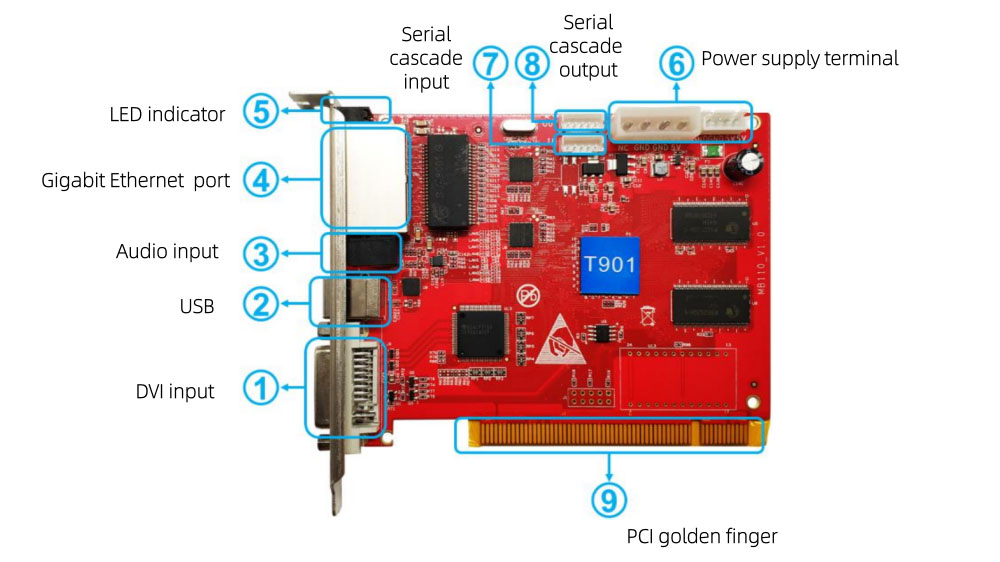
Setup is done through a USB cable. If your screen needs more loading area, you can connect multiple T901 cards in a chain through the serial interface.
- Works with Huidu software
The card uses HDPlayer and HDSet for setup and control. If you have used other Huidu devices before, the workflow will feel familiar.
3. How It Connects in a Real Setup
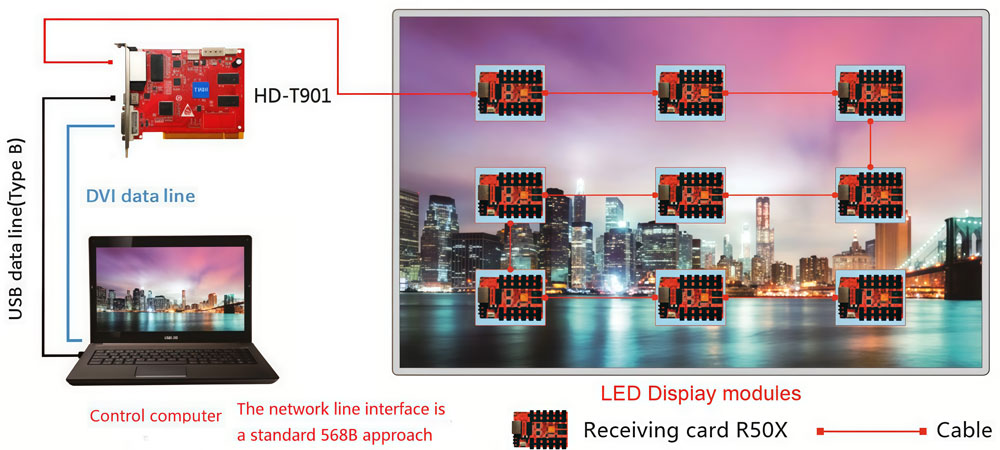
Connecting the HD-T901 is straightforward.
3.1 Computer to the HD-T901
Your computer sends video to the card through the DVI input. This is the only video source the T901 accepts. Whatever appears on the computer screen becomes the live signal for the LED display.
3.2 HD-T901 to the receiving cards
The card outputs data through its two Gigabit Ethernet ports. These ports connect to the receiving cards inside the LED screen. One port can be enough for small screens; larger screens may use both ports to share the pixel load.
3.3 Power and configuration
The HD-T901 uses a 5V power input. Configuration is done through the USB port. You can connect your computer to this USB interface when setting up parameters in HDSet or HDPlayer.
3.4 Cascading multiple sending cards
If your LED screen is larger than one HD-T901 can handle, you can cascade multiple units through the serial ports. This keeps the system controlled from one computer while increasing total loading capacity.
3.5 The basic flow
A simple way to understand the connection is:
Computer → DVI → HD-T901 → Ethernet → Receiving Cards → LED Modules
This is the full chain. Once set up, the card sends real-time data to the screen, and the screen shows the content immediately.
4. When You Should Choose It
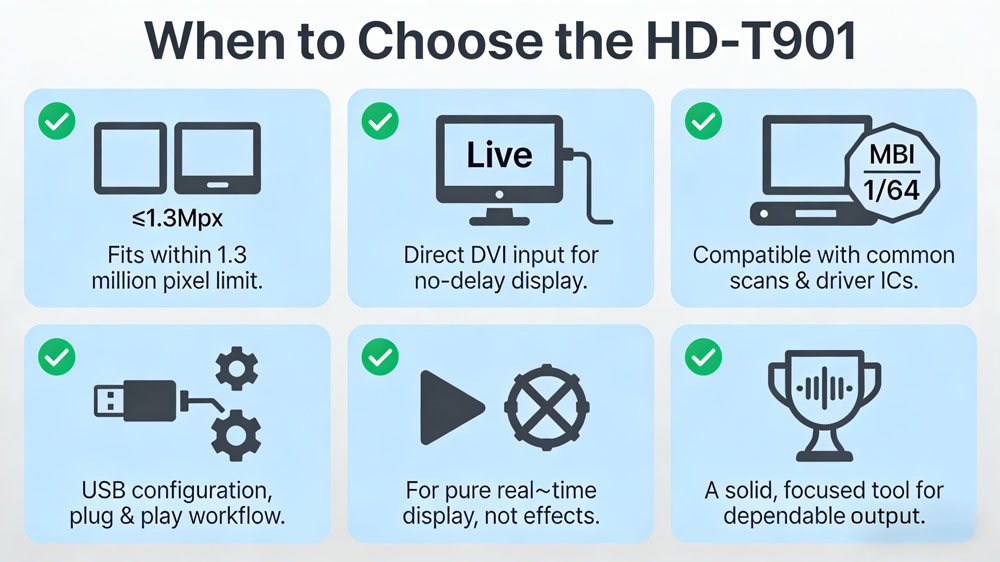
The HD-T901 is a good choice when your LED screen stays within its technical limits and you want a simple, stable setup. Here are the situations where this card fits well.
- Your screen is small or mid-size
The card can load about 1.3 million pixels.
If your screen falls within this range, the T901 can handle it without extra hardware or complex planning.
- You need real-time playback from a computer
Because the card works with a DVI input, it is suitable for screens that follow a computer directly—presentations, live content, basic stage visuals, ads updated from a PC, and similar scenarios.
- You use standard LED modules
If your modules use common scan modes (up to 1/64) and familiar driver ICs such as MBI or ICN, the T901 is usually compatible. Most commercial LED panels fall into this group.
- You want a simple setup process
The card uses USB for configuration and does not require extra steps.
If you prefer a direct workflow—DVI in, Ethernet out—the T901 keeps things easy.
- Your project does not require advanced processing
The HD-T901 is a sending card, not a processor. If your project only needs real-time display without special effects or scaling functions, this card is enough.
- You want stable output without heavy hardware
For projects that focus on reliability over complexity, the T901 is a solid option. It does one job and does it consistently.
5. HD-T901 Specifications Download
If you are working with the HD-T901, you may need the official files for setup or maintenance. We provide the full set of resources, including the manual, the specification sheet, and the latest firmware for this sending card.
You can download HD-T901 specifications directly from here.
If you need documents for other Huidu products—such as different sending cards, receiving cards, or control systems—you can find them on our website. Please visit Huidu Resource Download to browse all available files for every model.
6. Conclusion
The Huidu HD-T901 is a simple and practical sending card for many small and mid-size LED screens.
If your screen stays within its limits and you want a stable setup without extra hardware, the HD-T901 is a reliable option.
For more LED control solutions and Huidu product information, you can also check our LED Screen Cloud Platform.