
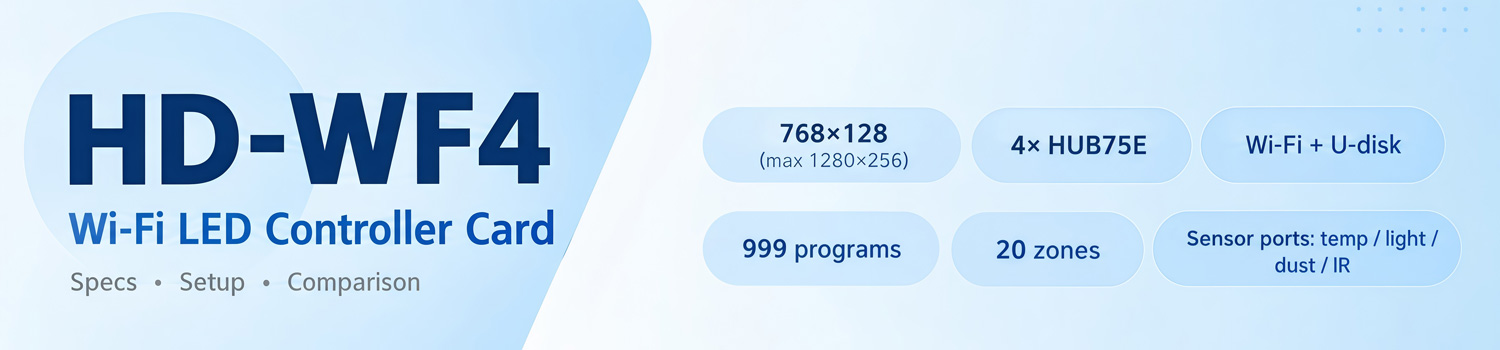
HD-WF4: A Wi-Fi Control Card for Small Full-Color LED Signs
The Huidu HD-WF4 is a Wi-Fi control card for full-color LED screens. It drives small and medium displays through four HUB75E ports and takes new programs over Wi-Fi or a USB drive. This article covers its real specs, common applications, and a full comparison with the HD-WF1 and HD-WF2 from the same series.
1. What Is the Huidu HD-WF4?
A control card is the brain of an LED sign. The LED modules light up the pixels, but they cannot store or play anything on their own. The HD-WF4 is the card that does that job: it holds the programs, runs them on schedule, and sends the right signals to the modules.
Huidu Technology makes it, and the Huidu HD WF4 belongs to the company’s Wi-Fi full-color series. It plays colorful, animated content on small to mid-size screens, at a price well below a full video controller. On the software side, it pairs with HDSign (also known as HD2020) on PC and the LedArt or LedArt lite app on mobile. Both connect to the card over Wi-Fi.

2. HD-WF4 Key Specifications
The numbers below come from the official HD-WF4 Specification by Huidu.
2.1 Ports and control range
The board carries four HUB75E ports, the common interface on full-color LED modules. Each port connects to a chain of modules, and the four ports work together. The card supports modules with regular driver ICs and 2038S chips, with scan modes from static to 1/32.
The control range is 768×128 pixels. In practice, the card can go wider and taller: the maximum width is 1280 pixels, and the maximum height is 256 pixels. A long thin sign of 1280×64, for example, works fine.
| Item | HD-WF4 Value |
| HUB ports | 4 × HUB75E |
| Control range | 768×128 (max width 1280, max height 256) |
| Scan mode | Static to 1/32 |
| Communication | Wi-Fi, U-disk |
| Flash capacity | 8 MB (4.5 MB usable) |
| Programs | 999 |
| Display areas | 20, each with separate effects and border |
| Gray scale | Up to 8 levels |
| Colors | 7 colors without gray scale; full color with gray scale |
| Power supply | Standard terminal block, DC 4.2–5.5 V |
| Working environment | -40 °C to 80 °C, 0–95% RH |
A note on power. The HD WF4 takes 5V DC through a standard terminal block. The WF1 in this series also accepts Micro USB power, but the WF4 does not have that option.
2.2 What it can display
The WF4 plays text, animated characters, 3D-style text, pictures, SWF animations, Excel data, time, temperature, humidity, timing, counting, and the lunar calendar.
The screen splits into up to 20 areas, and each area runs its own content, effects, and border. So one sign can show a logo, a scrolling message, and the clock at the same time. The card stores up to 999 programs, and you can switch between them over Wi-Fi.
Brightness works in two modes: one fixed level, or a schedule that dims the screen at night. A timer can also switch the display on and off automatically.
3. Common Applications
HD-WF4 is used for door displays and store signboards, and those two cover most installations.

✔ Door lintel screens.
The classic case. A shop front usually uses a narrow, wide strip of full-color modules, and that shape fits the card’s width limit with room to spare. The owner updates prices or promotions from a phone, without pulling the sign down.
✔ Store signboards.
Indoor signs often have more space for animations and multi-zone layouts — a logo here, a scrolling message there, a clock in the corner.
✔ Vehicle-mounted screens.
Content changes on the move, so wireless updates matter. Nobody wants to open an enclosure on a truck just to swap a USB stick.
✔ Information strips.
Indoor boards, queue numbers, and small advertising strips round out the list. The pattern is the same in all four cases: a small screen, full color, and frequent content changes. Wherever that describes your project, the WF4 controller is worth a look.
4. WF4 vs WF2 vs WF1: Which One Fits Your Screen?
All three cards in the series run the same software and share most features: 999 programs, 20 display areas, static to 1/32 scan, Wi-Fi plus U-disk updates. The differences come down to ports, pixel limits, and storage.
| Item | Huidu HD-WF1 | Huidu HD-WF2 | Huidu HD-WF4 |
| HUB75E ports | 1 | 2 | 4 |
| Control range | 384×64 | 768×64 | 768×128 |
| Max width | 640 | 1280 | 1280 |
| Max height | 64 | 128 | 256 |
| Flash capacity | 1 MB (480 KB usable) | 8 MB (4.5 MB usable) | 8 MB (4.5 MB usable) |
| Power supply | Micro USB or terminal block | Terminal block | Terminal block |
| Sensor expansion | No | No | Yes |
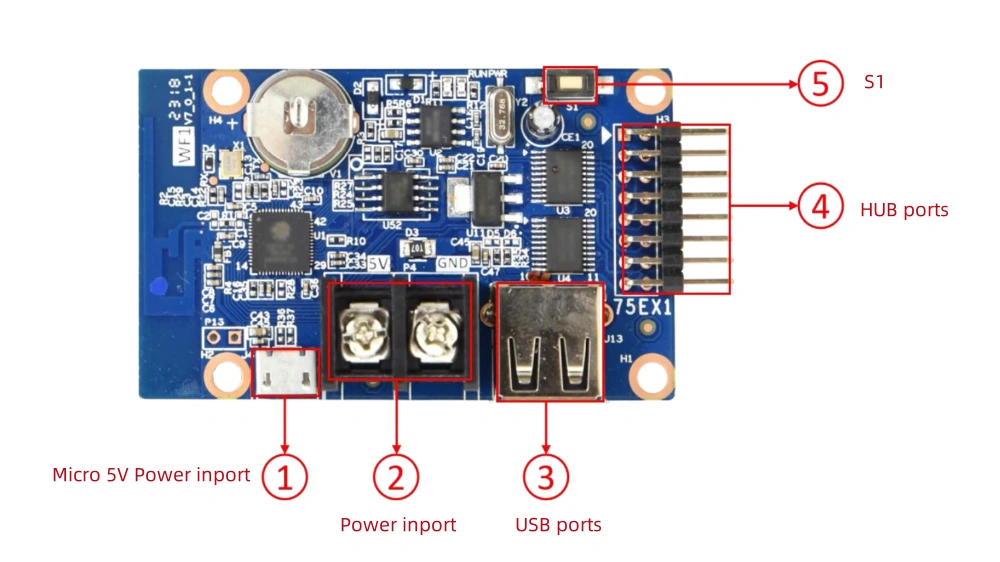
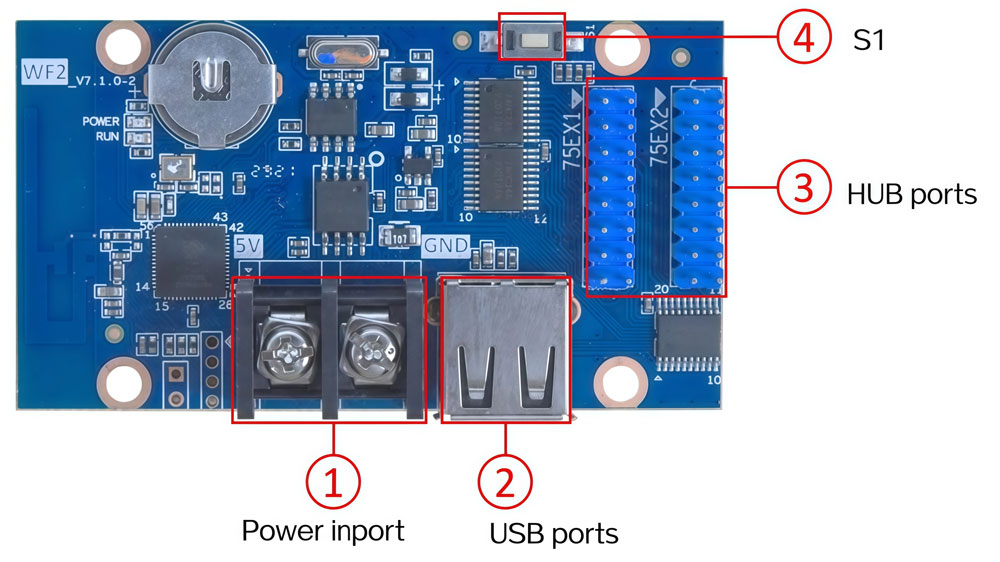
4.1 Match the card to your screen size
Start with the pixel count of your screen, because that decides everything else.
- A small strip under 384×64 pixels only needs the WF1, the smallest and cheapest of the three.
- A screen up to 768×64 pixels suits the WF2. Anything taller calls for the WF4.
Buying too small is a common mistake. If a screen needs 128 pixels of height, a WF2 will not drive it, no matter how the modules are wired.
4.2 The sensor ports only WF4 has
The WF4 adds expansion ports that the WF1 and WF2 lack:
- P5 connects a temperature sensor, and the reading shows on the screen.
- P7 takes a photosensitive sensor, so brightness adjusts itself automatically.
- P12 links to a dust particle sensor, which matters for outdoor environmental displays.
- P11 accepts an infrared receiver, so a remote control can switch programs from a distance.
If a project needs temperature display, auto-dimming, dust readings, or remote control, the Huidu WF4 is the only card in the series that supports it.
5. How to Set Up the HD-WF4
The card updates content in two ways, and both take minutes.

5.1 Connect with Wi-Fi
Power the card from a 5V DC supply, and it broadcasts its own Wi-Fi hotspot. On your phone, connect to that hotspot and open the LedArt app (or LedArt lite). Pick the module type, set the resolution, build the program on a visual layout, and send it straight to the card. Laptop users can do the same through HDSign (HD2020) on PC.
5.2 Update via U-disk
For sites without easy wireless access, save the program to a USB flash drive and plug it into the card’s USB port. The card reads the program automatically, and this method works offline.
The board also has a test key (S1). It cycles the screen through several test states, so you can check the wiring before loading real content.
6. HD-WF4 Price
The HD-WF4 sits at the budget end of Huidu’s lineup. Among the three Wi-Fi full-color cards, the WF1 is the cheapest, the WF2 sits in the middle, and the WF4 is the most capable — and the priciest of the three. Still, all three cost far less than a full video processor, which is part of why this series is popular for small signs.
The exact price moves with region, order size, and batch. Rather than quote a number that may be outdated by the time you read this, we keep the live price on LedInCloud – LED Screen Cloud Platform: register an account and check it yourself — the listed price follows stock and volume tiers, and registration takes about a minute.
7. Common Questions
Q1. My screen is wider than 768×128 pixels. Can the WF4 still drive it?
Possibly. The card accepts a maximum width of 1280 pixels and a maximum height of 256, so a 1280×64 screen works. But beyond those limits, you need a larger controller from Huidu's Ethernet or full-function series.
Q2. How many full-color modules can one WF4 handle?
A standard P10 full-color module is 32×16 pixels, so a 768×128 layout works out to roughly 192 modules. The exact count depends on your module type and scan mode.
Q3. How do I set the scan mode?
Pick the module type in LedArt or HDSign, and the software configures the scan automatically.
Q4. Will my programs survive a power cut?
Yes. Programs live in the card's flash memory, and the card stores up to 999 of them. When power comes back, the screen resumes.
Q5. What power supply does the HD-WF4 need?
A 5V DC supply through the standard terminal block, with a working range of 4.2–5.5 V. Unlike the WF1, the WF4 has no Micro USB power option.
Q6. Where can I download the datasheet and software?
Click to free download: HD-WF4 specification
For the rest — the HDSign (HD2020) PC software, the LedArt app, and other product documents — head to our Huidu Resource Download page. Everything is free to access.
8. Conclusion
The HD-WF1 covers small strips up to 384×64. The HD-WF2 doubles the height limit to 128. The Huidu HD-WF4 goes to 768×128 (max height 256) and adds the sensor ports. Measure the screen first, and the choice usually makes itself.