
LED Display Driver IC Guide: Types, Functions, Specs & Selection Tips
An LED display driver IC is a key component inside LED modules, controlling current output, brightness levels, grayscale performance, and image stability. Different driver IC technologies can directly affect refresh rate, visual quality, and camera performance.
This guide explains LED display driver IC types, working principles, key performance parameters, and how to select the right IC for different applications.
Table of Content:
1. What Is an LED Display Driver IC?
2. Main Types of LED Driver Chips
3. Why the Driver IC Matters in LED Displays?
4. How LED Driver ICs Work?
5. Key Performance Metrics to Evaluate Quality
6. How to Choose the Right LED Driver IC?
7. Popular LED Driver Models
8. Frequently Asked Questions
9. Conclusion
1. What Is an LED Display Driver IC?
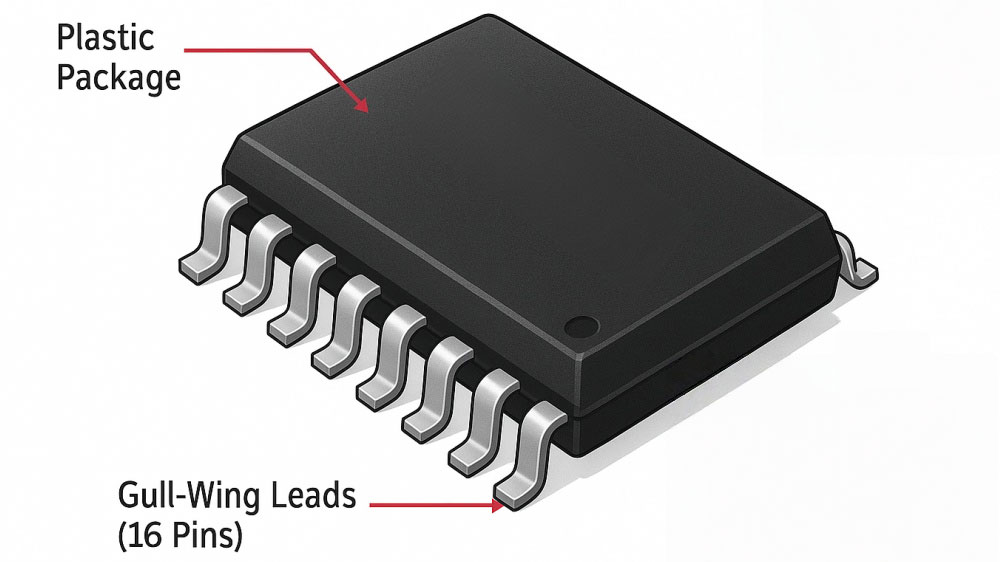
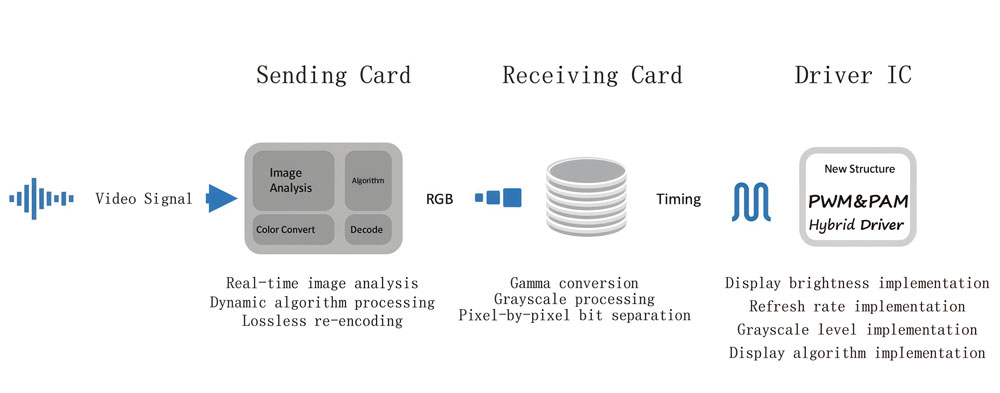
An LED display driver IC is a small integrated circuit that manages how LEDs light up on a display. It’s a bridge between the display’s controller and the individual LED pixels. When a control system sends digital data — such as images or video signals — the driver IC converts that data into precise electrical outputs that each LED can understand.
In a typical LED screen, thousands of these chips are distributed across the modules. Each LED driver chip controls a specific group of LEDs, depending on the screen’s resolution and pixel density. The higher the pixel density, the more driver ICs are used to handle all the data signals.
Physically, the LED display driver IC sits on the printed circuit board of the LED module. It connects through data lines to the main controller, receiving constant streams of digital instructions. Once the data reaches the IC, it determines which LEDs should light up and when.
You won’t see the driver IC when you look at a display — it’s hidden behind the LEDs — but it’s what keeps the system organized. It translates digital commands into visible light patterns, making the screen capable of showing clear images, text, and motion.
2. Main Types of LED Driver Chips
There isn’t just one kind of LED driver IC — different displays use different types depending on their purpose, brightness, and level of precision.
2.1 Constant Current LED Driver IC
This is the most common type used in LED displays today. It keeps the electrical current stable for every LED, regardless of voltage fluctuations. That stability means each pixel stays the same brightness over time. It’s especially useful in high-resolution screens, where even tiny differences in brightness can ruin image consistency. Most fine-pitch and indoor LED video walls rely on constant current driver ICs for their uniform look and long lifespan.
2.2 PWM LED Driver IC (Pulse Width Modulation)
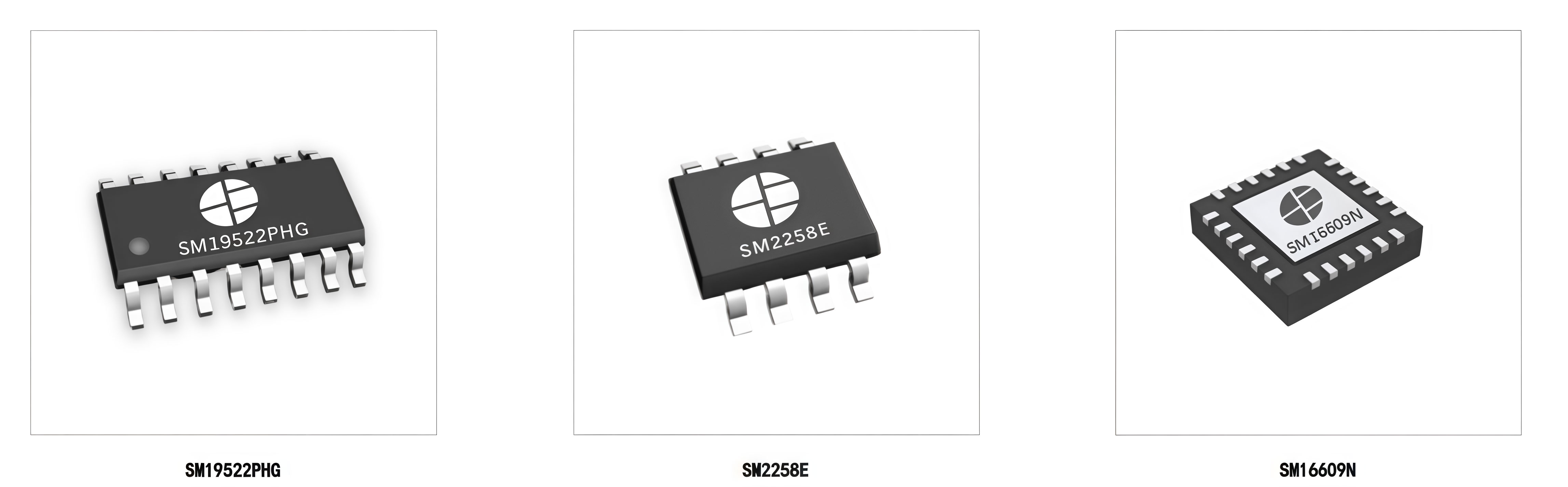
Instead of adjusting voltage or current directly, a PWM LED driver IC controls brightness by switching LEDs on and off very quickly — thousands of times per second. The ratio between “on” and “off” time defines how bright the LED appears. This method allows for smooth dimming, precise gray scale control, and higher color depth. Displays that need vibrant colors and soft brightness transitions often use PWM-based drivers.
2.3 Integrated or Smart LED Driver Chips
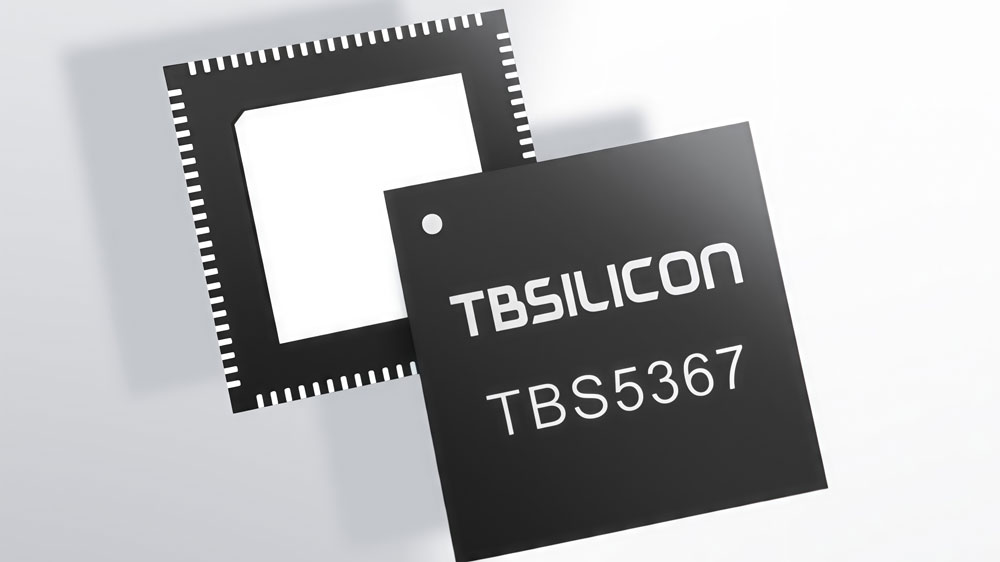
Newer LED technologies are moving toward “smart” or integrated driver ICs, where multiple functions — like current regulation, data decoding, and error detection — are combined into a single chip. This reduces PCB complexity and improves efficiency. Some advanced drivers even include feedback systems that detect faulty LEDs or correct color differences automatically.
3. Why the Driver IC Matters in LED Displays?
The LED display driver IC is what turns a pile of LEDs into a real display. It’s the part that keeps the picture stable, the brightness even, and the motion smooth. Without it, modern LED screens — with their sharp visuals and high refresh rates — simply wouldn’t work the way we expect.
- Keeping Every Pixel in Line
On a large LED screen, millions of tiny LEDs light up together to form an image. The driver IC makes sure each one gets the exact signal it needs, at the right moment. It keeps the brightness and color balanced across the screen so the image looks clean and consistent instead of patchy or uneven.
- Making the Display More Reliable
LEDs are sensitive components. A small current fluctuation can make them flicker or fade over time. The LED driver chip regulates the electrical current going to every LED, preventing those issues and keeping the display stable even under heavy use. This steady control also helps extend the lifespan of the entire screen.
- Delivering Smooth Motion and High Refresh
If you’ve ever seen a display flicker or blur during fast-moving content, that’s usually a driver problem. High-performance LED driver ICs support higher refresh rates, meaning the screen updates more times per second. That’s what gives you smooth video playback, clean camera captures, and flicker-free visuals — even in broadcast environments.
- Enhancing Color and Depth
The better the LED driver IC, the more detail your screen can show. It can handle more steps of brightness, known as gray levels, which lets the display render deeper, richer color. The result is smoother gradients, more realistic tones, and an overall image that feels alive rather than flat.
4. How LED Driver ICs Work?
Every LED display works like a well-coordinated orchestra, and the LED display driver IC is the conductor. It doesn’t create the content — it makes sure every pixel lights up at the right time and in the right way.
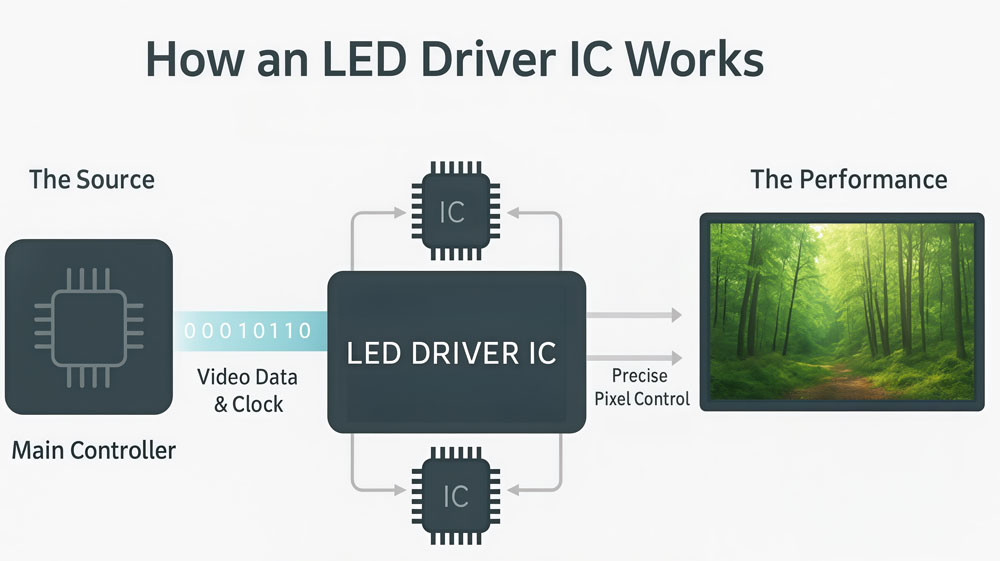
At a basic level, the controller sends digital data — frames of an image or video — into the LED modules. The driver IC sits between the controller and the LEDs, translating that digital information into electrical signals. Each IC handles a specific number of LEDs, telling them when to turn on, how bright to glow, and how long to stay lit.
4.1 Signal Flow
Data moves through the system in a chain. The main controller pushes image data through the first driver IC, which passes it on to the next, and so on. This process happens extremely fast, frame after frame, so the display updates smoothly. The LED driver chip stores the incoming data for each LED until it’s time to refresh the image again.
4.2 Current Control
LEDs don’t like voltage changes. What they need is a stable current to shine consistently. The LED driver IC manages this — converting digital commands into constant electrical current for every pixel. That’s what keeps the screen uniform, with no flicker or uneven patches.
4.3 Timing and Synchronization
Each driver IC also synchronizes with others across the screen. It follows precise timing signals, making sure all LEDs refresh together. That’s how an entire wall of millions of LEDs can display one seamless, moving image without visible breaks or delays.
4.4 Behind the Scenes
All of this happens hundreds or even thousands of times per second. To the viewer, it just looks like a stable picture. But behind the scenes, the LED display driver ICs are constantly working — processing data, regulating current, and refreshing pixels — to keep every frame looking perfect.
5. Key Performance Metrics to Evaluate Quality
To understand what separates a good driver from an average one, you need to look at a few key performance metrics. These technical details are what define image quality, smoothness, and long-term stability.
① Refresh Rate
Refresh rate is how many times per second the driver IC redraws the image. The unit is Hz.
At 960 Hz, a display can look fine to the naked eye — but point a camera at it and you’ll often see rolling dark bands or flicker. That’s because cameras have their own shutter speed, and a low refresh rate means the two fall out of sync.
For general indoor use, 1920 Hz is a reasonable baseline. For broadcast, live events, or any setup where cameras are involved, you want 3840 Hz or higher. Some premium driver ICs — like the MBI5253 or ICND2153 — push past 3840 Hz even at lower brightness levels, which matters a lot in studio environments.
One thing to watch: refresh rate and grayscale bit depth are linked. Push the refresh rate too high on a basic chip, and the effective grayscale drops. A quality LED driver chip is designed to hold both at the same time.

② Gray Scale and Color Depth
Grayscale depth controls how many brightness levels each LED can display.
A 13-bit driver IC gives you 8,192 levels. A 16-bit chip gives you 65,536. The difference shows up most in dark scenes — smooth gradients, subtle shadows, and low-brightness content. With a low bit depth, those areas start looking like blocks of flat color instead of natural transitions.
For general commercial use, 13–14 bit is workable. For fine-pitch displays, broadcast screens, or anything running HDR content, 16-bit is the standard. It’s worth noting that the grayscale spec on a datasheet is usually measured at full brightness. At lower brightness, some chips deliver fewer real bits — so always ask for data at the actual operating brightness range.
③ Channel Count and Integration
Most LED driver chips come with 16, 24, or 32 output channels. Each channel drives one LED (or one LED color in an RGB pixel).
More channels per chip means fewer chips on the module, which simplifies the PCB layout and brings the overall component count down. Newer driver ICs pack 32 or even 48 channels into a single package — that’s part of why modern fine-pitch modules are more compact and cost-effective than they were five years ago.
④ Operating Voltage and Power Efficiency
LED driver ICs have been moving toward lower operating voltages — from 3.3 V down to 2.5 V or even lower on newer designs. Lower voltage means less energy wasted as heat, which keeps the module cooler and reduces long-term stress on the LEDs.
For a small display, the power difference is barely noticeable. But for a large video wall running 24/7, it adds up — both in electricity cost and in how often you need to service the hardware.
⑤ Current Accuracy
Current accuracy tells you how consistent the current output is across all channels on the chip — and across different chips on the same panel.
If Channel 1 outputs slightly more current than Channel 16, that LED glows a little brighter. Multiply that across thousands of pixels and you get visible non-uniformity: patches of the screen that look brighter or slightly different in color than their neighbors.
A standard driver IC might have ±3% current accuracy between channels. A high-end chip like Macroblock’s MBI5153 or MBI5759 reaches ±1% or better. For fine-pitch displays where viewers are close, that gap matters. For a large outdoor billboard viewed from 20 meters away, ±3% is usually fine.
⑥ Quick Comparison: Key Metrics at a Glance
| Metric | Baseline | Recommended | High-End |
|---|---|---|---|
| Refresh rate | 960 Hz | 1920 Hz | 3840 Hz+ |
| Grayscale bit depth | 13-bit | 14-bit | 16-bit |
| Current accuracy | ±3% | ±2% | ±1% or better |
| Channels per chip | 16 | 24 | 32+ |
| Operating voltage | 3.3 V | 2.5–3.3 V | ≤2.5 V |
6. How to Choose the Right LED Driver IC?
Choosing the right LED display driver IC isn’t just about price or brand — it’s about matching the chip’s performance to your display’s purpose. The right choice means better visuals, smoother motion, and a longer lifespan for the screen.
- Match the Application
Different environments place different demands on an LED screen, and your LED driver IC should fit those needs.
Indoor fine-pitch displays: Go for drivers with high gray scale performance, excellent color uniformity, and low power consumption.
Outdoor LED Screen or high-brightness screens: Choose high-current driver ICs that can handle larger currents and voltages. They deliver stronger brightness and are built to tolerate heat and weather changes.
Rental or stage LED screen: Focus on stability and refresh rate. Screens used for events and touring setups are constantly assembled and disassembled. You need driver ICs that stay reliable under frequent operation and perform well under cameras and stage lighting.
- Check Key Parameters
When comparing models, pay attention to the specifications that directly affect display performance:
Refresh rate: Look for 3840 Hz or higher for smooth, flicker-free video.
Gray scale: A 14-bit or 16-bit LED driver chip offers richer color and smoother gradients.
Operating voltage and power: Lower voltage means less heat and better energy efficiency.
Channel count: Fewer chips with more channels reduce cost and simplify the circuit.
- Consider Support and Compatibility
Even the best IC won’t help if it doesn’t work well with your control system. Always check compatibility with your LED controller cards, and make sure the manufacturer provides software tools, documentation, and long-term supply support. Reliable tech support can save you a lot of time during setup and maintenance.
For more insights into professional LED display systems and component selection, visit LedInCloud — your trusted LED Screen Cloud Platform for LED display technology and industry expertise.
7. Popular LED Driver Models
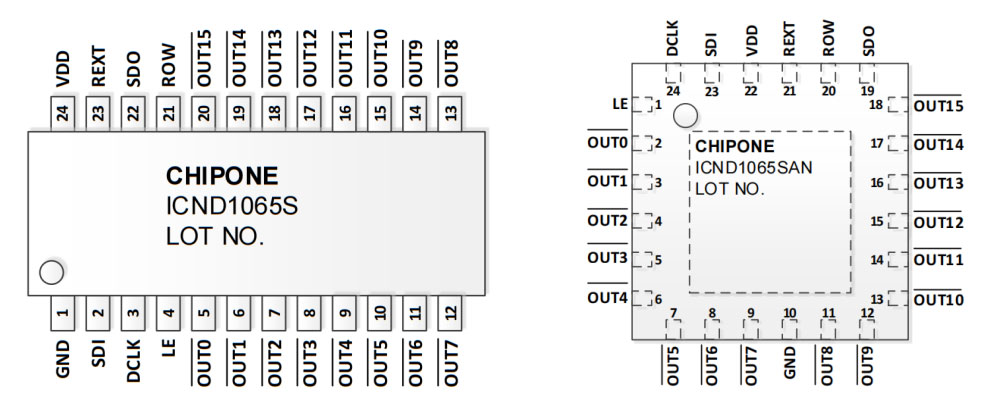
Different LED driver ICs support different refresh rates, which directly affect how smooth and stable a display looks. Below is a summary of several widely used models and their typical refresh performance.
| Driver IC Model | Typical Refresh Rate |
| SM16206 | 1920 Hz |
| SM16208 | 1920 Hz |
| SM16238 | 1920 Hz |
| SM16169 | 3840 Hz |
| SM16380 | 3840 Hz |
| SM16389 | 3840 Hz |
| ICND2037 | 1920 Hz |
| ICND2038 | 1920 Hz |
| ICND2046 | 1920 Hz |
| ICND2047 | 1920 Hz |
| ICND2150 | 3840 Hz |
| ICND2153 / ICND2153S | 3840 Hz |
| ICND2159 | 3840 Hz |
| ICND2163 / ICND2165 | 3840 Hz |
| ICND2055 / ICND2065 | 3840 Hz |
| ICND3065 / ICND3069 | 3840 Hz |
| MBI5124 | 1920 Hz |
| MBI5251 / MBI5253 / MBI5264 / MBI5754 | 3840 Hz |
8. Frequently Asked Questions
What’s the difference between a driver IC and a controller?
The controller processes images or video and sends digital data to the display. The LED driver IC converts that data into electrical signals that drive each LED. In simple terms, the controller acts as the "brain," while the driver IC performs the actual driving of the LEDs.
Does refresh rate really affect picture quality?
Yes. A higher refresh rate produces smoother motion and significantly reduces flicker, especially when the display is recorded by a camera. For broadcast studios, virtual production, and professional LED video walls, a refresh rate of 3,840 Hz or higher is generally recommended.
How can I tell which driver IC my screen uses?
The driver IC model is usually printed directly on the LED module's PCB and often begins with prefixes such as MBI, ICND, or SM. If you cannot identify it on the module, check the product specification sheet or contact the display manufacturer.
Why do some screens flicker when filmed?
This is often caused by a low-refresh driver IC. When the refresh rate is insufficient, the camera sensor can capture the LED scanning process, creating flicker or rolling lines. Using a high-refresh driver IC, such as the ICND2153 or MBI5253, greatly reduces this effect.
Do all LED driver chips work with every control system?
No. Some LED driver ICs are designed or optimized for specific control systems or software platforms. Before selecting or upgrading a display, confirm that the driver IC is compatible with the controller to avoid communication issues or color performance problems.
9. Conclusion
As LED technology continues to evolve toward higher resolution, faster refresh, and smarter integration, the role of the LED driver IC will only grow more important. Understanding how it works — and choosing the right one — is the first step to building displays that truly stand out.
If you’re planning your next LED display project and want to choose the right LED driver IC or learn more about compatible control systems, our team can help.
Contact LedInCloud today to discuss your project or explore technical options that match your needs.