
Nova Cloud offers a robust and streamlined cloud management solution tailored for display systems. Elevate your display’s potential by venturing into the realm of Cloud LED management. Choose from a diverse array of controllers, including the Taurus Ultra series, Taurus Series, MBOX600 LED controllers, the LCD controller LCB Series, and the Nova Cloud Service’s VNNOX Media and VNNOX Care.
Learn Everything you need to know about Nova Cloud and download Nova Cloud resources.
If you want to get the most accurate and up-to-date pricing for the Novastar products, we recommend using our LED Screen Cloud Platform.
NovaCloud LED Playback Control Processor Overview
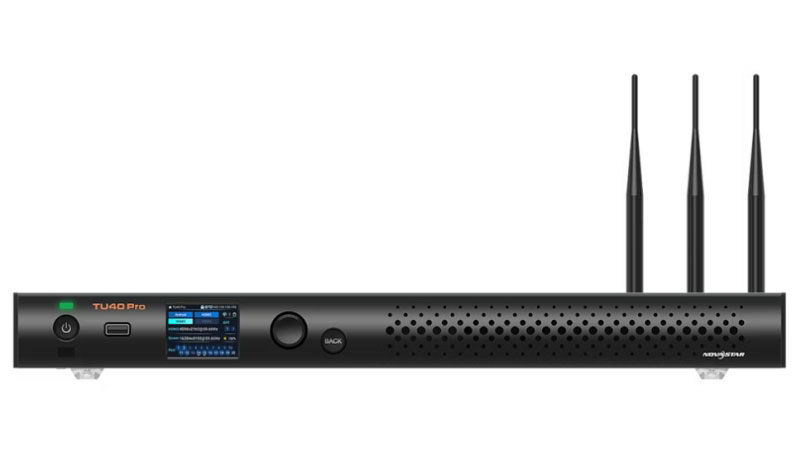
The Taurus Ultra, abbreviated as TU Series, features models NovaStar TU40 Pro, TU20 Pro and TU15 Pro. This LED Interactive Playback & Control Processor boasts an impressive 3.9 million pixel ultra-large loading capacity and seamless zoom capabilities. Manage your LED display effortlessly from your seat with its intuitive control system. The processor comes with an extensive suite of applications, offering a more convenient mobile experience. It supports wireless screen mirroring for smartphones, computers, and projectors, and accommodates up to 9 split screens for versatile display options. Experience the convenience of intelligent voice control for hands-free operation.
Taurus Ultra Resource Download:
- Nova Cloud TU20 Pro Specifications
- Nova Cloud TU20 Pro User Manual
- Nova Cloud TU20 Pro Firmware V1.2.0.0701
- Nova Cloud TU15 Pro Specifications
- Nova Cloud TU15 Pro User Manual
- Nova Cloud TU15 Pro Firmware V1.2.0.0101
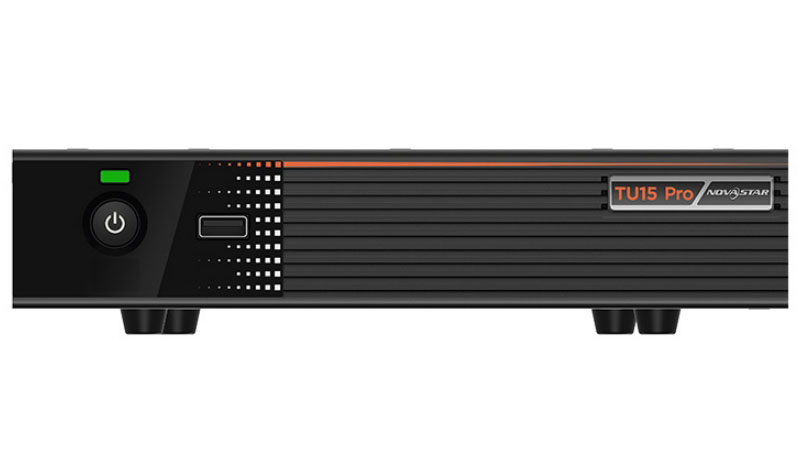
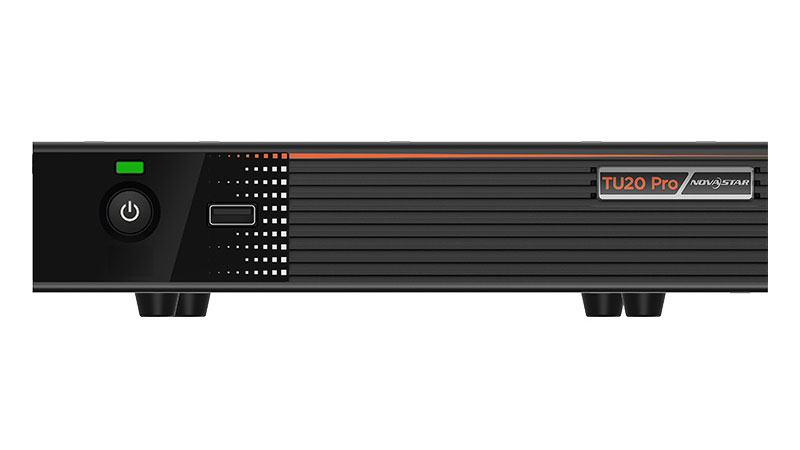
See the differences between TU20 Pro and TU15 Pro:
| Nova Cloud TU Series Comparison | ||
| Specifications | TU20 Pro | TU15 Pro |
| Loading capacity | 3.9 Million | 2.6 Million |
| Maximum width&Height | Maximum Width 4096 pixels, Maximum Height 1920 pixels | |
| Output ports | 6xRJ45 1xHDMI1.3 1×3.5mm Audio Output 1xSPDIF | 4xRJ45 1xHDMI1.3 1×3.5mm Audio Output 1xSPDIF |
| Input ports | 2xHDMI1.3;3xUSB2.0 | |
| Control Connectors | ETHERNET SENSOR Phoenix connector (4 pins) Phoenix connector (6 pins) | |
| Memory space | 4GB/32GB | |
| Intelligent broadcast control | Remote, APP, USB Drive | |
| Wireless projection | Support Type-C, Wireless USB Adapter, Support Windows / IOS / Android Multiple Platform Mirroring | |
| Size | 211.7mm×185.0mm×50.6mm | |
| Input voltage | DC 12V 3A | |
| Others | Support phone photo mapping, intelligent voice control, free scaling, image enhancement, effect adjusting, one-click eye protection, launcher customization, boot animation customization | |
| Nova Cloud TU Series Comparison | |||
| Physical Specifications | Nova Cloud TU20 Pro | Nova Cloud TU15 Pro | |
| Electrical Specifications | Input voltage | DC 12V 3A, Negative Outside Positive Inside (power adapter input) | |
| Rated power consumption | 21 W | ||
| Storage Space | RAM | 4 GB | |
| Internal storage | 32 GB | ||
| Operating Environment | Temperature | -20°C to +50°C | -20°C to +60°C |
| Humidity | 0% RH to 80% RH, non-condensing | ||
| Storage Environment | Temperature | -30°C to +80°C | -40°C to +80°C |
| Humidity | 0% RH to 95% RH, non-condensing | ||
| Physical Specifications | Dimensions | 211.7 mm × 185.0 mm × 50.6 mm | |
| Net weight | 1.12 kg | ||
| Gross weight | 2.9 kg Note: It is the total weight of the product, accessories, and packing materials packed according to the packing specifications. | ||
| Packing Information | Dimensions (L×W×H) | 387 mm × 359 mm × 173 mm | |
| List |
|
| |
NovaCloud Multi Media Player
1. Nova Cloud LCB Series (LCD multi-media player)
NovaCloud LCB Resource Download:
- Nova Cloud LCB2K Specifications
- Nova Cloud LCB2K Firmware
- Nova Cloud LCB4K Specifications
- Nova Cloud LCB4K Firmware
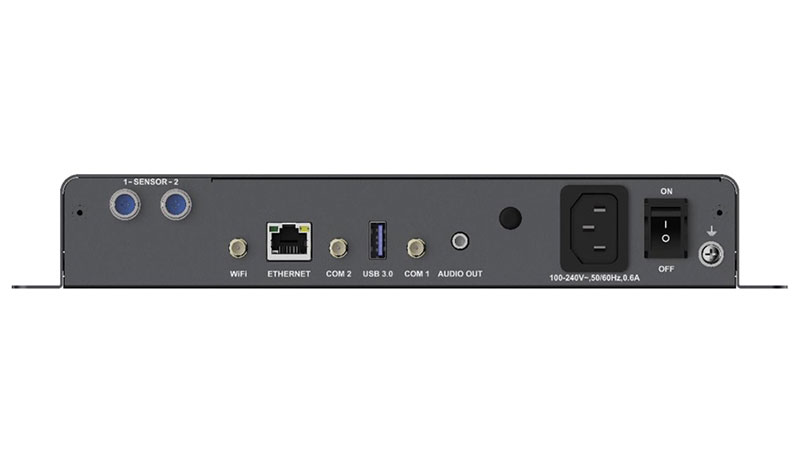
The LCB4K, introduced by NovaStar, is an advanced LCD and LED multimedia player featuring an adaptive mode. It intelligently adjusts the display window to match the LCD screen’s EDID, enabling synchronized multi-screen displays for both LCD and LED screens. This versatile player is ideal for applications in advertising media, digital signage, and commercial displays.
Why LCB multi-media player?
- 1×HDMI 2.0 Output: Offers adaptive custom dual mode for flexible connectivity.
- 2×Sensor Ports: Connect to a brightness sensor or a temperature and humidity sensor for environmental adaptability.
- 1×USB 3.0 (Type A): Facilitates USB drive program import & play, USB upgrades, and sending card device-level cascade control.
- 1×USB 2.0 (Type A): Supports USB drive program import & play, USB upgrades, and sending card device-level cascade control.
- 1×USB (Type B): Direct connection from the host computer to the device for streamlined program and display management.
- Powerful Hardware: Equipped with a 4×A55 ARM CPU at 1.8GHz, supporting H.264 and H.265 4K video decoding, complemented by 2GB RAM and 32GB of internal storage.
- Superior Performance: Capable of displaying 2×4K, 6×1080p, 10×720p, or 20×360p videos, ensuring high-quality visuals across various formats.
- Comprehensive Control: Supports program and display control from PCs, smartphones, tablets, and other user terminals. Features cluster remote program release and display control, along with remote screen status monitoring.
- WIFI Connectivity: Switch between WIFI AP and WIFI STA modes for network flexibility.
- Synchronized Multi-Screen Display: Seamlessly display content across multiple screens.
- 4G/5G Module Support: Stay connected with the latest network technology for uninterrupted content delivery.
Nova Cloud LCB Player Specification Comparison:
_2.webp)
_3.webp)
| LCB4K VS LCB2K | |||
| Physical Specifications | Nova Cloud LCB4K | Nova Cloud LCB2K | |
| Electrical Specifications | Input voltage | 100-240 V~, 50/60 Hz, 0.6 A | DC 12 V, 2 A |
| Rated power consumption | 15 W | 18 W | |
| Storage Space | RAM | 2 GB | 1 GB |
| Internal storage | 32 GB | 16 GB | |
| Operating Environment | Temperature | -20°C to +60°C | |
| Humidity | 0% RH to 80% RH, non-condensing | ||
| Storage Environment | Temperature | -40°C to +80°C | |
| Humidity | 0% RH to 80% RH, non-condensing | ||
| Physical Specifications | Dimensions | 274.3 mm × 139.0 mm × 40.0 mm | 123.0 mm × 89.0 mm × 29.5 mm |
| Net weight | 1.1 kg | 255.4 g | |
| Gross weight | 1.7 kg Note: It is the total weight of the product, accessories, and packing materials packed according to the packing specifications. | 620.8 g Note: It is the total weight of the product, accessories and packing materials packed according to the packing specifications. | |
| Packing Information | Dimensions (L×W×H) | 386 mm × 110 mm × 285 mm | 278.0 mm × 63.0 mm × 221.0 mm |
| Accessories |
|
| |
| IP Rating | IP20 Please prevent the product from water intrusion and do not wet or wash the product. | / | |
| System Software |
Note: Third-party applications are not supported. | ||
2. Nova Cloud Taurus Series
NovaCloud Taurus Series Resource Download:
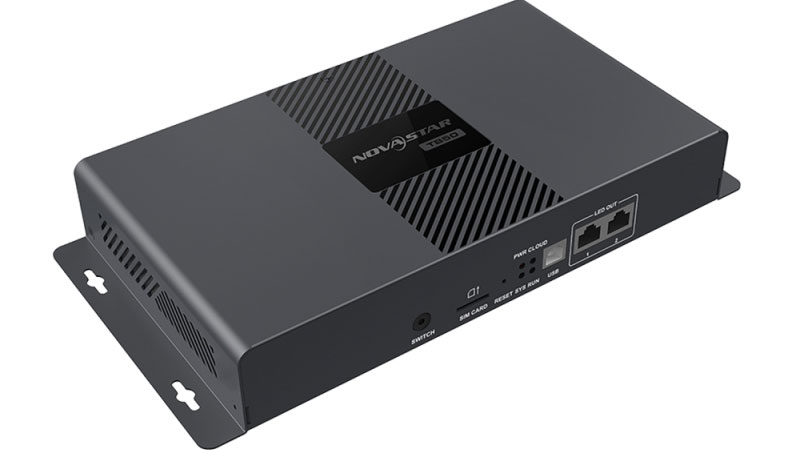
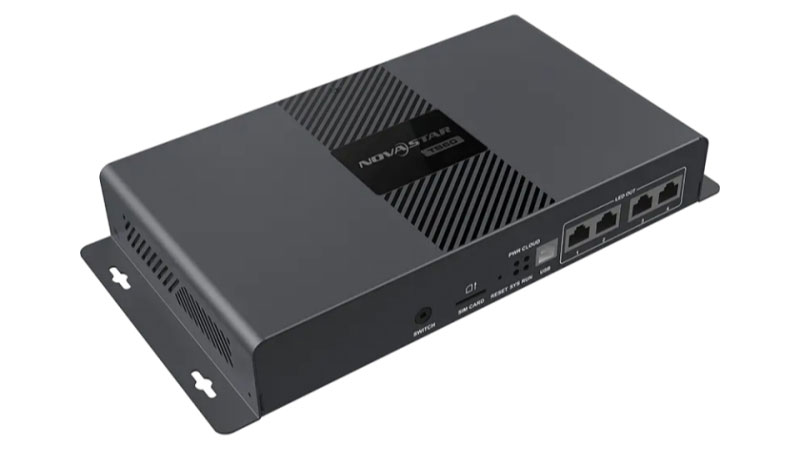
A solution for permanent installations in today’s smart cloud environment. This system supports various playback options including Cloud, Wireless, and U-disk, along with both synchronized and asynchronous modes. Eliminate the need for a computer; simply use an app to pair with VNNOX cloud publishing, enabling remote management of your display. It boasts professional-grade integrated calibration to bring your LED display back to its pristine condition.
Comparison for Nova Cloud Taurus Series:
| NovaStar TB30 | NovaStar TB50 | NovaStar TB60 | ||
| Basic Parameter | CPU | 4 Core A55 Processor/1.8GHz | ||
| Storage | 1GB+32GB | |||
| Decode Ability | 4K 60fps | |||
| Operation System | Android 11 | |||
| Loading Capacity | Max Capacity | 0.65 million pixels | 1.3 million pixels | 2.3 million pixels |
| Max Width/Max High | 4096(Max Width), 4096(Max High) | |||
| LED Output port RJ45 | 1 Main 1 Backup | 2 Main | 4 Main | |
| Main Function | Sync Mode | NTP, GPS | ||
| Dual Mode Switch | / | Support | Support | |
| Remotely Control Power | Need Connect Multifunction Card | |||
| Sensor | Two aviation plug | |||
| Network Communication | LAN | 1000 Mbps | ||
| WiFi | 2.4G Switchable AP&STA | |||
| 4G | Support(Option) | |||
| Appearance Material | Metal Case | |||
| Power Port | AC 100~240V | |||
| Certification | CE EMC, LVD, ROHS, FCC, FCC ID, IC, RED, UKCA, UL, RCM, PSE, FAC, PSB, KC, MIC, CB, NBTC | |||
3. Nova Cloud MBOX600
NovaCloud MBOX600 Resource Download:
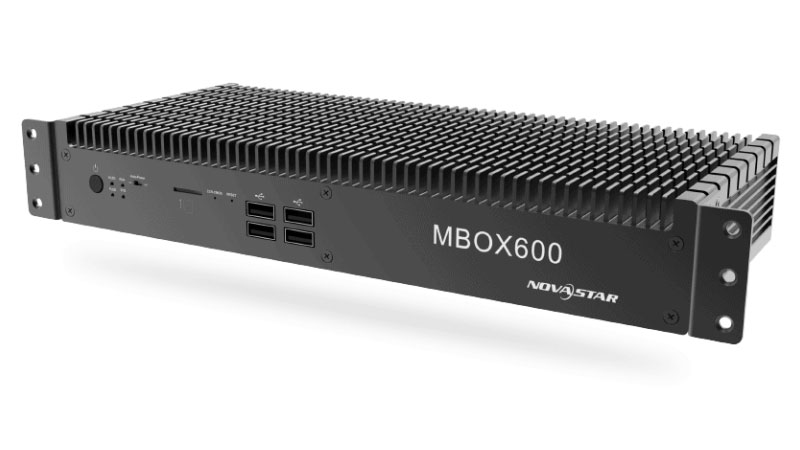
The MBOX600, crafted by NovaStar, is a robust 2-in-1 solution that combines an industrial-grade PC and a sending card. This high-capacity independent controller facilitates seamless LED display management without the need for an external PC. It is equipped with multiple USB ports (4x USB2.0 and 2x USB3.0) to enhance connectivity and user interaction.
- i5 7200U Intel dual-core processor
- Support for multiple connection types: Wired/WiFi, 4G
- Resistant to extreme cold or heat: -20C/60C
- Cloud publishing and monitoring
- 2.3 million pixel loading capacity
- 18bit+ Grayscale Processing
- Support exposure environment
Nova Cloud Service VNNOX Overview
VNNOX, a versatile cloud service by Nova, is designed for universal display device compatibility and a wide array of application scenarios. With internet access, NovaStar VNNOX is readily available for use anywhere, anytime. It ensures stringent permission controls through comprehensive user, role, and workgroup management systems.
1. Nova Cloud VNNOX Media
The VNNOX Media suite, encompassing VNNOX Standard, VNNOX AD, and iCare, caters to over 90% of screen management needs. It’s user-friendly with a full range of functions.
You can sign up and log in to Nova Cloud VNNOX to use it.
Nova Cloud VNNOX Standard
Specialized for LED display remote content management and player control.
- Multiple Terminal Support: Compatible with various terminals, including the Taurus series and VPlayer synchronous players.
- Online Media Library: A flexible repository accessible from anywhere, facilitating content availability.
- WYSIWYG Editing: A transparent editing process ensuring that the final display matches the preview.
- Diverse Media Support: Handles a variety of media types, from text and video to web pages and streaming content.
- Smart Publishing: Internet-based solution deployment allowing scheduled playback after download.
- Remote Control: Real-time or scheduled oversight of player functions like restart, status checks, and source switching.
- Play Logs: Detailed playback data statistics are automatically compiled for review.
- Resource Grouping: Customizable management of media, playlists, and players for organized access and data segregation.
- Permission Management: Tailored permission settings for users and roles to meet specific operational requirements.
Nova Cloud VNNOX AD
VNNOX AD is a comprehensive remote content management and control solution for LED display systems. It enables real-time screen status management, plan scheduling, emergency notification insertion, and customization of content schedules to suit advertising requirements.
- Multi-Terminal Access: Seamless integration with various devices, including the Taurus series and VPlayer synchronous players.
- Smart Publishing: Internet-based distribution of solutions to players for scheduled playback.
- Customizable Scheduling: Flexible playback options, including default, interval-based, or scheduled, with emergency content insertion capability.
- Remote Control: Comprehensive control over screen functions such as restart, status, volume, brightness, and source switching.
- Play Logs: Detailed statistics for playback data, automatically generated for transparency and analysis.
- Template Variety: A range of page and frame templates, along with a WYSIWYG editor for custom content creation.
- Group Management: Customizable workgroups for media, playlists, solutions, and players, facilitating resource management and data isolation.
- Permission Management: Tailored access rights for users and roles to ensure secure and efficient operation.
Nova Cloud iCare
Nova Cloud’s iCare offers a centralized monitoring solution tailored for multi-screen LED display management systems. It provides:
- Centralized Management: Utilizes broadband Internet architecture, supporting HTTPS and FTPS servers for stable, high-speed data management and monitoring.
- Comprehensive Monitoring: Oversees the functioning of sending, receiving, monitoring, and multifunction cards within the control system, and detects environmental factors like temperature, humidity, and smoke.
- Automatic Alarm: The monitoring server collects and scans operational parameters, sending email alerts if conditions exceed preset thresholds.
- Remote Monitoring and Control: Allows account holders to log in, search, view, and snapshot monitoring data through a browser for timely and accurate on-site LED display conditions.
- Multi-Device Access: Compatible with PCs, Android V4.0+ mobile phones, iPhones, iPads, and supports both synchronous M3 and asynchronous Pluto series control systems from NovaStar.
- Intuitive and Efficient: Provides clear reporting of the status, alarms, errors, and locations of LED displays.
- Information Sharing: Enables sharing of LED display information among users.
- Display Handover: Allows for the management transfer of LED displays between users.
2. Nova Cloud VNNOX Care
VNNOX Care is Nova Cloud’s advanced maintenance platform for LED displays, offering a suite of professional tools.
- Efficient Monitoring: Real-time surveillance and maintenance of LED displays.
- Comprehensive Data Overview: Complete data visualization of LED display systems, including all control equipment.
- Rapid Error Response: Immediate error notifications and visual equipment diagrams for swift troubleshooting.
- Cloud-Based Record Keeping: Warranty, replacement, and configuration details are securely stored in the cloud for easy access.
- Cost-Effective: VNNOX Care is available without extra equipment or fees, compatible with any NovaStar controller.
- Cloud Configuration Storage: Users can upload and retrieve configuration files effortlessly, ensuring quick setup.
- Robust Security: Ensures secure playback with comprehensive protection measures.
You need to apply for an account and Log in to Nova Cloud VNNOX to use it.
For optimal performance, VNNOX Care requires the latest version of NovaLCT. You can download it in LedInCloud.
NovaStar Cloud Based Solution
1. VNNOX + TAURUS Multimedia Players
2. VNNOX + MBOX600