
NovaStar A7s Plus LED Receiving Card Overview
NovaStar A7s Plus is a receiving card designed for LED display systems that require stable signal transmission and precise control at the cabinet level. It is commonly used in indoor LED displays where image consistency and long-term reliability are important.
This article focuses on the NovaStar A7s Plus itself. It explains what the card is, how it is used in LED display projects, and how it compares with other NovaStar receiving cards.
Table of Contents
1. What Is the NovaStar A7s Plus?
The NovaStar A7s Plus is an LED receiving card for use inside LED display cabinets. It works as the link between the sending controller and the LED modules, receiving video data through Ethernet and delivering control signals to the hub board.
In a typical LED control system, the receiving card operates at the cabinet level. Each cabinet contains one or more receiving cards, depending on its size and design. The A7s Plus is designed for general-purpose use and supports different types of LED driver ICs, which allows it to be applied across a wide range of indoor LED display configurations.
2. Key Specifications at a Glance
Before looking at detailed features, it helps to understand the basic technical limits of the NovaStar A7s Plus.
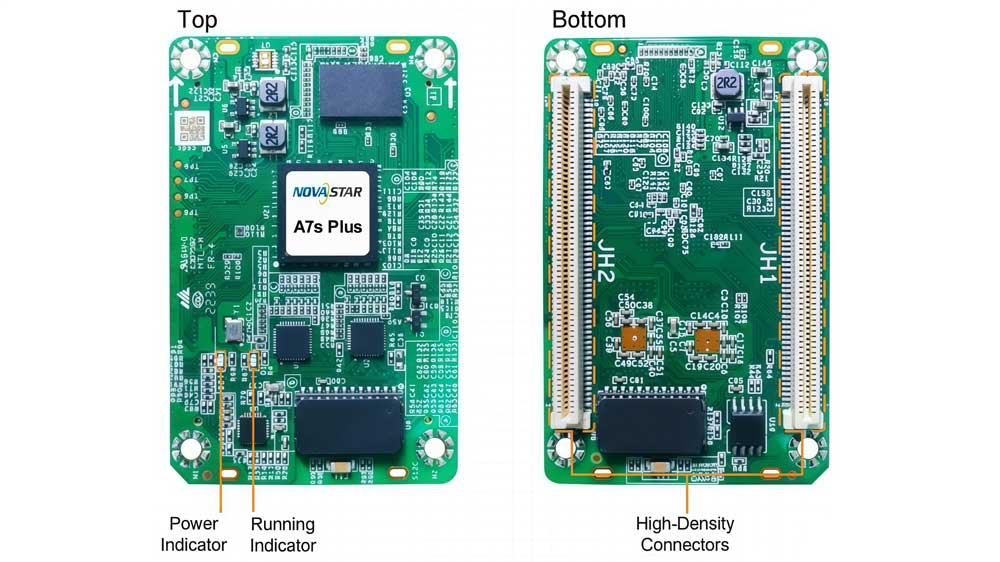
| Item | Specification |
| Maximum Resolution (PWM Driver ICs) | 512 × 512 @ 60 Hz |
| Maximum Resolution (Common Driver ICs) | 512 × 384 @ 60 Hz |
| Color Processing | 18bit+ |
| Data Output Capability | 32 groups of parallel RGB data or 64 groups of serial data (expandable to 128 groups of serial data) |
| Communication Interface | Gigabit Ethernet |
| Backup Support | Dual card backup and loop backup |
| Input Voltage | DC 3.8 V – 5.5 V (Recommended 5.0 V) |
| Operating Temperature | -20°C to +70°C |
| Physical Size | 70.0 mm × 45.0 mm × 8.3 mm |
3. Core Features
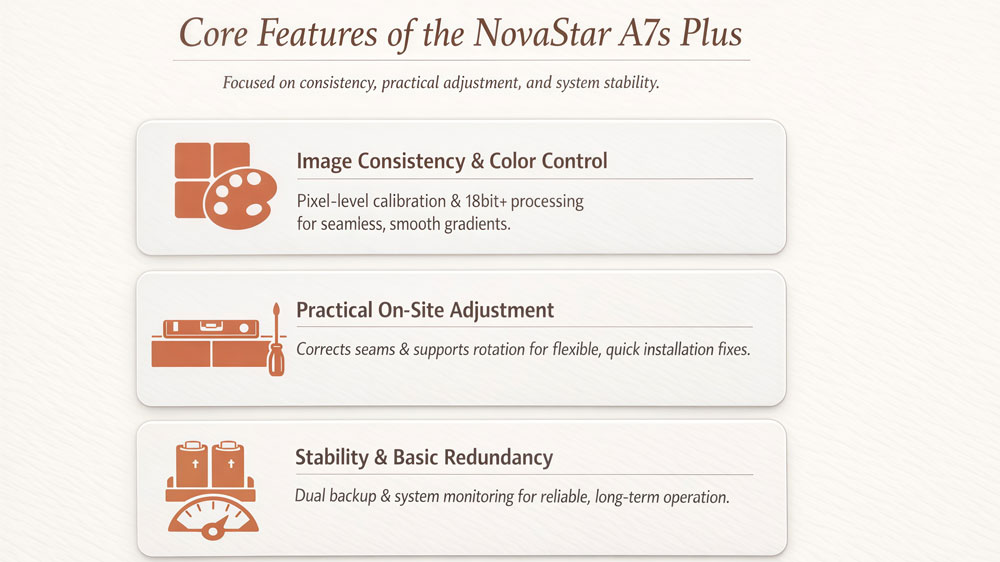
The NovaStar A7s Plus focuses on keeping the image consistent and the system stable at the cabinet level. Most of its features are designed to solve common problems seen in indoor LED displays, rather than adding complex configuration options.
- Image Consistency and Color Control
The A7s Plus supports pixel-level brightness and color calibration when used with NovaStar calibration tools. This helps reduce visible differences between cabinets, especially on dark scenes or solid colors. Individual RGB gamma adjustment is also supported, which improves grayscale performance at low brightness. With 18bit+ processing, gradients appear smoother and banding is less noticeable.
- Practical Adjustment During Installation
Dark or bright lines can appear at cabinet seams after installation. The A7s Plus provides a quick adjustment function to correct these issues directly on site. It also supports multi-batch adjustment, which is useful when LED modules from different production batches are used in the same screen.
For layout flexibility, the card supports image rotation in 90-degree steps. It can also work with compatible controllers to support 3D output when required by the project.
- Stability and Basic Redundancy
For long-running displays, the A7s Plus supports dual card backup and loop backup. These features help keep the screen running if a receiving card or signal cable fails. Basic monitoring functions, such as Ethernet status detection and temperature or voltage feedback, assist with daily maintenance without adding complexity to the system.
4. Typical Applications
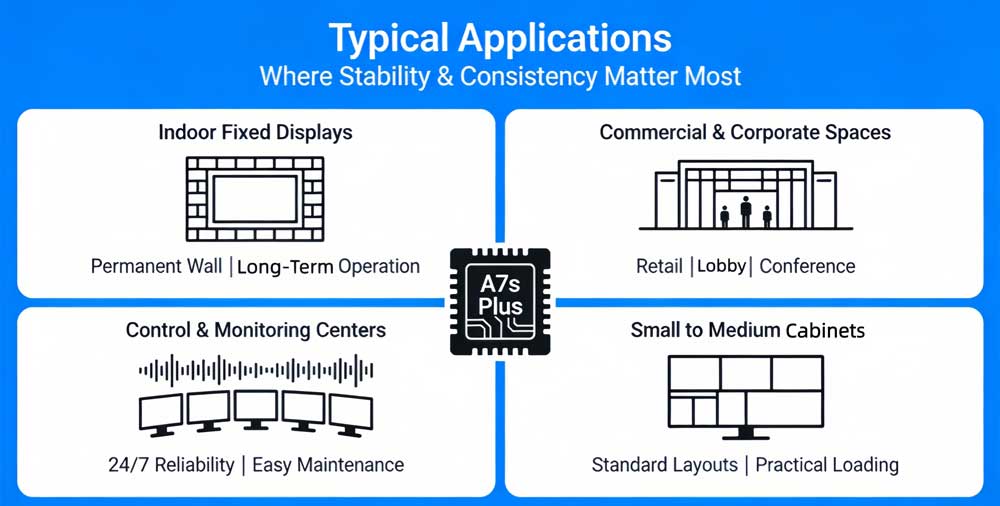
The NovaStar A7s Plus is typically used in indoor LED display projects where stable operation and consistent image quality are required. Common application scenarios include:
- Indoor fixed LED displays
Suitable for installations that run for long periods and do not require frequent cabinet changes, such as permanent walls or information displays.
- Commercial and corporate displays
Used in retail spaces, corporate lobbies, and conference rooms where clean images and uniform brightness are important.
- Control rooms and monitoring centers
Appropriate for environments that require stable operation, predictable performance, and easy maintenance over time.
- Screens with small to medium cabinet sizes
The loading capacity of the A7s Plus matches many standard indoor cabinet designs, making it practical for common pixel pitches and layouts.
Overall, the A7s Plus is chosen for projects that prioritize reliability, image consistency, and straightforward system management, rather than extreme resolution or frequent structural changes.
5. A7s Plus vs Other Armor Series Receiving Cards
Within NovaStar Armor series, different receiving cards are designed for different project needs.
| Feature | A5s Plus | A7s Plus | A8s-N | A10s Plus-N | A10s Pro |
| Load Capacity (PWM IC) | 512×384@60Hz (8bit) 256×384@60Hz (10/12bit) | 512×512@60Hz | 512×384@60Hz (8bit) 512×256@60Hz (10/12bit) | 512×512@60Hz (8bit) 512×384@60Hz (10/12bit) | 512×512@60Hz (8/10bit) 512×256@60Hz (12bit) |
| Parallel RGB Data Groups | 32 | 32 | 32 | 32 | 32 |
| Serial Data Groups | 64 (Expandable to 128) | 64 (Expandable to 128) | 64 (Expandable to 128) | 64 (Expandable to 128) | 64 (Expandable to 128) |
| Core Display Technology | Color Management, 18bit+ | Color Management, 18bit+ | Image Booster (22bit+, Precise Grayscale, Color Management) | Image Booster (22bit+, Precise Grayscale, Color Management) | Image Booster + Adaptive Thermal Compensation Dynamic Booster Full-Grayscale Calibration |
| HDR (HDR10/HLG) | × | × | √ | √ | √ |
| Low Latency (1 Frame) | √ (PWM IC) | × | √ (PWM IC) | √ (PWM IC) | √ (Requires driver IC with built-in RAM) |
| 90° Image Rotation | √ | √ | √ | √ | √ |
| Free Image Rotation | × | × | √ (Requires MCTRL R5) | √ (Requires MCTRL R5) | √ (Requires MCTRL R5) |
| 3D | √ | √ | √ | √ | √ |
| Pixel Level Brightness & Chroma Calibration | √ | √ | √ | √ | √ |
| Multi-Batch Brightness Adjustment | √ | √ | × | √ | × |
| Shutter Fit | × | × | × | × | √ |
| Frame Rate Adaptive 3.0 | × | × | × | × | √ |
| Brightness Overdrive | × | × | × | × | √ |
| Dual Card Backup | √ | √ | √ | √ | √ |
| Loop Backup | √ | √ | √ | √ | √ |
| Dual Backup of Calibration Coefficients | × | × | √ | √ | √ |
| Dual Program Backup | √ | √ | √ | √ | √ |
| Dual Backup of Configuration Parameters | √ | √ | √ | √ | √ |
| Automatic Module Calibration | √ | √ | √ | √ | √ |
| Module Flash Management | √ | √ | √ | √ | √ |
| Firmware Program Readback | √ | √ | √ | √ | √ |
| Temperature & Voltage Monitoring | √ | √ | √ | √ | √ |
| Dual Power Supply Status Detection | √ | √ | √ | √ | √ |
| Bit Error Detection | √ | √ | √ | √ | √ |
| Cabinet LCD Information Display | √ | √ | √ | √ | × |
| Smart Module Support | √ (Dedicated firmware required) | √ (Dedicated firmware required) | √ (Dedicated firmware required) | √ (Dedicated firmware required) | × (Supports Module Flash Management) |
| Product Positioning | General-Economy | General-Standard | Mid-Range Enhanced | Mid-to-High-End All-Rounder | Flagship Professional |
6. NovaStar A7s Plus Price
If you need up-to-date NovaStar A7s Plus price or want to check availability based on your specific project requirements, you can use the LedInCloud – LED Screen Cloud Platform for self-service inquiry.
Register LedInCloud, users can view product information, request quotations, and manage technical resources in one place. This approach makes it easier to compare options and plan purchases based on real project conditions, instead of relying on estimated or outdated prices.
7. Resources Download
For users working specifically with the NovaStar A7s Plus, the most commonly needed resources include the product specification document, user manuals, and related firmware files.
Click here to download it.
If your project involves other NovaStar products, such as different receiving cards, sending controllers, or video processors, additional software and documentation are also available. For a broader range of NovaStar tools, firmware, and manuals, you can visit the dedicated NovaStar Software page on LedInCloud, which serves as a centralized resource hub for NovaStar-related downloads.
8. Conclusion
Within the Armor series, the NovaStar A7s Plus fits naturally as a general-purpose option. It provides the essential tools required for daily operation and maintenance, while leaving higher-end processing and advanced features to other models intended for more demanding projects. This clear positioning allows system designers to select the card based on actual project requirements rather than over-specifying the system.
When combined with proper configuration, correct firmware versions, and official technical resources, the A7s Plus offers a reliable foundation for building and maintaining indoor LED display systems over the long term.