
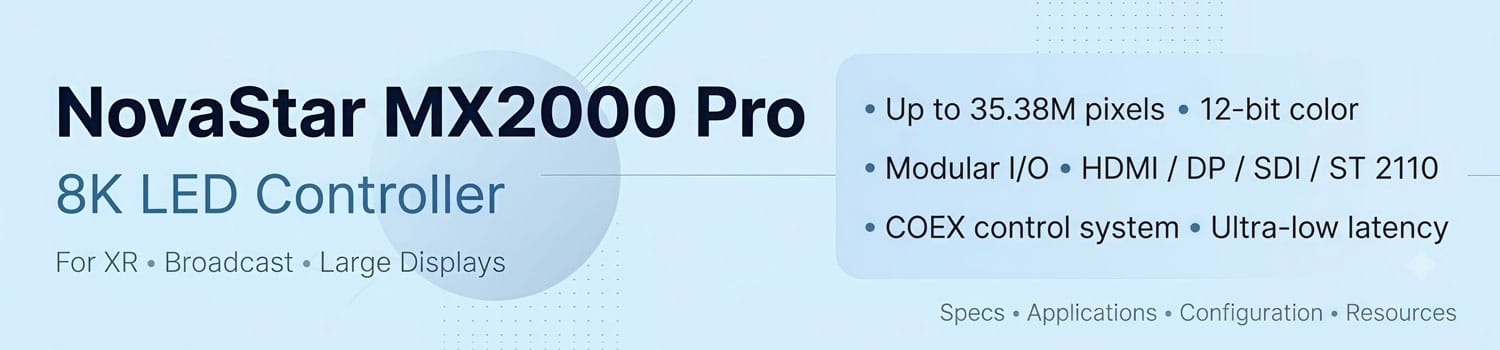
NovaStar MX2000 Pro: 8K LED Controller for XR & Broadcast
The NovaStar MX2000 Pro LED display controller is built for next-generation LED applications that demand higher resolution, faster processing, and precise image control. As an 8K LED controller for large LED displays, XR virtual production, and broadcast environments, it helps manage complex video workflows with advanced processing capabilities.
This guide explores the MX2000 Pro features, specifications, applications, price factors, and available resources.
Table of Content:
1. What Is NovaStar MX2000 Pro?
2. Key Features of NovaStar MX2000 Pro
3. NovaStar MX2000 Pro Specifications
4. How Much Does NovaStar MX2000 Pro Cost?
5. Applications of MX2000 Pro
6. MX2000 Pro vs Other NovaStar Controllers
7. How to Configure MX2000 Pro?
8. NovaStar MX2000 Pro Resources Download
9. FAQ
10. Conclusion
1. What Is NovaStar MX2000 Pro?
NovaStar MX2000 Pro is a professional LED display controller designed for large-scale LED display systems. It belongs to the NovaStar COEX control system and is developed for projects that require professional video processing and LED display management.
In a complete LED display workflow, the controller works as the bridge between video sources and the LED screen. It receives input signals, processes the content, and manages how images are displayed on the screen.
Unlike simple LED control devices used for basic applications, the MX2000 Pro is positioned for more complex display environments where advanced control and professional system integration are required.
The MX2000 Pro is mainly used in professional LED display projects, including large LED screens, XR production environments, broadcast systems, and other high-end visual applications.

2. Key Features of NovaStar MX2000 Pro
The NovaStar MX2000 Pro is designed for professional LED display systems that require flexible control, high-quality image processing, and reliable performance. Its key features help simplify the management of complex LED display projects.

✔ High-Resolution Video Processing
The MX2000 Pro supports high-resolution video processing for large LED displays. It can handle demanding content workflows while maintaining smooth image output and accurate visual performance.
✔ Modular Input and Output Design
The MX2000 Pro features a modular architecture, allowing users to configure different input and output options based on project requirements. This design provides more flexibility when integrating different video sources and LED display systems.
✔ Low-Latency Processing
For applications that require real-time image synchronization, low latency is an important factor. The MX2000 Pro provides low-latency processing to reduce delays between the input signal and LED screen output.
✔ Advanced Image Quality Management
The MX2000 Pro includes image processing functions that help improve color consistency and visual quality across professional LED displays.
✔ Reliable Control for Professional LED Systems
Designed for large and complex LED projects, the MX2000 Pro provides stable control and flexible system management for professional display environments.
3. NovaStar MX2000 Pro Specifications
The NovaStar MX2000 Pro specifications show its capability as a professional LED display controller for high-performance display systems. The following table highlights the key technical parameters that are commonly considered when selecting an LED video processor.

| Feature | Specification |
| Product Type | LED Display Controller |
| Control System | NovaStar COEX Control System |
| Maximum Pixel Capacity | Up to 35.38 million pixels |
| Color Processing | 12-bit |
| Maximum Frame Rate | Up to 480Hz |
| Input Configuration | Supports modular input cards, including HDMI, DisplayPort, 12G-SDI, and ST 2110 options |
| Output Configuration | Supports modular output configurations for different LED display setups |
| Application Type | Professional LED display systems |
The MX2000 Pro is built for projects that require high processing capability and flexible system integration. However, the final system configuration depends on the selected input and output cards, LED screen resolution, and project requirements.
For this reason, the specifications should be evaluated together with the complete LED display system design rather than as a standalone device.
4. How Much Does NovaStar MX2000 Pro Cost?
The price of NovaStar MX2000 Pro is not fixed because the final cost depends on the system configuration and project requirements. Unlike standard LED controllers, the MX2000 Pro uses a modular design, so users may need different input and output configurations for different applications.
Several factors can affect the final MX2000 Pro price:
(1) Input and Output Card Configuration
The selected input and output cards are one of the main factors that influence the total cost. Different projects may require different signal types, such as HDMI, DisplayPort, SDI, or ST 2110.
A system designed for basic video input may have a different configuration from a professional workflow that requires advanced signal processing.
(2) LED Display Requirements
The size and resolution of the LED display system also affect the required configuration. Larger LED screens with higher pixel loads may require a more powerful setup and additional system components.
Therefore, the MX2000 Pro cost should be evaluated together with the complete LED display design rather than only the controller itself.
(3) Project Application and System Setup
Different applications may require different configurations. For example, a large event LED screen, broadcast system, or XR production environment may have different requirements for signal management and system integration.
Because of these differences, the best way to check the latest NovaStar MX2000 Pro price is to view the product configuration options directly and compare the available solutions.
At LedInCloud – LED Screen Cloud Platform, users can register an account to check product pricing, compare different LED display solutions, and select a suitable configuration based on their project needs.
5. Applications of MX2000 Pro
High-end LED display setups demand more than standard sending cards—they need precise timing, massive processing power, and absolute stability. The MX2000 Pro targets complex LED setups that leave no room for signal loss or visual lag.

① XR & Virtual Production
Filming with LED backgrounds requires tight camera synchronization, ultra-low latency, and accurate color rendering. The MX2000 Pro handles these heavy visual loads cleanly, keeping virtual backgrounds perfectly in sync with camera shutters to eliminate tear lines and flicker.
② Broadcast & Control Rooms
Live studio environments can’t afford black screens or signal drops. With multi-source input management and seamless failover, the MX2000 Pro keeps studio backdrops and command center video walls running without interruption.
③ Large-Scale Events & Touring
Rental crews and venue operators need setup flexibility for massive pixel counts. The MX2000 Pro simplifies complex multi-screen layouts, giving operators complete control over large display walls during high-stakes live shows and exhibitions.
6. MX2000 Pro vs Other NovaStar Controllers
NovaStar offers different controller solutions for different LED display requirements. The right choice depends on the project size, system architecture, signal workflow, and required flexibility.
Instead of comparing only technical numbers, it is more practical to understand the positioning of each controller.
| Model | Architecture | Best For |
| NovaStar MX2000 Pro | Modular LED display controller | Large-scale LED systems, XR, broadcast, and complex projects |
| NovaStar VX Series | Integrated video processor | Rental LED displays, events, and applications requiring an all-in-one solution |
| NovaStar MCTRL Series | LED display controller | Fixed installation projects and standard LED display systems |
Which NovaStar Controller Should You Choose?
Choose MX2000 Pro when the project requires a flexible and scalable controller system. Its modular design allows users to select different input and output solutions based on project requirements.
Choose VX Series when you need an integrated video processor for faster deployment, especially for rental and event applications.
Choose MCTRL Series when the project focuses on stable LED display control with a simpler system structure.
The best controller depends on your LED display design, signal requirements, and future expansion plans.


7. How to Configure MX2000 Pro?
Configuring the NovaStar MX2000 Pro requires connecting the controller with a control PC and completing the required settings through Vision Management Platform (VMP).
The MX2000 Pro LCD screen supports basic operations. For advanced functions such as project management, input source configuration, screen configuration, screen calibration, color processing, screen adjustment, screen monitoring, preset management, and screen maintenance, users need to install VMP on the control PC.
Follow the steps below to complete the basic configuration.
Step 1: Prepare the MX2000 Pro System
Before configuration, prepare the controller, LED display system, input sources, and control PC.
Check that:
- The required input and output cards are installed
- The controller is connected correctly
- The LED display system is ready for configuration
Because MX2000 Pro uses a modular card-based design, the final setup depends on the selected input and output solutions.
Step 2: Install and Open VMP Software
Install Vision Management Platform (VMP) on the control PC and connect it with the MX2000 Pro.
After the connection is successful, users can access advanced configuration functions and manage the LED display system through VMP.
Step 3: Configure Input Sources
Set up the input sources according to the connected video equipment and project requirements.
The input configuration depends on the installed input cards and the required signal workflow.
Make sure the selected input source matches the connected device before continuing.

Step 4: Configure the LED Screen
Configure the LED screen settings according to the actual display structure.
This step allows the MX2000 Pro to match the controller output with the LED display system, including screen layout and related parameters.
Correct screen configuration helps avoid display issues such as incorrect image position or abnormal output.
Step 5: Adjust Settings and Save the Configuration
After completing the basic setup, users can adjust the display settings according to project requirements.
Once the configuration is completed, save the project settings for future maintenance and system management.
8. NovaStar MX2000 Pro Resources Download
For complete operation instructions of the NovaStar MX2000 Pro, users can download the related documents and software resources to better understand the device and complete the setup process.
If you need other NovaStar software, tools, or configuration resources, you can visit our NovaStar Software page. This page collects commonly used NovaStar software resources for LED display setup, configuration, and management.
9. FAQ
What software is required to configure NovaStar MX2000 Pro?
The NovaStar MX2000 Pro uses Vision Management Platform (VMP) for advanced configuration. Users can manage project settings, input sources, screen configuration, calibration, and maintenance through VMP.
Can MX2000 Pro be used for XR and broadcast LED systems?
Yes. The MX2000 Pro is designed for professional LED display applications that require flexible system configuration and advanced signal management. It is suitable for XR, broadcast, and other projects that need scalable input and output solutions.
How should I select input and output cards for MX2000 Pro?
Card selection depends on the project requirements, including video sources, LED screen structure, and system workflow. Before building the system, confirm the required input and output options to match the LED display design.
Can different output card solutions be mixed in one MX2000 Pro system?
Users should select compatible output card solutions based on the LED display system requirements. Different output card bandwidth solutions should not be mixed when driving the same LED screen. For example, 1G and 5G output cards cannot be used together in one screen system.
Can MX2000 Pro work with existing LED display systems?
Yes. The MX2000 Pro can be integrated into existing LED display systems according to the required input and output configuration. Before replacing or upgrading a controller, users should check the LED screen structure, signal workflow, and compatible input/output solutions to select the correct configuration.
Does MX2000 Pro support screen calibration and display adjustment?
Yes. The MX2000 Pro supports advanced display management functions through VMP, including screen calibration, color processing, screen adjustment, and screen monitoring. These functions help users optimize image quality and manage the LED display system during operation.
10. Conclusion
The NovaStar MX2000 Pro is a professional modular LED display controller designed for complex LED systems that require flexible configuration and advanced management.
With VMP-based configuration and a modular input/output design, it provides a scalable solution for applications such as XR, broadcast, and large-scale LED displays.
Before choosing MX2000 Pro, consider your display size, signal requirements, and system expansion needs.
Explore the MX2000 Pro resources and related NovaStar solutions on LedInCloud to find the right configuration for your project.