

VNNOX Care: Cloud-Based LED Screen Monitoring & Maintenance Platform
VNNOX Care, not as a content control system, nor a replacement for local configuration software, but as a management and maintenance platform that stays with the screen throughout its operating life.
The following sections explain what VNNOX Care actually does, why it matters in real LED projects, and how its core functions are used in practice.
Table of Contents
1. What Is VNNOX Care?
VNNOX Care is a management platform for LED screens that are already installed and in operation.
It is not used for content playback, and it does not replace local LED configuration software. Instead, VNNOX Care sits at a different stage of the workflow. It focuses on how screens are organized, viewed, and managed once they are already running in the field.
In VNNOX Care, each LED screen is treated as a managed object. Basic information such as location, project association, and device identity is recorded online. Screens that belong to different projects or regions can be grouped and viewed within the same system.
This platform is mainly used by service teams, system integrators, and operators who are responsible for ongoing LED screen operation. Rather than working with isolated devices, they work with a structured overview of all managed screens.
2. Why VNNOX Care Matters in Real Projects?
In real LED projects, VNNOX Care is usually adopted for practical reasons. It addresses a set of problems that appear once screens move from installation into long-term operation.
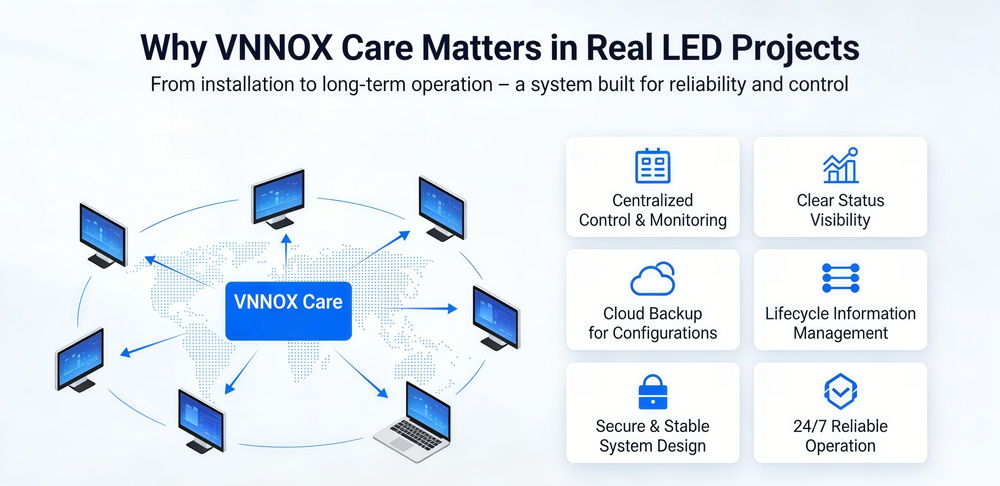
Centralized control and condition monitoring
VNNOX Care provides centralized control over distributed LED screens, allowing service teams to monitor overall screen conditions remotely. When abnormal situations occur, the system supports restoring the screen to its on-site operating condition.
Clear visibility into screen status
Without a dedicated management platform, screen status often relies on manual checks or on-site inspection. VNNOX Care makes screen conditions visible in one place, helping teams identify abnormal behavior earlier and respond in a more organized way.
Cloud backup for after-sales maintenance
In many projects, configuration files are stored locally and may be lost over time. VNNOX Care backs up system configuration information to the cloud. This improves after-sales maintenance efficiency, especially when screens need to be repaired, replaced, or restored after hardware changes.
Secure, stable, and easy-to-use system design
VNNOX Care applies multiple layers of security protection to keep screen operation and data secure. Permission authentication, encrypted communication channels, data fingerprinting, and physical isolation mechanisms work together to protect system access and information integrity.
Operation history for timely understanding
VNNOX Care records screen operation history, allowing service teams to review how a screen has been running over time. By looking at historical data, engineers can better understand operating conditions instead of relying only on current status or personal memory.
Lifecycle-oriented information management
Once screen-related information is recorded, such as spare parts usage and replacement records, it can be tracked continuously. This supports lifecycle monitoring of LED screens and provides clearer references during maintenance and long-term service planning.
3. Dashboard Overview
The VNNOX Care dashboard is built to provide a clear visual overview of LED screen operations. It focuses on visibility rather than configuration, allowing users to quickly understand how screens are distributed and how they are running.
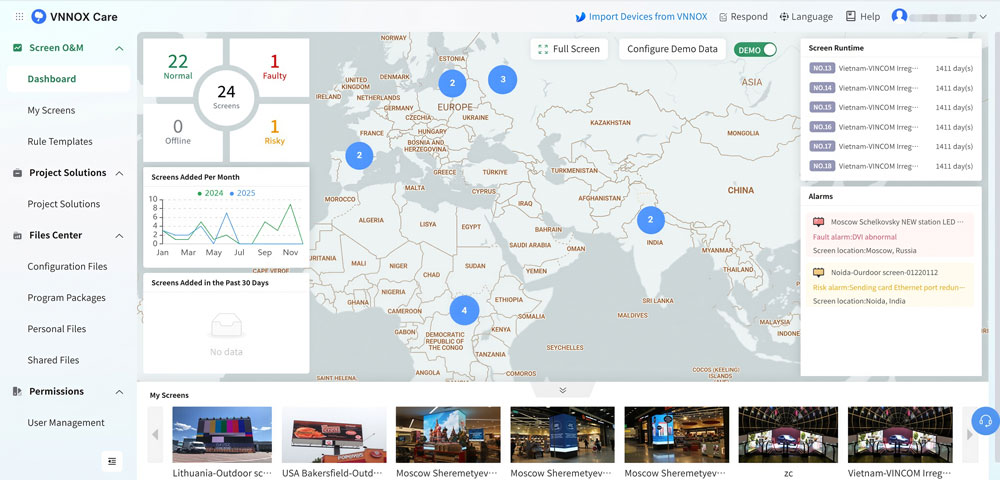
- Screen distribution at a glance
Screens are displayed on a map, showing their geographic distribution across different projects and regions. This helps teams understand deployment scale without reading detailed lists or reports.
- Real-time operation and alarms
The dashboard presents real-time screen status and alarm information in a clear format. Users can quickly identify abnormal screens and decide where attention is needed.
- Runtime and deployment trends
Screen runtime and growth trends are displayed to show how the screen network evolves over time. This is useful for both operation tracking and management reporting.
- Live snapshots for visual confirmation
Live snapshots allow users to see actual screen output remotely. This provides a more intuitive way to confirm screen conditions compared to status indicators alone.
- Suitable for display and demonstration
With full-screen and demo display modes, the dashboard can be used in meeting rooms, control centers, or exhibitions, making it suitable for presentations and demonstrations.
4. VNNOX Care Tutorial
Getting started with VNNOX Care does not require complex preparation. The system is designed to be introduced gradually, allowing teams to build familiarity while screens are already in operation.
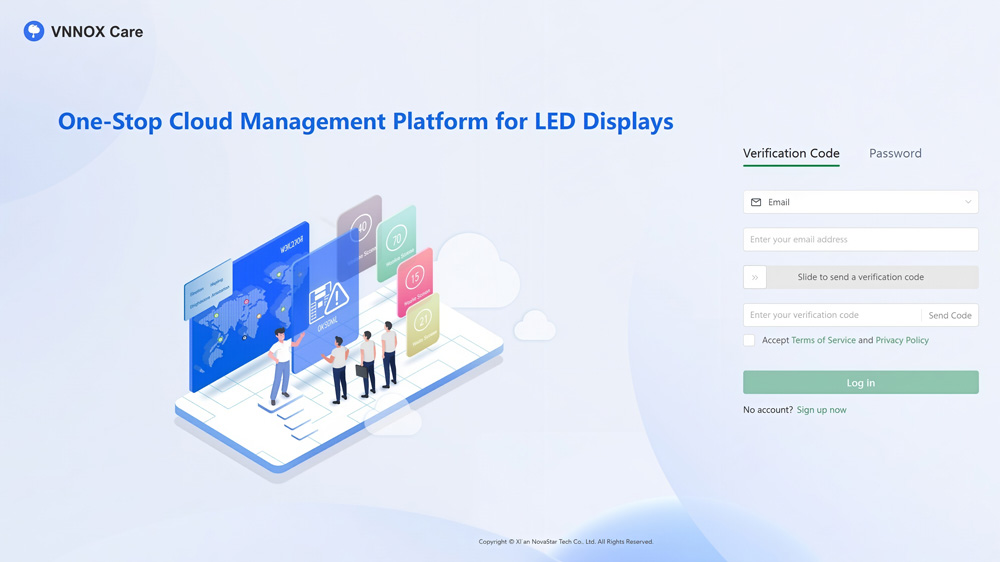
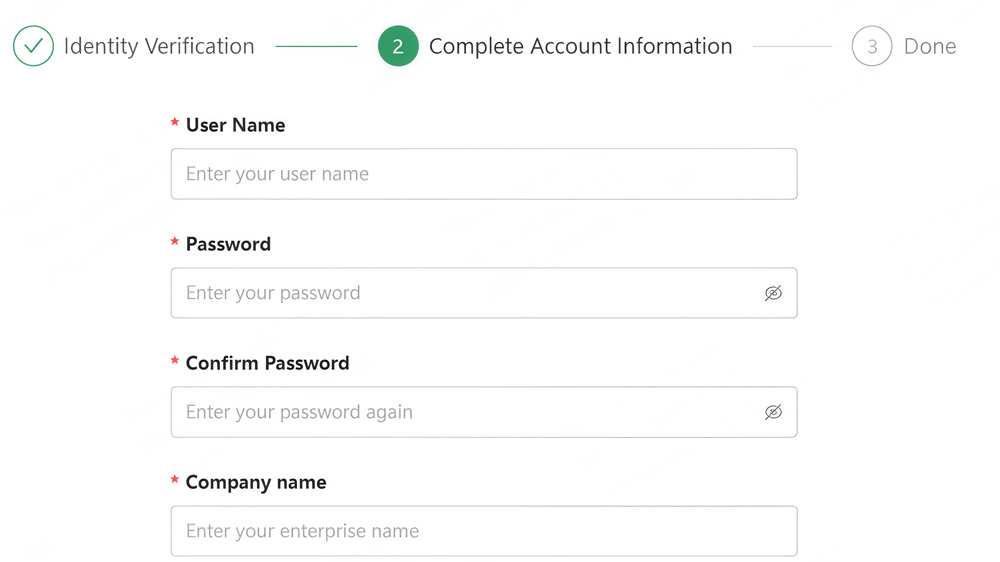
Step 1: Sign up and log in to VNNOX Care
- Visit the VNNOX website and open the VNNOX Care product page.
- Apply for a VNNOX Care account and select a server node.
- Register using an email address or phone number and complete account information.
- After registration, log in to VNNOX Care using your account credentials or a verification code.
- Once logged in, you can access the VNNOX Care management interface.
Step 2: Understand the basic service structure
Before binding screens, it is important to understand where key functions are located in VNNOX Care:
- Screen Operation & Maintenance – View screen distribution, real-time status, and alarms.
- Project Solutions – Generate and download project solution documents.
- File Center – Manage configuration files and program packages.
- Permissions – Create sub-accounts and assign access rights.
- System – Manage personal information and system settings.
This structure helps you navigate the platform efficiently during daily use.

Step 3: Bind an LED screen to VNNOX Care during installation
Screens must be bound to VNNOX Care before they can be monitored and managed online. Binding is usually completed during screen installation or commissioning.
Depending on the project environment, screens can be bound in three common ways:
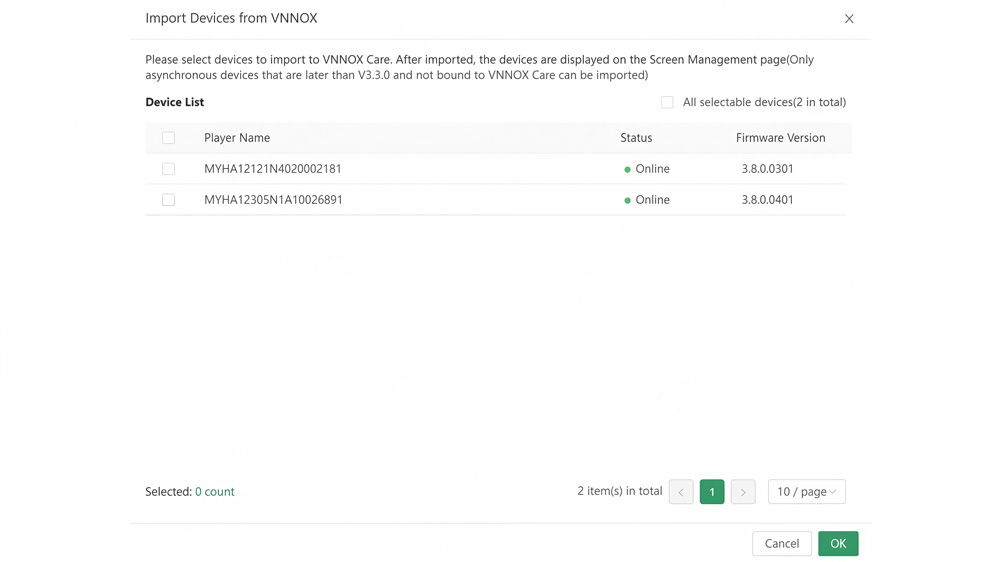
① Import devices from VNNOX
Existing devices already published through VNNOX can be imported directly into VNNOX Care.
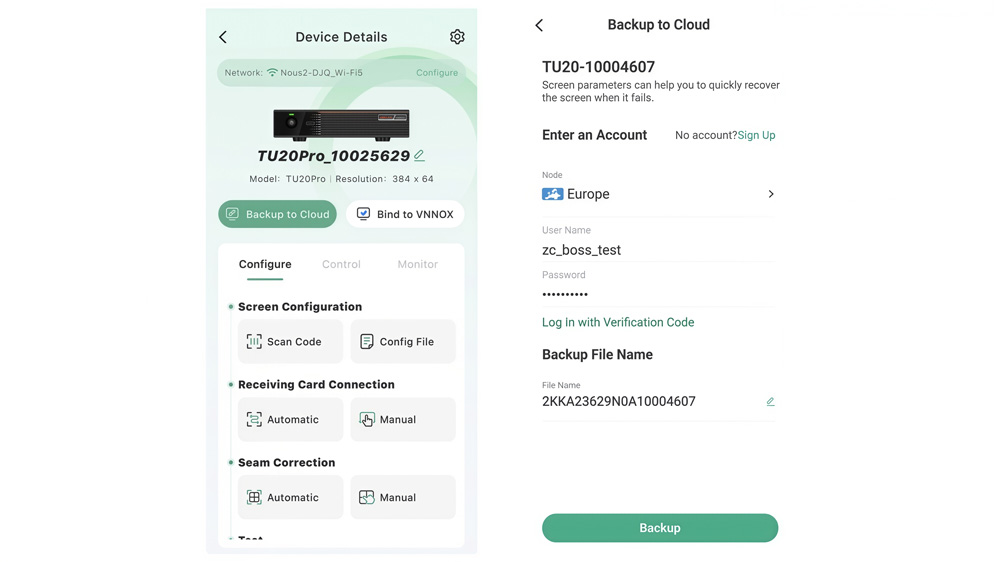
② Bind screens using the VNNOX Care app
Use the app to back up screen configuration files to the cloud, which completes the binding process.
③ Bind screens using NovaLCT
Screens can be bound by saving system configuration files to the cloud or by importing monitoring files when Internet access becomes available.
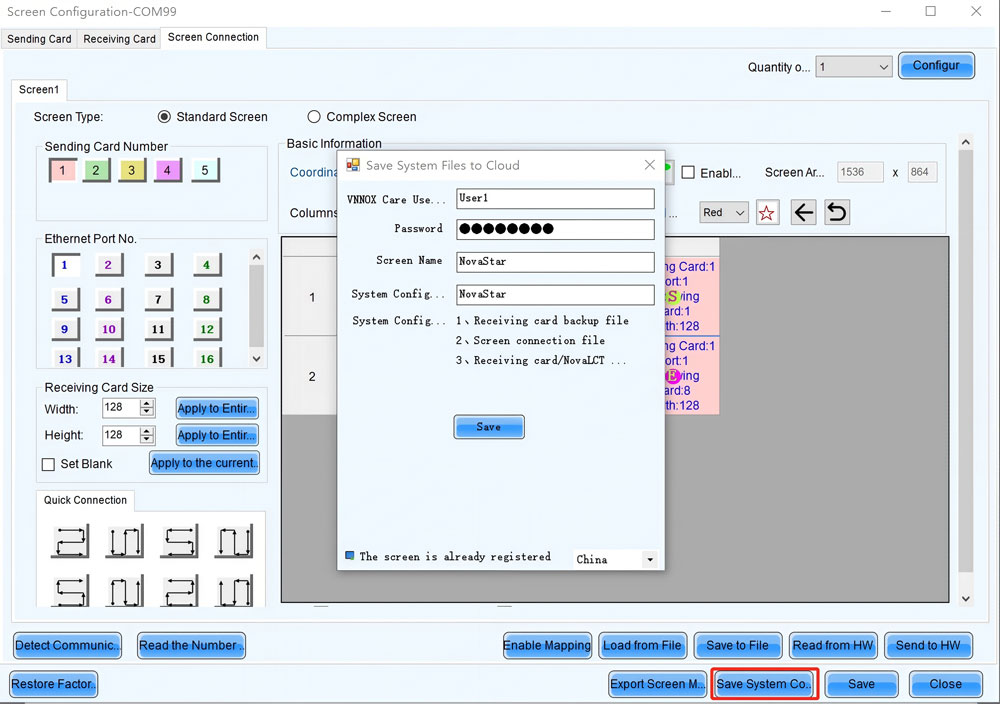
After binding, the screen appears in VNNOX Care and can be monitored online.
Step 4: Back up screen system configuration files
Once a screen is bound, system configuration files should be backed up to the cloud.
If configuration files are lost or hardware is replaced, these backup files can be downloaded from VNNOX Care to restore the screen. Backups also support after-sales maintenance and project handover.
In many cases, configuration files are backed up automatically during the binding process.
Step 5: Manage screen information and maintenance data
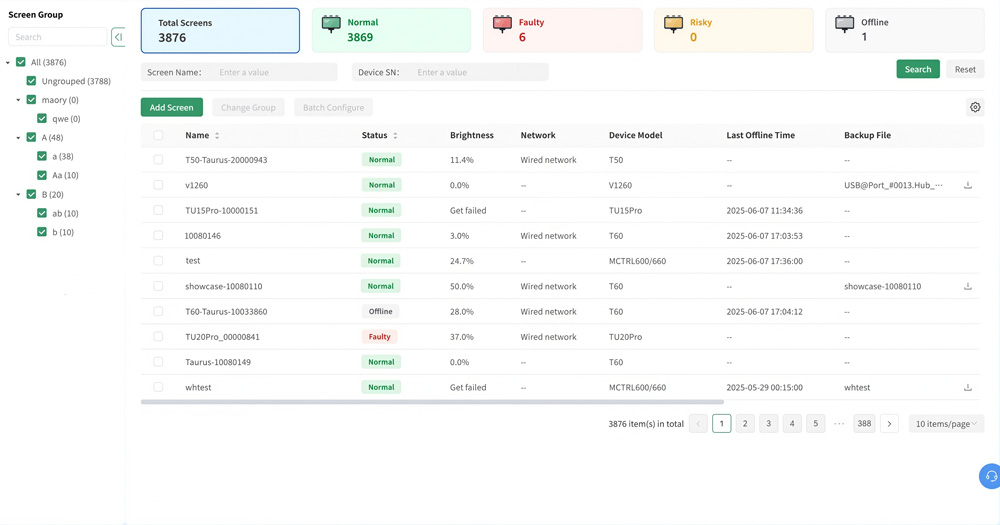
After binding and backup, screens can be managed through Screen Operation & Maintenance > My Screens.
Users can:
- Edit basic screen information such as name, location, and application scenario
- Download backup files for recovery
- Record spare parts usage and replacement information
- Manage warranty information for screens and accessories
This information remains associated with the screen and supports long-term lifecycle management.
Step 6: Use the dashboard for monitoring and presentation
The VNNOX Care dashboard provides an overview of managed screens, including:
- Screen status and alarms
- Screen locations displayed on a map
- Screen runtime and growth trends
- Live snapshots for visual monitoring
The dashboard can also be displayed in full-screen mode for meetings, exhibitions, or service demonstrations.
For teams managing multiple LED screens across different projects, more details can be found on our LED Screen Cloud Platform.
5. Who Should Use VNNOX Care
VNNOX Care is not designed for every LED screen user. It is most useful for teams and organizations that are responsible for screens after installation, especially when projects grow in scale or last over a long period of time.
The following groups typically benefit the most from using VNNOX Care.
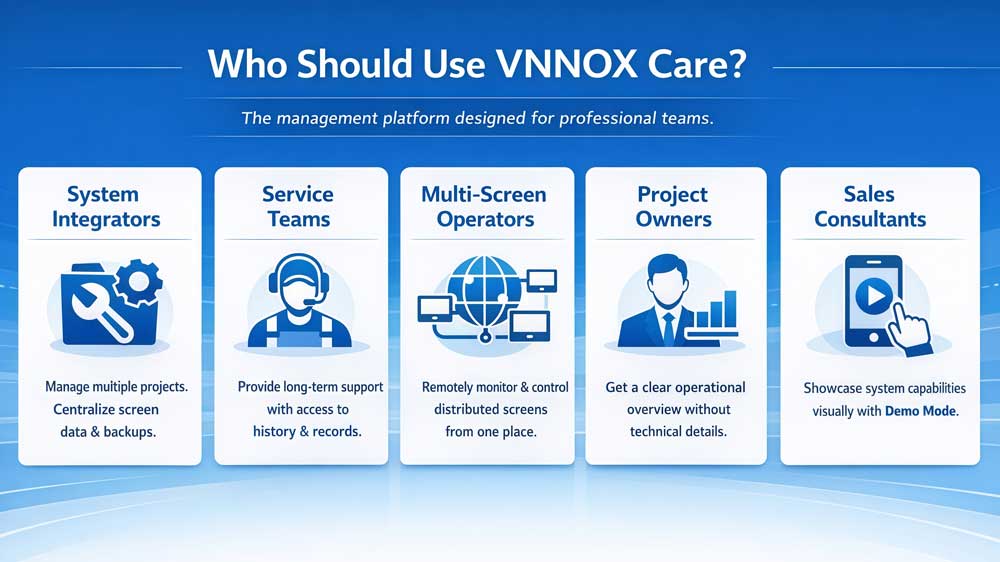
5.1 LED screen system integrators
System integrators often manage screens across multiple projects and locations. After installation, they are still responsible for operation, maintenance, and after-sales support.
VNNOX Care helps integrators keep screen information, configuration backups, and operation records in one place, instead of relying on local files or personal notes.
5.2 After-sales service and maintenance teams
For service teams, the main challenge is not installation, but long-term support. Screens may run for years, and service responsibilities often change hands.
VNNOX Care provides visibility into screen status, operation history, and maintenance records, making it easier for different engineers to work on the same project over time.
5.3 Operators managing multiple LED screens
Some operators are responsible for many screens installed in different locations, such as commercial displays, public spaces, or corporate environments.
With VNNOX Care, operators can view screen distribution, check operating conditions, and confirm screen output remotely, without visiting each site.
5.4 Project owners and management teams
For project owners, technical details are often less important than overall visibility. They want to know whether screens are running normally and how the screen network is performing.
VNNOX Care offers a clear overview through its dashboard, making it easier to understand screen operation status without deep technical involvement.
5.5 Sales teams and solution consultants
VNNOX Care is also used during sales presentations and solution demonstrations. The dashboard provides a visual way to show screen distribution, operation status, and system structure.
Demo Mode allows teams to present the platform without connecting to real project data, which is useful in exhibitions or customer meetings.
5.6 Who VNNOX Care Is Not For
VNNOX Care may not be necessary for users who operate a single screen with no long-term service requirements. It is also not intended for content creation or daily program editing.
6. VNNOX Care Download
To help users get started with VNNOX Care, the official user manual is available for download here.
For users who need additional resources, such as:
- Other NovaStar softwares
- Firmware or product documentation
Please visit our NovaStar Software page. That page provides a complete and up-to-date collection of NovaStar software and related product materials.
7. FAQs
Q1. Do I need VNNOX Care during installation, or only after the screen is running?
VNNOX Care is usually introduced during screen installation or commissioning. Binding screens and backing up configuration files at this stage makes later operation and maintenance easier once the screen enters long-term use.
Q2. Can VNNOX Care be used across different projects and locations?
Yes. VNNOX Care is designed to manage screens deployed in different projects and geographic locations within the same platform.
Q3. What happens if a screen is replaced or hardware is changed?
If screen hardware needs to be replaced, previously backed-up configuration data can be downloaded from VNNOX Care and used as a reference during recovery.
Q4. Can multiple users manage the same screens?
Yes. VNNOX Care supports account permissions, allowing different users or teams to access screens based on assigned roles.
Q5. Is VNNOX Care suitable for non-technical users?
VNNOX Care is primarily designed for service teams and operators.
However, its dashboard and visual overview are often used by non-technical users, such as project owners or management teams, to understand overall screen status without deep technical involvement.
8. Conclusion
VNNOX Care is designed for the operational stage of LED screen projects.
It does not replace local control software, nor does it change how screens are configured. Instead, it focuses on what happens after installation: monitoring, maintenance, and long-term management.
If you need help selecting the right solution for your LED project, or want to understand how VNNOX Care fits into your existing system, feel free to contact LedInCloud. Our team can help review your project requirements and provide practical suggestions based on real application scenarios.