

Synchronous vs Asynchronous Control System: Which Fits Your LED Screen?
Choosing the right synchronous vs asynchronous control system starts with one question: how will your screen actually get its content? Say you run a shopping mall with 200 tenant screens. Every Monday you push the same weekly promotion to all of them. Nobody on your team wants to visit 200 stores with a USB stick. Now picture a live concert, where the backdrop has to follow the drummer beat for beat. Two jobs, two very different control systems. That is the choice this guide is about.
1. Why LED Display Control Systems Matter?
An LED screen only works as well as the system behind it. The pixels can be sharp and the panel can be huge, but the controller decides what people actually see. Here is why that part deserves your attention before the specs do.
1.1 What the control system actually does
Think of it as the link between your content and the panel. It handles three jobs:
- Connection. It takes your images, videos, and real-time data and feeds them to the screen.
- Timing. It decides when each piece shows and how smooth the motion looks.
- Updates. It pushes new content to the display, either live or on a schedule.
Get this part wrong and even a premium screen will freeze, go blank, or lag behind the source.
1.2 The two ways to run a screen
There are two control types: synchronous and asynchronous. They are not just labels. They describe how the screen behaves:
- Synchronous. The screen reacts to a computer in real time. You use it when content changes second by second, like a stage LED screen during a live show or a sports replay.
- Asynchronous. The screen runs on its own from stored files. You use it when a storefront loops a few ads and nobody sits at a PC all day.

1.3 What buyers tend to miss
Most people compare brightness, resolution, and refresh rate. Few ask what drives the content. That gap is where problems start. Before you look at screen size or pixel pitch, answer one question: how will you use the screen, and which control system does that job need?
2. What Is a Synchronous Control System?
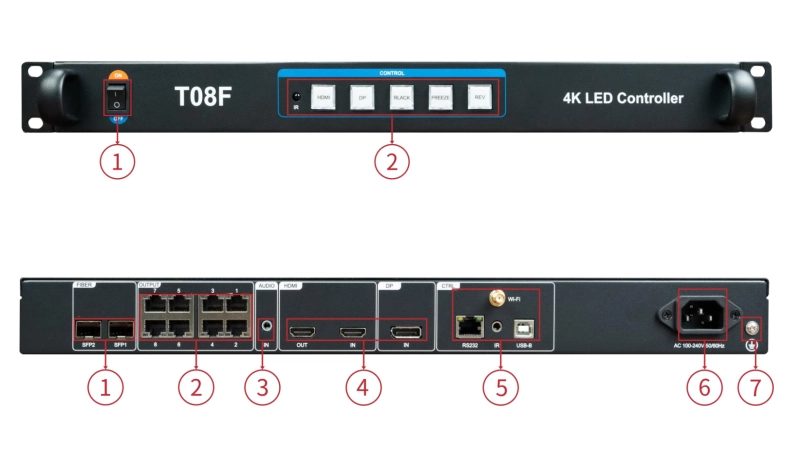
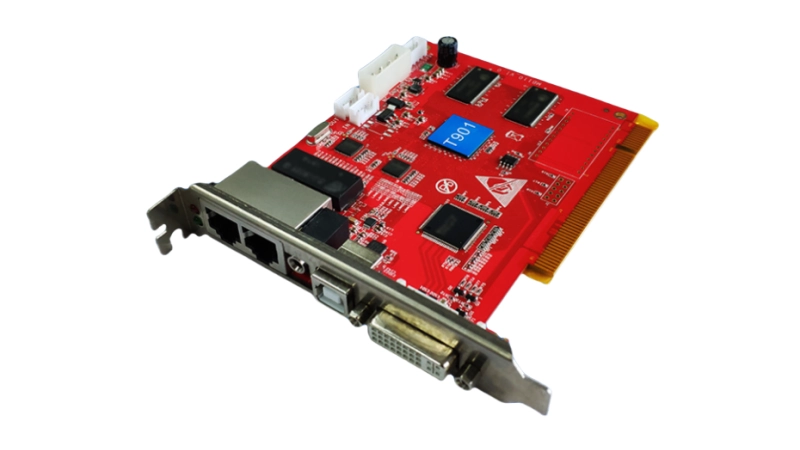
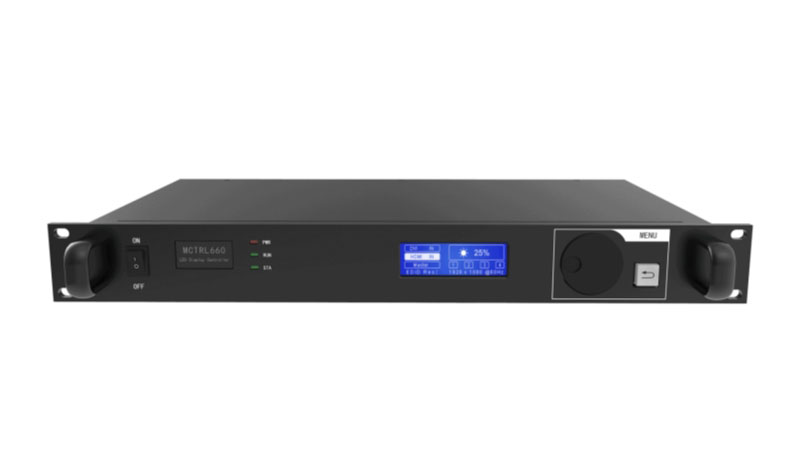
A synchronous control system sends content to the LED screen in real time. It works a bit like a second monitor—whatever you see on your computer can show up instantly on the display.
There’s no delay. Every video frame, every movement, every color change happens live. That’s why it’s called “synchronous.” The screen stays synced with your computer 100% of the time.
2.1 How does it work?
The setup is simple in theory, but powerful in practice:
● The screen connects to a control system—usually a synchronous controller—via a network cable or HDMI/DVI.
● That controller receives live video or graphic signals from your computer.
● The LED screen displays that signal immediately, frame by frame.
As long as the computer is running, the screen updates in real time. But the moment the computer freezes, restarts, or disconnects, the screen goes black. That’s the trade-off.
2.2 Where does this make sense?
You’ll find synchronous systems used anywhere timing matters:
● Concerts and live shows – syncing visuals with music
● Sports venues – showing scores, replays, or player info
● TV studios – live news tickers and background walls
● Church events or conferences – displaying lyrics or speaker content
● Stage backdrops – LED panels reacting live to lighting and video cues
If your content changes every second, this is what you need.
2.3 Pros of a synchronous control system
- Real-time playback
- Smooth video and animation
- Perfect for dynamic, fast-changing content
2.4 Downsides to be aware of
- Needs a stable computer connection at all times
- If the PC crashes, so does the screen
- More cables, more setup, more room for error
Synchronous systems are reliable when properly set up. But they rely on the whole chain working smoothly—from content software, to the control card, to the LED modules. That’s why they’re often used by AV professionals, stage crews, or experienced integrators.
If your screen needs to “react” to something live, this is the system you want. But if you’re just looping menus or ads, it might be more than you need.
3. What Is an Asynchronous Control System?
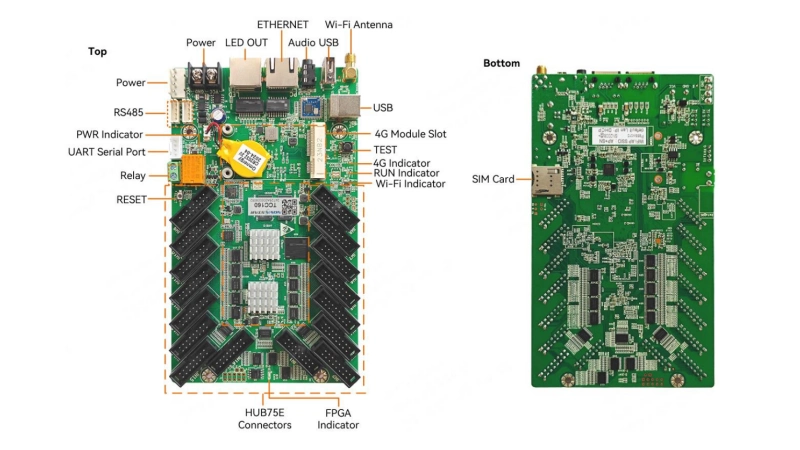
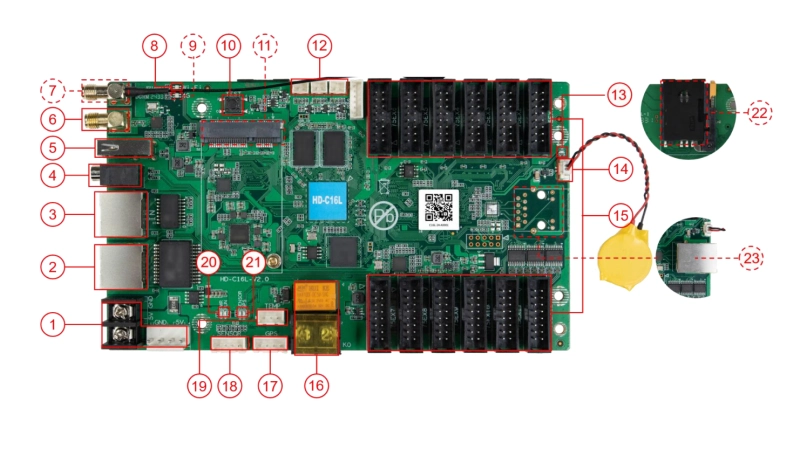
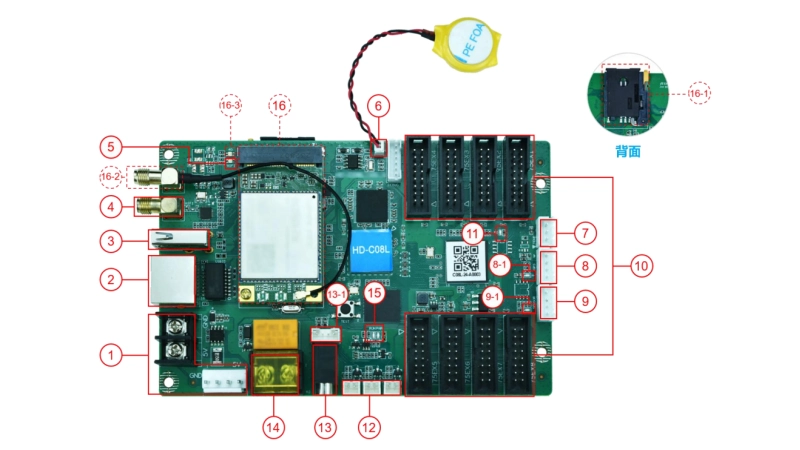
An asynchronous control system doesn’t need a live computer connection. You prepare the content – images, videos, messages – upload it to the controller, and the screen plays it on its own. Simple as that.
It’s sometimes called a “set-and-play” or “offline” system. Once the files are loaded, the LED screen can keep running 24/7—even if the computer is shut down or nowhere near the screen.
3.1 How does it work?
Here’s how a typical asynchronous setup works:
● You use software to create or schedule your content.
● That content gets uploaded to an asynchronous controller, either through USB, Wi-Fi, 4G, or LAN.
● The controller stores everything in its memory.
● The LED screen plays the content based on your schedule or loop settings.
The key point is: no live feed. The screen isn’t mirroring your PC. It’s running from internal storage, like a media player.
3.2 When does this make sense?
Asynchronous systems are ideal when your content doesn’t change every minute. They’re great for:
● Outdoor billboards – cycling through ads day and night
● Retail screens – showing store hours, promotions, or product info
● Restaurants – digital menus that stay consistent for days or weeks
● Schools or factories – announcements, safety messages, schedules
● Hotels or event halls – welcome screens, floor plans, schedules
If no one is standing by to control the screen live, async makes things easy.
3.3 Pros of an asynchronous control system
- Doesn’t rely on a PC to run
- Safer for remote or unattended locations
- Easy to update content remotely (with the right setup)
- Keeps working during computer crashes or power cuts (if backed by battery)
3.4 What to watch out for
- No real-time control or live playback
- Content updates take more planning
If you need to make urgent changes, you’ll need to access the controller directly or through a remote network.
This kind of system is perfect for people who want to “load it and forget it.” It’s stable, low-maintenance, and flexible enough for most static or semi-dynamic content.
Unless you’re dealing with live video or time-sensitive graphics, an asynchronous controller is often the smarter, simpler choice.
4. What Is a Dual-Mode Control System?
Most guides stop at the sync versus async split. Real projects are messier. Some screens run on their own for nine hours a day, then follow a live feed for three. A dual-mode controller is built for that gap.
4.1 How does a dual-mode controller work?
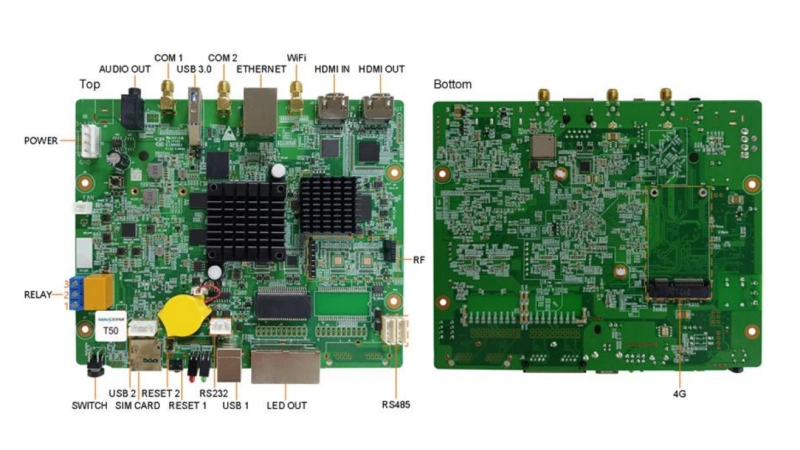
One unit holds two jobs. You get two ways to feed the screen:
- Stored-content mode. Files play from the controller’s own memory, so the screen runs with no computer nearby. You load the content once, then let it loop on a schedule.
- Live-input mode. The screen follows an HDMI source frame by frame, just like a synchronous setup. Use it when a presenter or a video feed needs to drive the wall in real time.
The switch is physical on some units. Look at the NovaStar Taurus multimedia players range. Certain models carry a front-panel button. A technician changes mode in seconds, without opening a laptop or touching the network.
Check two things before you order:
- Not every model in a family has the switch button.
- If you need stored playback and live HDMI input, pick a model that lists the dual-mode function.
4.2 When does dual mode make sense?
Think about a hotel ballroom, a retail flagship, or a campus auditorium. The pattern is the same:
- Most days are quiet. A welcome loop or a floor plan runs from memory. Async mode handles it with no operator on site.
- A few days are live. Friday brings a conference, and the organiser wants slides on the same wall. One button press changes the mode, so you do not rebuild the setup.
- One installation does both. You skip a second control chain and the extra cabling that comes with it. That keeps the rig tidy and cuts the cabling a crew has to check.
Three limits to keep in mind:
- Dual mode does not run both jobs at the same instant. You still pick stored playback or live input.
- Switching mode is not failover. On many controllers a dropped live input will not fall back to stored content on its own.
- Decide in advance who makes the switch, and how fast it has to happen.
5. Side-by-Side Comparison Table
| Feature | Synchronous System | Asynchronous System | Dual-Mode System |
| Real-time playback | Yes – mirrors your computer instantly | No – plays preloaded content | Yes only in live-input mode |
| Computer required | Always connected during playback | Only needed during content upload | Only during upload or live input |
| Best for | Live events, performances, fast updates | Billboards, menus, scheduled info | Sites that switch between the two |
| Content update speed | Instant – live control | Delayed – upload required | Instant in live mode, delayed in stored mode |
| Stability | Depends on PC and network | Runs independently once loaded | Runs independently in stored mode |
| Setup complexity | Higher – more cables and sync needed | Lower – simpler structure | Medium – one unit covers both |
| Remote management | Possible, but needs stable live link | Supported via cloud or 4G (if configured) | Supported via cloud or 4G |
| Failure risk | High if PC crashes or disconnects | Low – content keeps playing from memory | Low in stored mode, source-dependent in live mode |
| Dual-mode support | No | No | Yes on selected models |
| Live HDMI input | Yes, always on | No | Yes, after switching mode |
| Runs if the PC is off | No | Yes | Yes, in stored-content mode |
6. How to Choose: Use Case Scenarios
Still deciding between synchronous and asynchronous? Here’s a quick way to figure it out—look at how you’ll use the screen.
(1) Choose a Synchronous Control System if:
- You need live video or real-time updates
- You’re syncing visuals with music or lighting
- You want full control during playback from a computer
- The content changes often and needs to be managed live
- Best for: concerts, sports stadium LED screen, conferences, live broadcasts, churches
(2) Choose an Asynchronous Control System if:
- Your content stays the same for hours or days
- You don’t want to rely on a computer
- You only update content once in a while
- The screen is in a remote or unattended location
- Best for: billboards, storefronts, restaurants, schools, office lobbies

(3) Two real project scenarios
✔ A chain of retail stores. You manage 200 screens and update promotions once a week. An asynchronous controller with cloud publishing lets you push new files to every store from one laptop. The NovaStar VNNOX cloud platform handles the publishing side, and most players also accept a 4G module where wired internet is not available. If one store loses its connection, that screen keeps playing from local memory. Nothing goes black.
✔ A sports stadium. The scoreboard changes with the game and replays start on cue. Here the screen must follow a live feed frame by frame, so a synchronous controller is the right call. The trade-off is that the PC driving it becomes a single point of failure. Most venues keep a backup source ready, and they avoid mixing controller platforms inside one sync group.
(4) Still unsure?
Contact LedInCloud, LedInCloud – LED Screen Cloud Platform has a professional technical team to provide you with the most suitable solution.
7. FAQs
These questions come up most often when buyers compare the two systems. The answers are short on purpose, so you can scan them fast.
Q1. Can a synchronous LED control system work without a computer?
No. A synchronous LED control system needs a continuous video signal from a computer or another video source. If the computer freezes, restarts, or loses its connection, the LED screen may go black. For unattended installations that need to play content independently, an asynchronous system is usually a better fit.
Q2. Can an asynchronous LED controller play live video?
Not directly. An asynchronous controller plays media files stored in its internal memory rather than mirroring a live HDMI signal. If your project needs both scheduled playback and live video, consider a dual-mode controller that supports switching to a live input when needed.
Q3. How can I manage LED screens in different cities remotely?
You can use a cloud platform or a mobile network connection to manage screens in different locations. NovaStar Taurus players support wired network, WiFi, and 4G connections, depending on the model. Through Nova Cloud, you can publish content remotely and check screen status without visiting each site.
Q4. What happens if the network connection goes down?
An asynchronous LED screen can continue playing because its media files are stored in local memory. A synchronous screen can also keep displaying content as long as the computer and video signal remain connected. However, a network outage may interrupt remote monitoring and control.
Q5. Can multiple LED screens display the same content without a computer?
Yes. Multiple asynchronous players can synchronize playback using NTP, RF, or GPS time synchronization, depending on the supported model and configuration. NovaStar Taurus players support these synchronization methods. For stable playback, use compatible models from the same platform, as mixing different platforms may cause timing differences.
8. Conclusions
Both synchronous and asynchronous control systems do the same basic job: they send content to your LED screen. But how they do it – and where they work best – is very different.
If you need live control, real-time updates, or dynamic visuals, go with a synchronous system.
If you want a screen that runs on its own and doesn’t need constant updates, an asynchronous system is a better choice.
The right control system makes everything easier – smoother shows, fewer problems, and less time wasted fixing things.