
NovaStar MCTRL600 | Specs, Manual, Software & Price
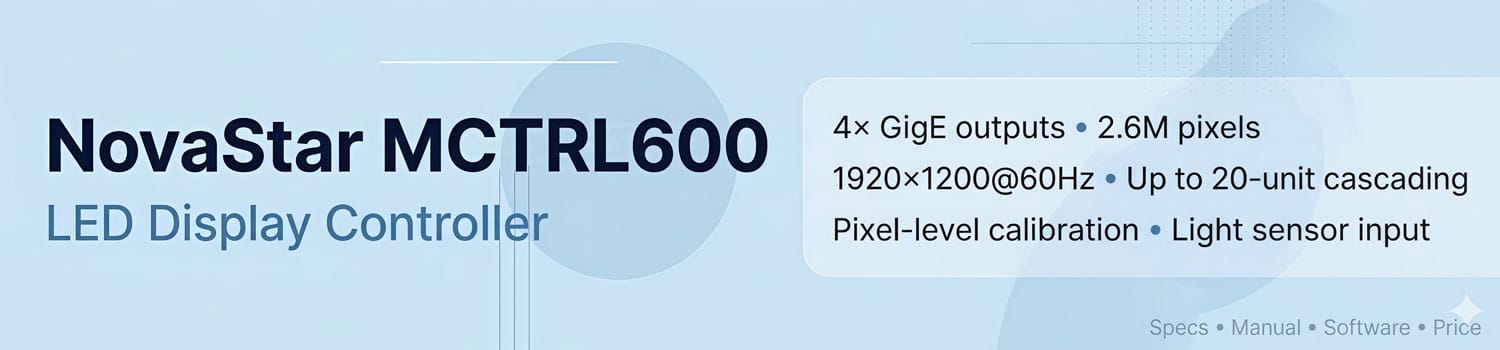
The NovaStar MCTRL600 is a synchronous LED display controller designed for rental and fixed installation projects. It receives a video signal from a PC or media source, then distributes it through four Gigabit Ethernet ports to drive LED panels.
One unit handles up to 2.6 million pixels. Up to 20 units can be cascaded for larger walls. This page covers the full MCTRL600 specs, price reference, NovaLCT software guide, manual download, and a comparison with the MCTRL660.
1. What Is the NovaStar MCTRL600?
The MCTRL600 is a sending box developed by NovaStar Technology. It connects between a video source and an LED display.
You plug a PC or media player into the MCTRL600 via DVI or HDMI. The controller processes the signal and sends it out through four RJ45 Ethernet ports to the receiving cards on the LED panels.
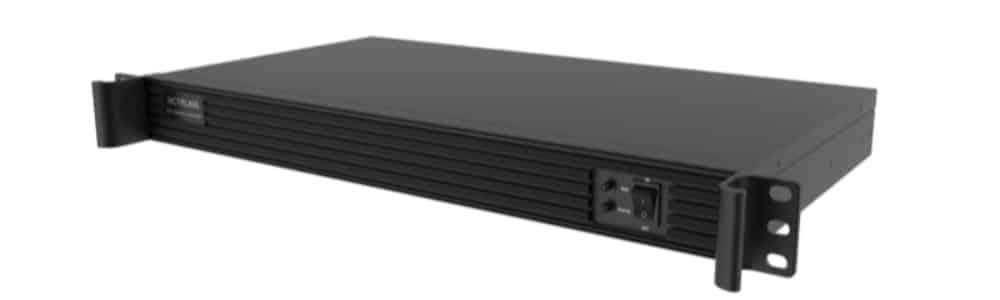
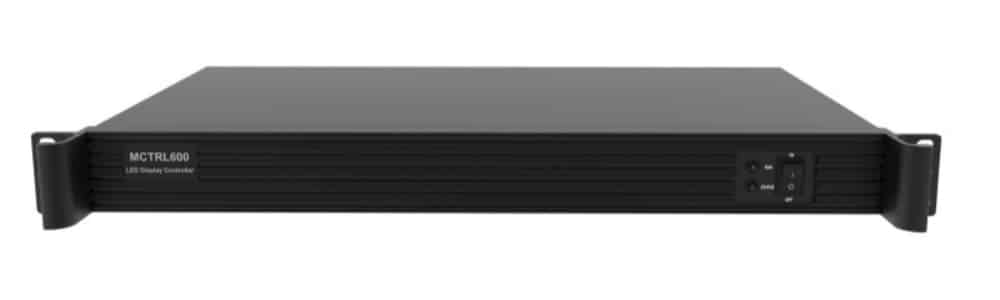
NovaStar built the MCTRL600 for both rental events and permanent installs. It shows up most often in concerts, live sports, security monitoring centers, and large commercial displays. The 1U rack form factor fits standard AV racks, which makes it easy to deploy and transport.
Configuration and calibration run through NovaLCT software over a USB connection.
2. NovaStar MCTRL600 Price
The MCTRL600 sits at the affordable end of NovaStar’s sending controller lineup. Market pricing generally runs between $230 and $300, depending on the supplier and order volume.
For an accurate quote, contact us directly or register on the LED Screen Cloud Platform. We’ll give you pricing based on your project requirements and destination.
3. MCTRL600 Key Features
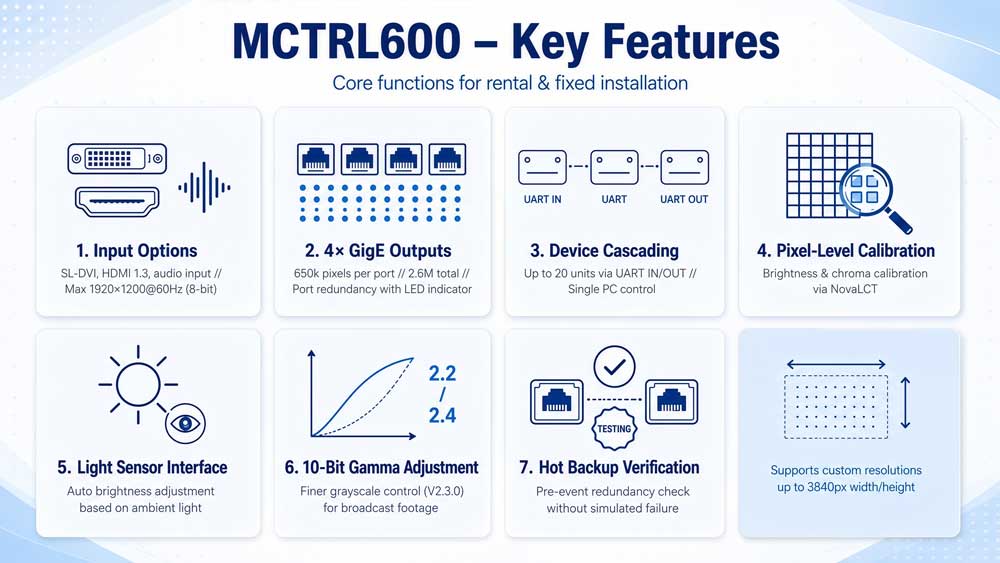
The MCTRL600 covers the core functions most rental and fixed installation setups need. Below is a breakdown of what it offers.
3.1 Input Options
The MCTRL600 has three input connectors: 1x SL-DVI, 1x HDMI 1.3, and 1x audio. Both DVI and HDMI support resolutions up to 1920×1200@60Hz at 8-bit. With 10-bit or 12-bit sources, the maximum input resolution drops to 1440×900@60Hz.
Custom resolutions are supported. Maximum width goes up to 3840 pixels (e.g., 3840×600@60Hz), and maximum height up to 3840 pixels (e.g., 500×3840@60Hz). Interlaced signal input is not supported on either connector.
The HDMI 1.3 input is HDCP 1.4 compliant.
3.2 4x Gigabit Ethernet Outputs
Four RJ45 Gigabit Ethernet ports handle the output. Each port drives up to 650,000 pixels and loads up to 512 receiving cards. Total capacity per unit is 2.6 million pixels.
Port redundancy is built in. If one port fails, another takes over to keep the display running. The RUN indicator switches to a breathing pattern when redundancy kicks in.
3.3 Device Cascading
Multiple MCTRL600 units connect through the UART IN/OUT ports. Up to 20 units can be cascaded in a single chain. The PC communicates with all cascaded units through the Type-B USB 2.0 port.
3.4 Pixel-Level Calibration
Working with NovaLCT and NovaStar’s calibration platform, the MCTRL600 calibrates brightness and color at the individual pixel level. This removes visible color banding across modules and improves uniformity across the full display surface.
3.5 Light Sensor Interface
A dedicated light sensor connector sits on the rear panel. Connect an external sensor and the controller adjusts screen brightness automatically based on ambient light. This works well for displays that run across changing lighting conditions throughout the day.
3.6 10-Bit Gamma Adjustment
Added in V2.3.0, 10-bit Gamma adjustment gives finer control over grayscale gradients. It improves accuracy on content with subtle tonal transitions — broadcast footage, photography, and similar material.
3.7 Hot Backup Verification
Also added in V2.3.0, this function lets you confirm that Ethernet port redundancy is working before a live event. You don’t need to simulate a port failure to verify the backup is active.
4. MCTRL600 Specs
The table below is based on the official NovaStar MCTRL600 specification document.
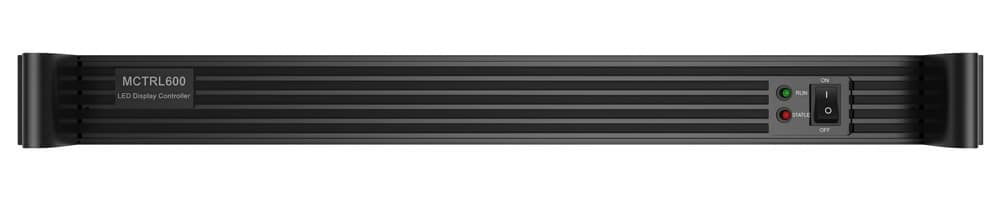
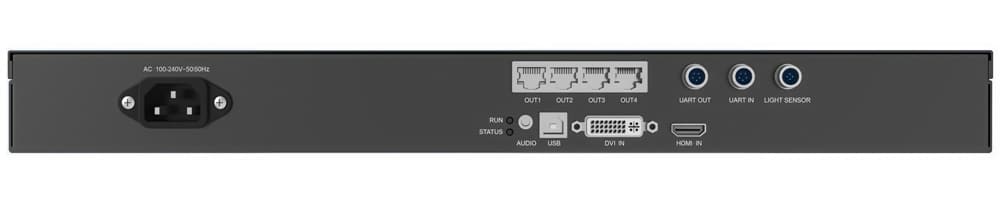
| Category | Item | Detail |
| Electrical | Input Voltage | AC 100–240V~50/60Hz |
| Rated Power | 6.6 W | |
| Environment | Temperature | –20°C to +60°C |
| Humidity | 10% RH to 90% RH, non-condensing | |
| Physical | Dimensions | 482.0 mm × 268.5 mm × 44.4 mm |
| Net Weight | 2.5 kg | |
| Packing | Packing Box | 586 mm × 465 mm × 353 mm (up to 5 units per box) |
| Carrying Case | 565 mm × 88 mm × 328 mm | |
| Accessories | 1x power cord, 1x cascading cable (1 m), 1x USB cable, 1x HDMI cable | |
| Certifications | CE, RoHS, FCC, IC, CB, PSE |
Video Source Specifications
| Input | Bit Depth | Sampling Format | Max Resolution |
| Single-link DVI | 8-bit | RGB 4:4:4 / YCrCb 4:4:4 / YCrCb 4:2:2 | 1920×1200@60Hz |
| Single-link DVI | 10-bit / 12-bit | RGB 4:4:4 / YCrCb 4:4:4 / YCrCb 4:2:2 | 1440×900@60Hz |
| HDMI 1.3 | 8-bit | RGB 4:4:4 / YCrCb 4:4:4 / YCrCb 4:2:2 | 1920×1200@60Hz |
| HDMI 1.3 | 10-bit / 12-bit | RGB 4:4:4 / YCrCb 4:4:4 / YCrCb 4:2:2 | 1440×900@60Hz |
5. NovaStar MCTRL600 Software — NovaLCT
The MCTRL600 uses NovaLCT as its main configuration software. Connect the controller to a Windows PC via the Type-B USB port and NovaLCT detects the device automatically.
With NovaLCT you can set up screen layout, map Ethernet port connections, run pixel-level calibration, adjust Gamma curves and color temperature, update firmware, and save cabinet configuration files for reuse.
NovaLCT is free to download. Get it from LedInCloud.
For remote content management across multiple displays, the MCTRL600 also works with NovaStar’s VNNOX cloud platform.
6. MCTRL600 vs MCTRL660 — What's the Difference?
Both are NovaStar sending controllers in the same product line. The core specs are identical — same input options, same four Gigabit Ethernet outputs, same 2.6 million pixel capacity per unit, same maximum resolution. The differences come down to the front panel, extra outputs, and power draw.
| Features | NovaStar MCTRL600 | NovaStar MCTRL660 |
| Max Resolution | 1920×1200@60Hz | 1920×1200@60Hz |
| Ethernet Outputs | 4x RJ45 | 4x RJ45 |
| Pixel Capacity | 2.6M | 2.6M |
| Extra Video Outputs | — | 1x HDMI OUT, 1x DVI OUT |
| Front Panel | Indicators only | LCD screen + knob + power switch |
| On-device Configuration | No (PC required) | Yes (no PC needed, within 30s) |
| Manual Brightness Adjustment | No | Yes (via knob) |
| Light Sensor Connector | Yes | No |
| 18-bit Grayscale | Not specified | Yes |
| Rated Power | 6.6 W | 16 W |
| Weight | 2.5 kg | 3.6 kg |
| Certifications | CE, RoHS, FCC, IC, CB, PSE | CE, RoHS, FCC, IC, CB, PSE, UL/CUL, CCC, RCM |
The biggest practical difference is the LCD screen on the MCTRL660. You can configure the display directly on the device — no PC, no NovaLCT.
The MCTRL600 doesn’t have that. It relies entirely on NovaLCT over USB for configuration.
Choose the MCTRL600 if your setup already includes a PC, you want lower power consumption, and the light sensor is useful for your installation.
Choose the MCTRL660 if you need to configure displays on-site without a computer, or if you’re working in markets that require UL, CCC, or RCM certification.
7. MCTRL600 Applications
The MCTRL600 works across both rental events and permanent installs. Common use cases include:
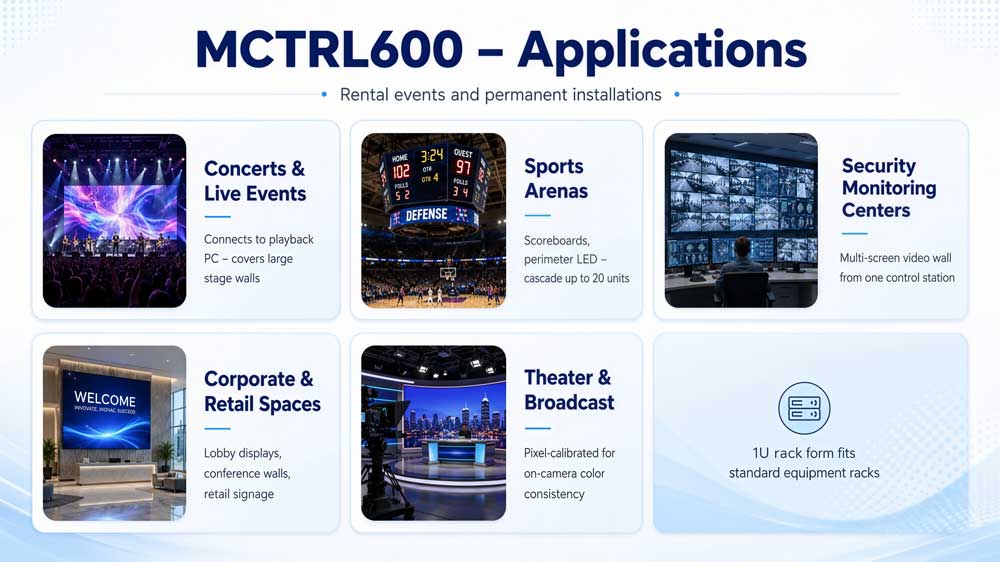
Concerts and live events. The MCTRL600 connects directly to a performance PC running playback software. Four Ethernet outputs cover large stage walls without additional hardware.
Sports arenas. Scoreboard displays and perimeter LED systems both run well on the MCTRL600. Up to 20 units can be cascaded for very large installations.
Security monitoring centers. Multi-screen video walls fed from a central control station are a typical fixed-install use case. The 1U rack form fits standard equipment racks.
Corporate and retail spaces. Lobby displays, conference room LED walls, and retail signage all fall within the MCTRL600’s range.
Theater and broadcast environments. Pixel-level calibration keeps color consistent across panels, which matters when the display is on camera.
8. NovaStar MCTRL600 Manual & Firmware Downloads
The MCTRL600 specification document covers connector details, input/output specs, electrical ratings, dimensions, and packing information. It’s the reference you need for system integration, rack planning, or customs documentation.
The firmware update is handled through NovaLCT. Connect the MCTRL600 to a PC via USB, open NovaLCT, and it will prompt you if a newer firmware version is available.
9. FAQ
Can the MCTRL600 work without a PC?
No. The MCTRL600 needs a PC connected via USB for configuration and control. If you need to set up a display on-site without a computer, the MCTRL660 has an LCD screen and knob that handles configuration directly on the device.
What is the default screen configuration after a factory reset?
128×128 pixels. This is set by NovaStar as the default starting point after reset.
Can I use DVI and HDMI inputs at the same time?
No. The MCTRL600 accepts one active input at a time — either DVI or HDMI, not both simultaneously.
How do I update the MCTRL600 firmware?
Connect the controller to a Windows PC via USB, open NovaLCT, and it will detect the device. If a newer firmware version is available, NovaLCT will prompt you to update.
What happens if one Ethernet port fails during a live event?
The remaining ports take over automatically. This is the Ethernet port redundancy function. The RUN indicator switches to a breathing pattern when redundancy is active, so you can tell it has kicked in.
Does the MCTRL600 support 4K output?
Not in a traditional sense. The maximum input resolution is 1920×1200@60Hz. However, custom resolutions support up to 3840 pixels in width or height, so it can drive wide or tall non-standard configurations.
Can the MCTRL600 be mounted vertically in a rack?
No. NovaStar specifies horizontal placement only. Do not mount it vertically or upside-down.
10. Conclusion
The NovaStar MCTRL600 is a straightforward sending controller that does its job well. Four Gigabit Ethernet outputs, 2.6 million pixels per unit, up to 20-unit cascading, and pixel-level calibration — all in a 1U rack form factor at an accessible price point.
It’s not the most feature-rich controller in NovaStar’s lineup. It needs a PC to run, and it lacks the on-device configuration the MCTRL660 offers. But for rental events and fixed installations where a PC is already part of the setup, it covers everything most projects need.
If you’re ready to move forward, contact LedInCloud for a quote or register on the LedInCloud to get started.