NovaStar TB2-4G: Specs, Price, Setup and Firmware
If you’re here, chances are one of three things is true: you’ve got a NovaStar TB2-4G that needs setting up, you’re weighing it against the TB1-4G for a project, or a client’s screen just went dark and you suspect the player. This guide covers all three. It walks through what this NovaStar Taurus player can do, the full specs, price, the default password, firmware updates, and where it fits against models.
1. What Is the NovaStar TB2-4G?
The NovaStar TB2-4G is a second-generation Taurus multimedia player for full-color LED displays, built for buyers who want one device that both plays content and drives the screen. Its defining feature is dual-mode playback: asynchronous mode stores and plays scheduled content without a computer, and synchronous mode mirrors a live HDMI source. A quad-core 1.2 GHz processor drives screens up to 650,000 pixels, and built-in Wi-Fi, optional 4G, and cloud publishing make it a common choice for lamp-post displays, retail signage, and ad players.
It’s an older model now, and NovaStar has moved on to newer Taurus players. But plenty of TB2-4G units still run in lamp-post displays, shops, and vehicles, so this guide sticks to what owners actually ask: specs, setup, passwords, firmware, and how it compares with the TB1-4G.
2. NovaStar TB2-4G Features
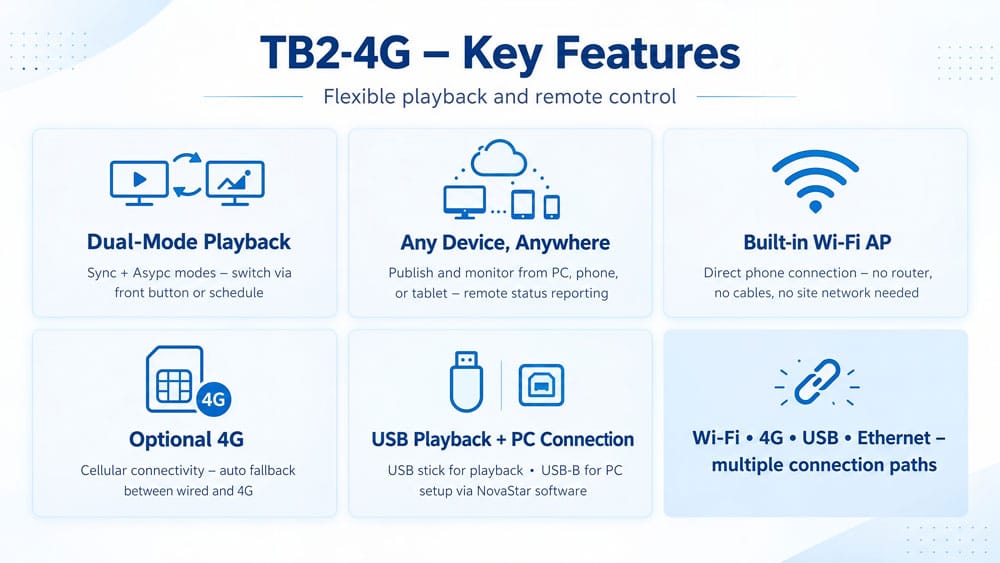
The TB2-4G’s features center on flexible playback and remote control. It plays content in two modes, accepts live HDMI input, connects over Wi-Fi or 4G, and reports its status to the cloud. Each feature below explains what it does and when it matters.
2.1 Dual-Mode Playback: Sync and Async
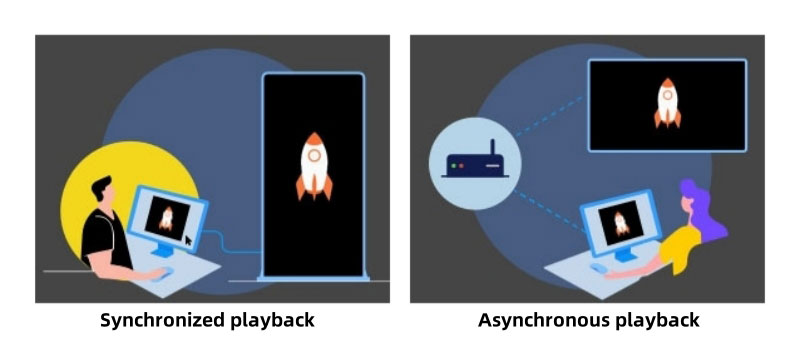
Most LED media players pick a lane. The TB2-4G doesn’t have to. In async mode it stores and plays content on its own — no computer attached. Switch to sync mode and it mirrors whatever comes in through HDMI, live. You can flip between them with the front SWITCH button, or schedule the switch in advance. A shop screen, for example, can run scheduled ads all week and go live for a product launch on Friday.
2.2 Control From Any Device, Anywhere
Publish and control from a PC, a phone, or a tablet. The cloud layer adds remote monitoring, so a screen in another city reports its status to the same account you use at home. For ad network operators running dozens of screens, this is the feature that decides the purchase.
2.3 Built-in Wi-Fi AP
The player carries its own Wi-Fi hotspot. Your phone connects to it directly — no router, no cables, no site network needed. That’s what makes PC-free installs possible in places where wiring a network in would cost more than the player.
2.4 Optional 4G
Pop in a SIM card and a 4G module (bought separately), and the player gets online over cellular. Handy for lamp-post screens and vehicles where running cable isn’t an option. When both wired and 4G are available, the player picks wired first and falls back automatically.
2.5 USB Playback and PC Connection
Two more ways in:
- a USB stick for direct playback and extra storage
- a USB Type-B port that links the player to a PC for setup and publishing through NovaStar’s software.
Between Wi-Fi, 4G, USB, and Ethernet, there’s a connection path for basically any install site.
3. NovaStar TB2-4G Specifications
The TB2-4G delivers 650,000 pixels of loading capacity from a quad-core 1.2 GHz processor with 1 GB of RAM and 32 GB of storage, in a 196 mm × 115.5 mm × 34 mm metal enclosure that draws at most 18 W. The full specification table is below, followed by the port layout, indicator light behavior, and supported media formats.
3.1 General Specifications
| Item | Spec |
| Loading capacity | 650,000 px max (1,920 × 1,080) |
| Input voltage | DC 5–12 V |
| Power consumption | 18 W max (25 W supply recommended) |
| RAM / Storage | 1 GB / 32 GB |
| Working environment | –20 °C to +60 °C, 0–80% RH non-condensing |
| Storage environment | –40 °C to +80 °C |
| Dimensions | 196.0 × 115.5 × 34.0 mm |
| Net / gross weight | 304.5 g / 622.0 g |
| IP rating | IP20, indoor use |
| System | Android OS + FPGA; no third-party apps |
3.2 Ports and Indicators
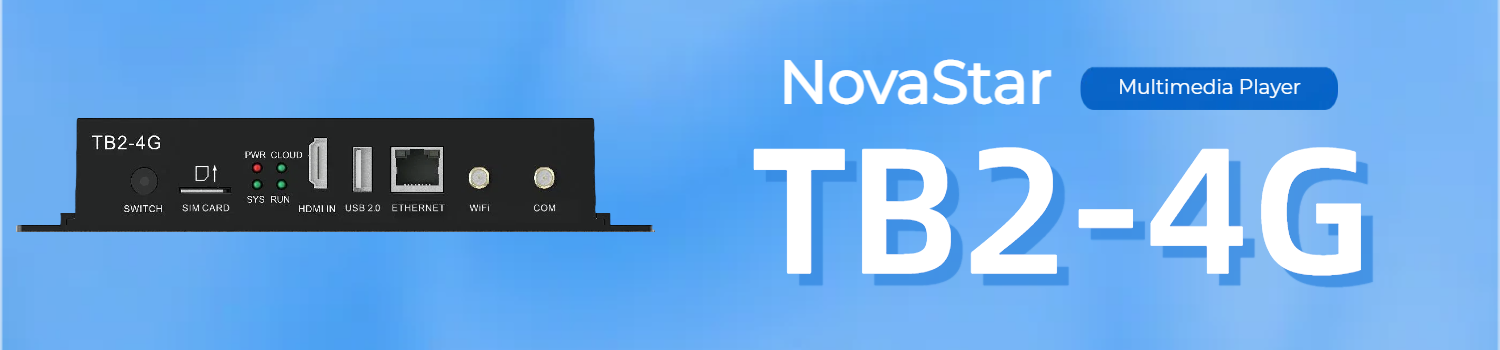
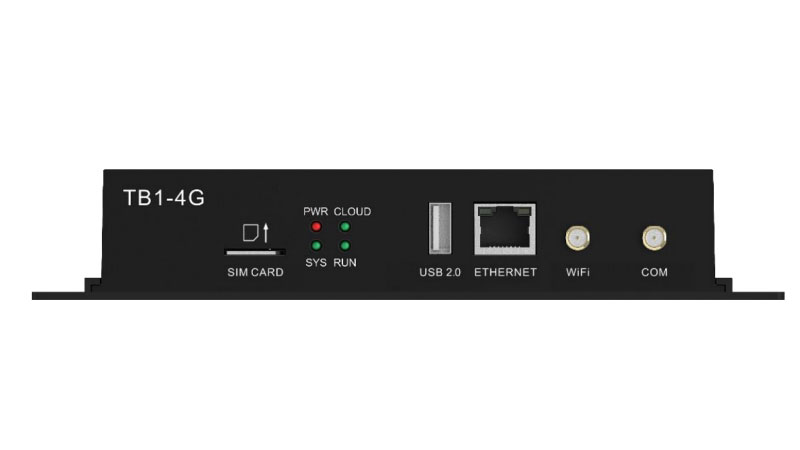
Front panel: SWITCH (sync/async toggle), SIM slot, HDMI IN, USB 2.0 (Type-A, FAT32, 4 GB max per file), ETHERNET, Wi-Fi antenna, and 4G antenna connectors.

Rear panel: power input, audio out, USB Type-B, RESET (hold 5 seconds for factory reset), and the Gigabit LED OUT port to the screen.

Four LEDs report status.
- PWR on means power is fine.
- SYS flashing every 2 seconds means the system is healthy.
- CLOUD tells you about network and upgrades: solid means online, a 2-second flash means VNNOX is connected, a 1-second flash means the system is upgrading, and 0.5-second flashes mean it’s copying an upgrade package.
- RUN covers the FPGA: 0.5-second flashes are normal; solid or off means something’s wrong.
3.3 Media Decoding
| Type | Formats | Max spec |
| Video | MPEG-1/2/4, H.264, H.265/HEVC, VP8, VP9 | H.264 up to 4096×2304 @30fps; H.265 up to 2304p @60fps |
| Audio | MP3, WMA, WAV, OGG, FLAC, AAC | Up to 48 kHz sampling |
| Image | JPG, BMP, GIF, PNG, WEBP | 4096×2160 |
In short: nearly anything your design tool exports will play as-is. No converting, no re-encoding.
4. TB2-4G NovaStar Price
The NovaStar TB2-4G costs around $100 USD per unit on the current market. Three factors move the final figure: order quantity, seller, and whether a 4G module is included. The player ships without a 4G module, so cellular service always costs extra.
Since the TB2-4G is an older model, stock varies by region. For current pricing on your quantity, it’s easiest to contact LedInCloud for a quote.
5. Setup & Login Guide
Setting up a NovaStar TB2-4G takes three steps: connect the player to a network, open a NovaStar client app, and sign in with the default username admin. The four network options and the exact login path for each app are below.
5.1 Network Connections
- Ethernet, DHCP on — cable in, IP assigned automatically. Start here.
- Wired LAN, DHCP off — for managed networks that need fixed IPs; set the address yourself.
- Wi-Fi AP — the player runs its own hotspot. Default SSID is “AP + last 8 digits of SN”; the password is printed on the SSID label on the unit.
- Wi-Fi STA — the player joins your router’s network like a laptop would.




5.2 Logging In
| Software | Platform | Path |
| ViPlex Handy | Mobile | Local Devices → pick player → Connect → sign in as admin |
| ViPlex Express | PC | Terminals → Refresh → Connect → sign in as admin |
| NovaLCT | PC | User → Media Player Login → Refresh → sign in as admin |
5.3 Default Password
- Username: admin
- Password: SN2008@ + the last 6 digits of the serial number
- Wi-Fi AP password: printed on the SSID label stuck to the unit
Change it after the first login. These screens hang in public, and the default is public knowledge.
5.4 Factory Reset
Hold the RESET button on the rear panel for 5 seconds. The player wipes back to factory state, ready for a fresh setup.
6. Configuration Softwares
Three NovaStar software tools configure the TB2-4G: ViPlex Handy (mobile, iOS/Android), ViPlex Express (Windows, content publishing), and NovaLCT (Windows, screen configuration). They overlap a little, so here’s who does what.
5.1 ViPlex Handy
NovaStar ViPlex Handy is a mobile client application available for both Android and iOS. This software allows users to manage LED displays within a local area network (LAN). Its primary functions include screen management, as well as content editing and publishing, making it an easy-to-use tool for controlling displays on the go from mobile devices.
5.2 ViPlex Express
For PC-based display management, NovaStar ViPlex Express offers a comprehensive solution. Available only for Windows, this software serves as the primary tool for content publishing and display management on PCs. It supports both local and asynchronous playback, with the Taurus series leveraging asynchronous playback for offline functionality. ViPlex Express provides a streamlined interface for scheduling and managing content across various screens.
5.3 NovaLCT
NovaStar NovaLCT is another PC client software designed specifically for LED display configuration. Available exclusively for Windows, NovaLCT allows users to fine-tune their displays.
7. Applications
The NovaStar TB2-4G is used mainly in commercial display and smart city projects: advertising media (lamp-post displays, ad players), digital signage (retail and door-head screens), and commercial information displays in hotels, cinemas, and malls. It supports both single-screen setups and multi-screen clusters, over wired or wireless networks.
(1) By Market
- Advertising media — lamp-post displays and ad players running scheduled content.
- Digital signage — retail and door-head screens with menus and promos.
- Commercial display — hotel, cinema, and mall info screens.
(2) By Network and Connection
One screen works fine with a PC or the mobile app. A fleet of them can sit under NovaStar’s cluster solution, managed and monitored from one place. Connection is either wired (Ethernet or LAN) or wireless (Wi-Fi from a phone, tablet, or PC) — the wireless path is why this player fits so many PC-free installs.
8. TB1-4G vs TB2-4G: What's the Difference?
The main difference between the NovaStar TB1-4G and TB2-4G is the HDMI input. The TB2-4G has one HDMI 1.3 port and supports both synchronous and asynchronous playback; the TB1-4G is asynchronous only. Every other core spec — loading capacity, processor, memory, size, power, decoding — is identical. The full comparison:
| Item | TB1-4G | TB2-4G |
| HDMI input | None | HDMI 1.3 |
| Playback modes | Async only | Sync + async, switchable anytime or on schedule |
| Loading capacity | 650,000 px (1920×1080) | Same |
| Processor / RAM / storage | Quad-core 1.2 GHz / 1 GB / 32 GB | Same |
| 4G module | Optional, bought separately | Same |
| Size / weight | 196.0 × 115.5 × 34.0 mm / 301.8 g | Same size / 304.5 g |
| Power | DC 5–12 V, 18 W max | Same |
| Video decoding | Up to H.265 2304p@60fps, VP9 | Same |
Picking between them: if content plays from USB or the cloud and never needs a live feed, the TB1-4G is enough. If you want to switch to a TV box, camera, or any HDMI source, the TB2-4G is the one.
Both are older models now. NovaStar’s current lineup replaces them with the TB10 Plus (in place of TB1-4G) and TB20 Plus (in place of TB2-4G) — same 0.65M pixels, but with 4K@60Hz decoding, Android 10, and 2 GB of RAM. For bigger jobs, the TB30 adds a faster CPU and Gigabit Ethernet, and the TB50 (1.3M px) and TB60 (2.3M px) support HDMI cascading.
9. Firmware & Manual Download
The TB2-4G firmware comes as a .nuzip file. Load it on the player and let it run. During the upgrade the CLOUD light flashes once per second; 0.5-second flashes mean it’s copying the package. Keep power on until it’s done.
9. FAQs about TB2 4G
Q1. Can the TB2-4G run sync and async at the same time?
It runs one at a time. You can switch between them with the SWITCH button or on a schedule, but not both at once.
Q2. Does it support cloud management?
Yes. Cloud publishing and remote monitoring both work, so screens in different regions can sit under one account.
Q3. What is the default password of NovaStar Taurus players?
Username admin, password SN2008@ plus the last 6 digits of the serial number. The Wi-Fi AP password is on the SSID label. Change both after setup.
Q4. How do I reset the TB2-4G?
Hold RESET on the rear panel for 5 seconds.
Q5. What content can it play?
1080p hardware decoding, and most formats you'll touch: MP4, MOV, MKV for video; JPG, PNG, BMP, GIF, WEBP for images up to 4096×2160.
10. Summary
The NovaStar TB2-4G is a dual-mode LED multimedia player that drives screens up to 650,000 pixels: asynchronous playback for scheduled content, HDMI input for live feeds.
New project? Look at the current Taurus lineup first. And if you’re not sure which player fits your screen, contact LedInCloud – LED Screen Cloud Platform — model selection and quantity pricing are what we do all day.