LED Display Control System: How It Works, Types, and Top Brands
An LED display control system is the core of every LED screen. It decides what gets displayed, when it appears, and how the content looks. Without it, an LED screen is just a panel of lights.
Most people focus on the screen itself — the pixel pitch, brightness, cabinet size. But the control system is what actually makes the screen work. It handles everything from receiving the video signal to driving each LED module in real time.
In this guide, we’ll break down how an LED display control system works, what it’s made of, and how to pick the right one for your project.
1. What Is an LED Display Control System?
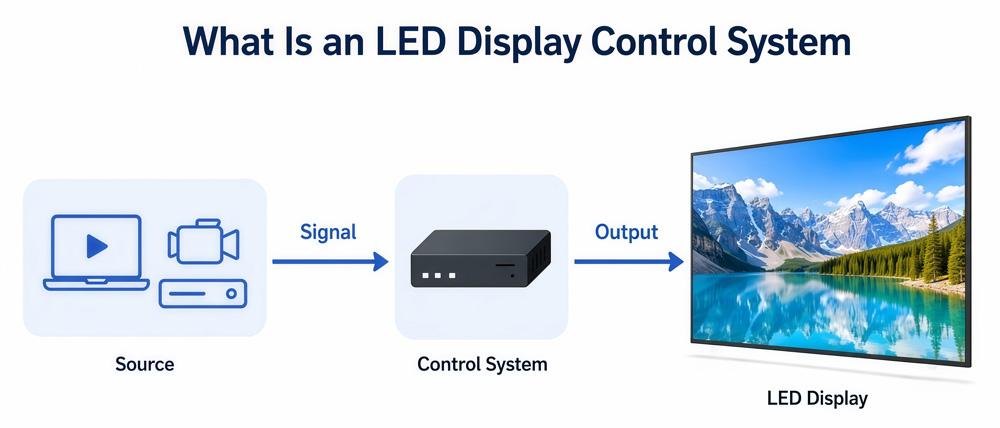
An LED display control system is a combination of hardware and software that manages content on an LED screen. It takes a signal from a source — a computer, media player, or camera feed — and translates it into visual output on the display.
Think of it as the brain of the screen. The screen itself has no ability to process or display anything on its own. It relies entirely on the control system to receive, process, and push content to each LED module.
There are two main types: synchronous control and asynchronous control. Synchronous systems mirror content from a connected computer in real time. Asynchronous systems store content locally and play it back independently. We’ll cover both in detail later.
At its core, every LED display controller — whether it’s a simple sending card or a professional video wall controller — does the same job: it gets the right image data to the right LEDs at the right time.
2. Key Components of an LED Display Control System
An LED display control system isn’t a single device. It’s a chain of hardware and software components working together.
Here’s what makes up a typical LED display control system.
2.1 Sending Card / Sending Box
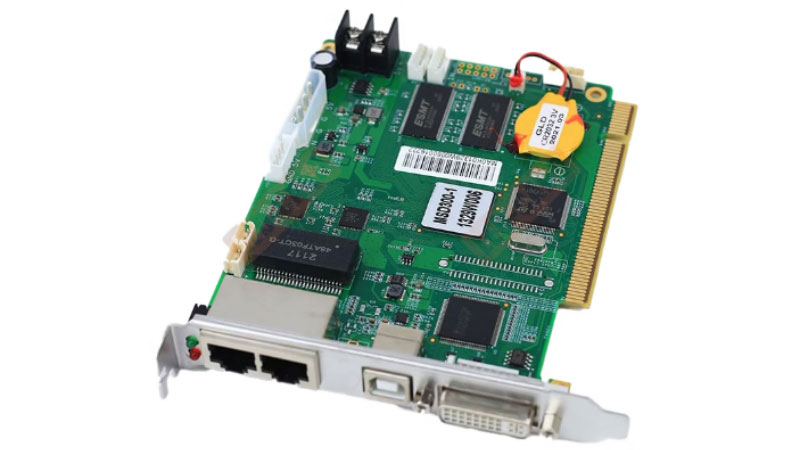
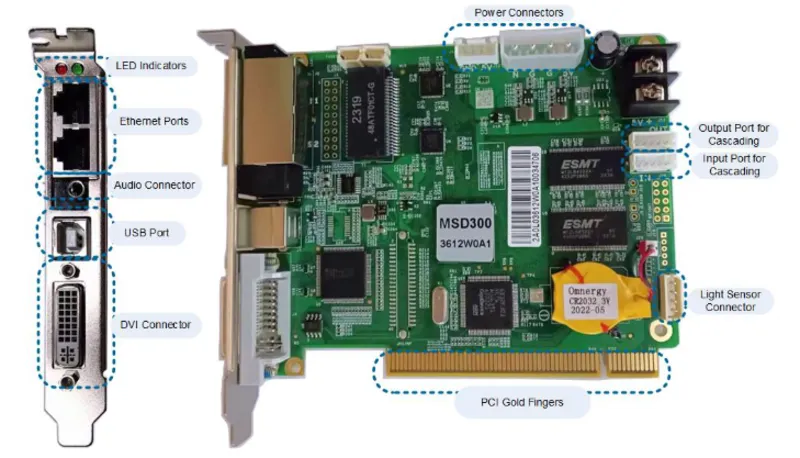
The sending card is the starting point. It sits in the control computer and receives the video signal — usually via HDMI, DVI, or DisplayPort. Then it compresses and encodes that signal and sends it to the receiving cards inside the screen over Ethernet cables.
A sending box works the same way, but it’s a standalone unit instead of a PCIe card. Sending boxes are more common in professional setups because they’re easier to swap out and don’t require a desktop PC.
NovaStar, Colorlight, and Linsn all make sending cards and boxes across different price points. The model you need depends on how many pixels your screen has and what resolution you’re running.
2.2 Receiving Card
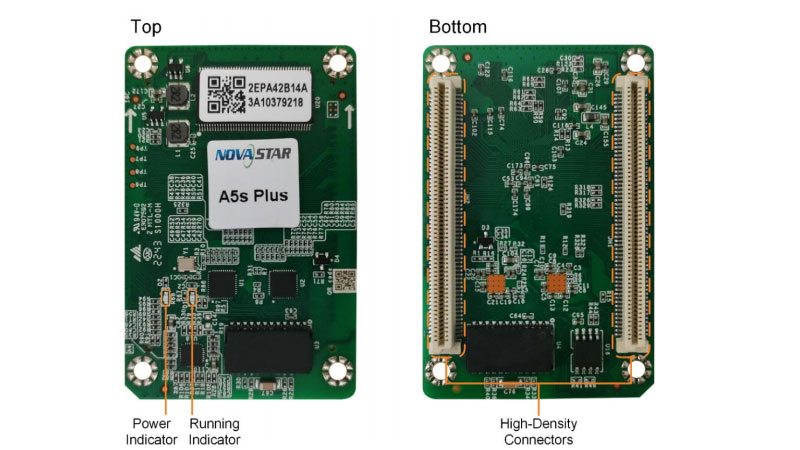
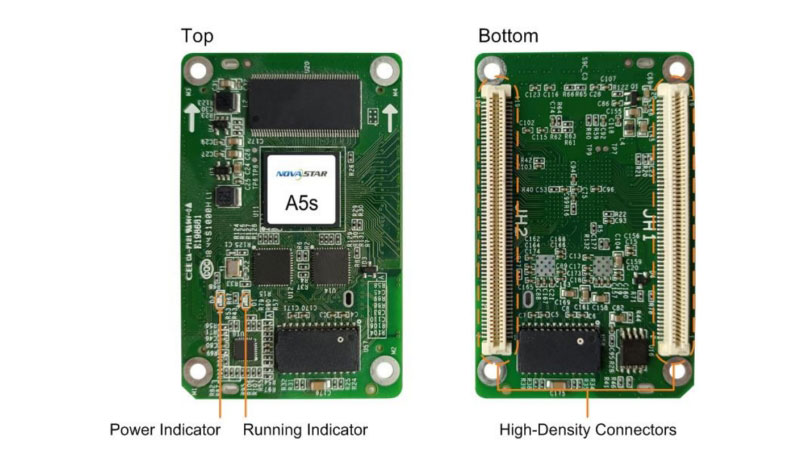
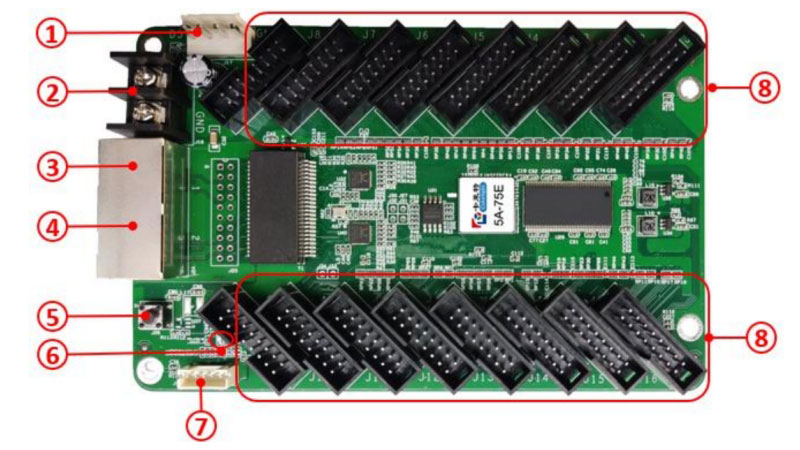
The receiving card lives inside the LED cabinet. Every cabinet has one, sometimes more. It takes the encoded signal from the sending card, decodes it, and drives the LED modules directly.
Receiving cards are what actually control the brightness, color, and refresh rate of each LED. So the quality of your receiving card has a direct impact on image quality. A high-refresh receiving card makes a real difference when the screen is captured on camera.
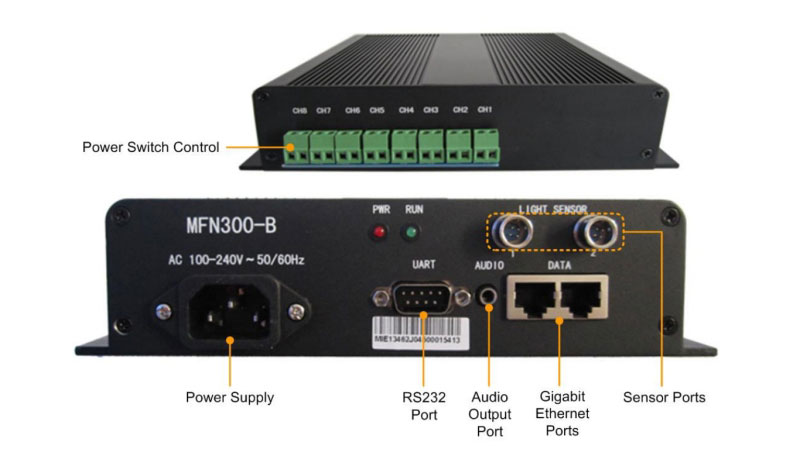
2.3 Multi-Function Card
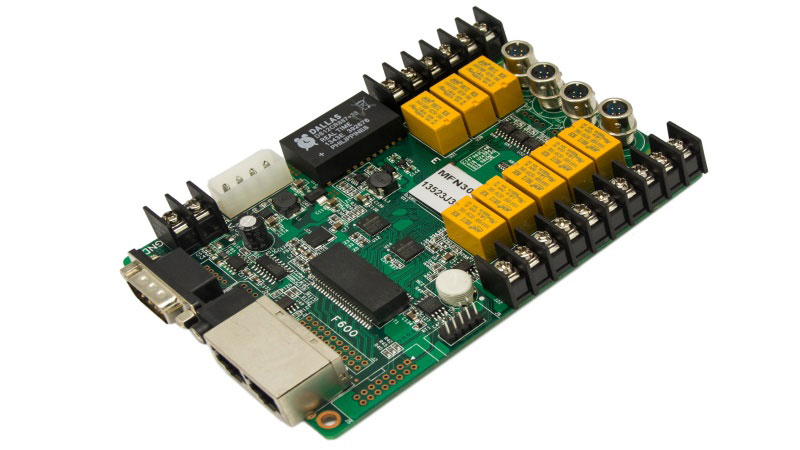
This one often gets overlooked. The multi-function card connects to sensors that monitor the surrounding environment — ambient light levels, temperature, and humidity. Based on that data, it automatically adjusts screen brightness.
So on a bright sunny day, an outdoor screen gets brighter. At night, it dims down. This isn’t just about visual comfort — it also protects the LEDs from running at unnecessary high brightness for extended periods.
2.4 Video Processor
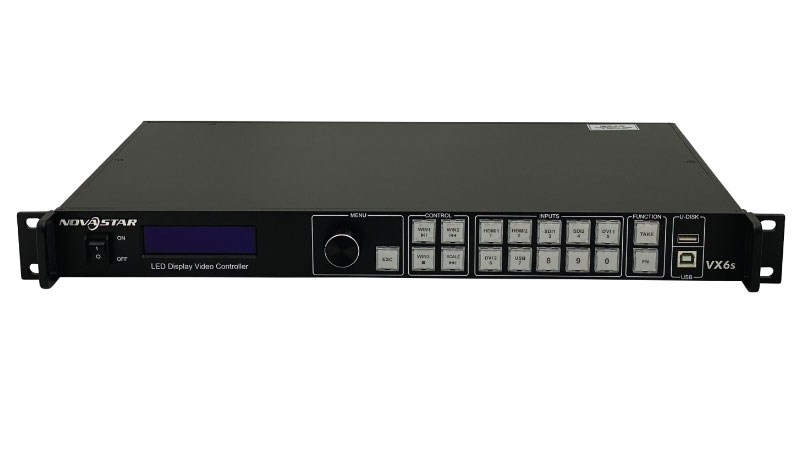
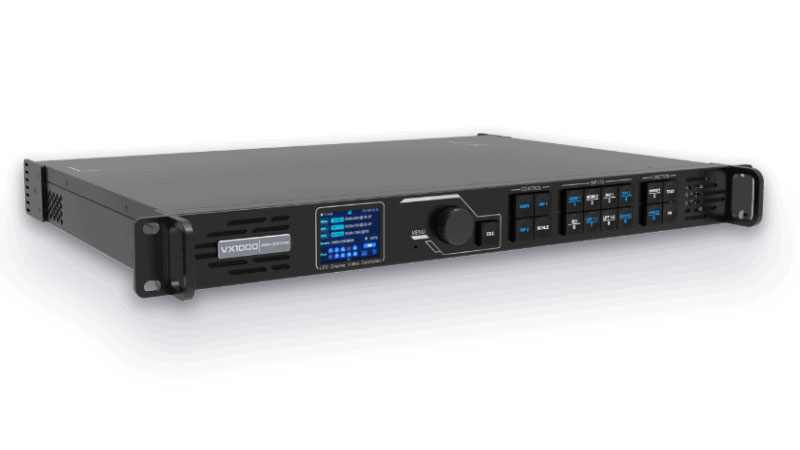
Not every setup needs a video processor, but larger installations usually do. A video processor handles things like scaling, signal switching, and multi-source input management. It sits between the signal source and the sending card.
For a video wall controller setup — say, a large stage backdrop or a control room display — the video processor is what lets you split, tile, and arrange content across multiple screens simultaneously.
2.5 Control Software
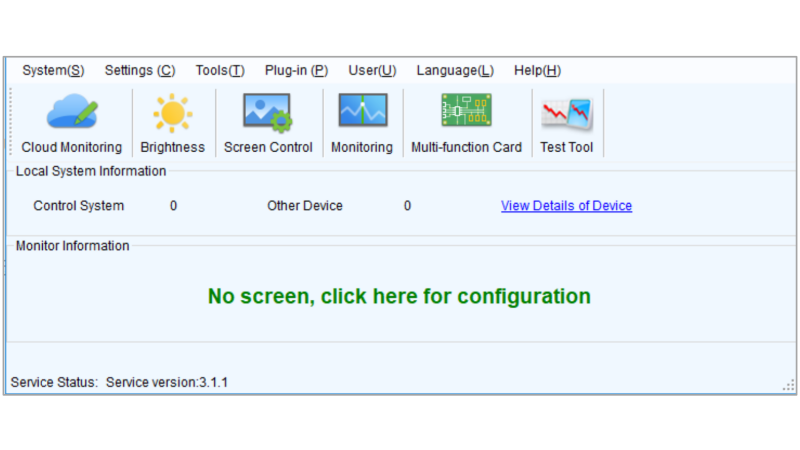
This is the part most people don’t think about when buying a control system, but it matters a lot. The software is how you configure the hardware, calibrate the screen, adjust brightness and color, and manage content scheduling.
NovaStar uses NovaLCT as its main configuration software. Huidu has HD2018 for its asynchronous controllers — you can check our full HD2018 guide if you’re working with Huidu hardware.

3. How Does an LED Display Control System Work?
Most people understand what a control system does in general terms. But knowing how the signal actually travels — from your computer to every LED on the screen — helps you make better decisions when buying, installing, or troubleshooting.
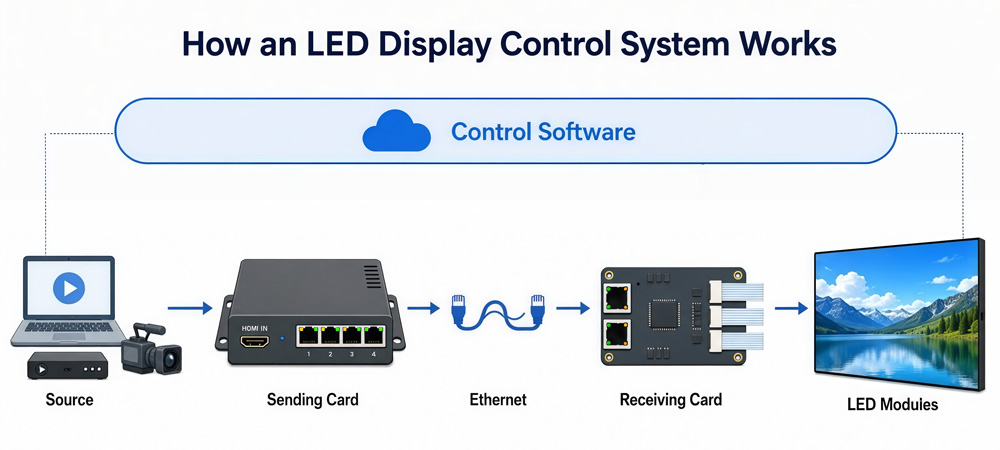
Here’s the full signal path, step by step.
Step 1: The Signal Source
Everything starts at the source. This could be a computer, a media player, a camera feed, or a streaming input. The source outputs a video signal — usually via HDMI, DVI, DisplayPort, or SDI — and sends it to the sending card or sending box.
At this stage, the signal is just a standard video output. The control system hasn’t touched it yet.
Step 2: The Sending Card Encodes and Transmits
The sending card receives the video signal and does two things. First, it encodes the image data into a format the receiving cards can understand. Then it splits that data and pushes it out through multiple Ethernet ports — each port feeding a section of the screen.
This is where resolution and pixel load matter. Each sending card has a maximum pixel capacity. If your screen is larger than what one sending card can handle, you need multiple sending cards or a higher-capacity sending box.
Step 3: The Receiving Card Decodes and Drives the LEDs
The receiving card sits inside each LED cabinet. It gets the encoded data from the sending card over the Ethernet cable, decodes it, and then directly drives the LED modules in that cabinet.
Each receiving card controls a fixed number of pixels — this is called the load capacity. The receiving card is also responsible for refresh rate and grayscale processing. So if your screen looks choppy on camera or has uneven brightness, the receiving card is usually the first place to check.
Step 4: The LEDs Display the Content
Once the receiving card processes the data, the signal reaches the LED modules themselves. Each pixel lights up at the correct brightness and color to reproduce the image. This happens thousands of times per second — which is why refresh rate is measured in Hz.
For a standard indoor screen, 1920Hz is generally acceptable. For screens that appear on camera frequently — broadcast studios, live events, rental stages — you want 3840Hz or higher to avoid scan lines in footage.
Step 5: The Software Ties It All Together
Running in the background the whole time is the control software. It’s how you map the screen layout, set the output resolution, calibrate color uniformity, and monitor hardware status. Without proper software configuration, even the best hardware won’t perform correctly.
This is also where the multi-function card feeds in — passing real-time brightness and temperature data back to the software so the system can adjust automatically.
So the full chain looks like this:
Source → Sending Card → Ethernet → Receiving Card → LED Modules
And the software sits above all of it, managing and monitoring the entire process.
4. Synchronous or Asynchronous — Which One Do You Need?
This is one of the most common questions people ask when buying an LED display control system. And honestly, it’s not that complicated once you understand what each one actually does.

4.1 Synchronous Control: Real-Time, Connected
A synchronous LED control system mirrors content from a connected computer or device in real time. Whatever is on your screen, the LED display shows it at the same moment. There’s no local storage on the controller — the screen depends on the computer being on and connected the whole time.
This makes synchronous control the right choice for anything that needs live content. Stage events, concerts, broadcast studios, live sports — these all need a synchronous system because the content changes constantly and needs to respond instantly.
Synchronous systems also handle higher pixel loads and more complex content. So for large video walls, fine-pitch indoor displays, or any setup running 4K content, synchronous is usually the way to go.
4.2 Asynchronous Control: Independent, Scheduled
An asynchronous LED controller works differently. You upload content — images, videos, text — to the controller’s built-in storage in advance. After that, the controller plays it back on its own loop without needing a computer connected.
This is why asynchronous control is so popular for outdoor advertising. A roadside billboard doesn’t need a computer running next to it 24 hours a day. You push the content once, and the screen handles the rest.
Asynchronous systems are also simpler to operate and generally more affordable. But they have limits. Content updates aren’t instant, pixel capacity is lower, and live video isn’t an option.
4.3 So How Do You Choose?
Ask yourself these four questions:
❓Does your content need to update in real time? If yes, go synchronous.
❓Will the screen run in a location without a dedicated computer nearby? If yes, go asynchronous.
❓Are you running high-resolution video or a large pixel count? Synchronous handles this better.
❓Is budget a major constraint? Asynchronous systems cost less overall.
Most permanent outdoor installations — billboards, retail storefronts, street pole displays — use asynchronous control. Most indoor installations — meeting rooms, stages, control rooms, broadcast — use synchronous control. But there are exceptions, and the right answer depends on your specific setup.
For a full side-by-side breakdown of both systems, including a detailed comparison table, check out our guide on Synchronous vs Asynchronous.
5. Top LED Display Controller Brands and Their Strengths
There are dozens of LED controller brands on the market. But most professional installations come down to four names.
5.1 NovaStar
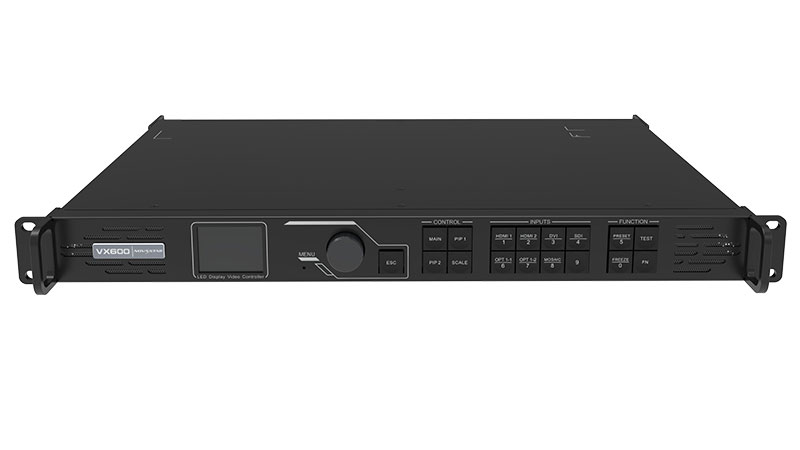
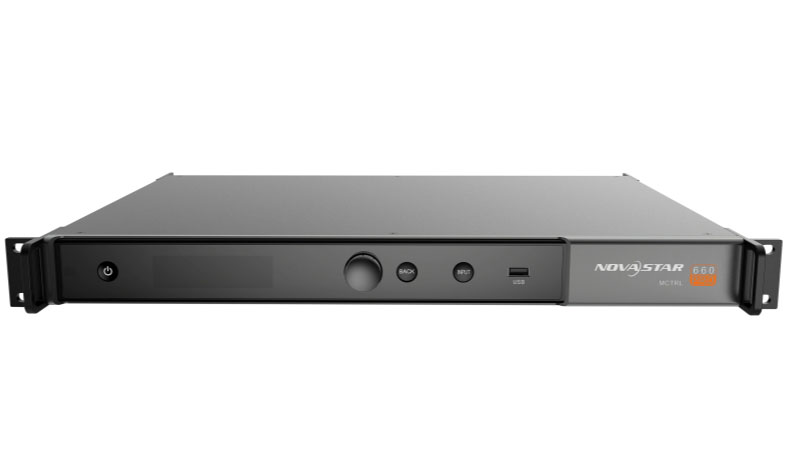
NovaStar is the go-to choice for large-scale professional projects. Their product range covers everything from entry-level sending cards to high-end video wall processors. The MCTRL300 works well for small to medium setups. The MCTRL600 and MCTRL660 handle larger, more demanding installations. Their softwares — NovaLCT for configuration, Kompass for media playback — is well-documented and regularly updated. For events where failure isn’t an option, most integrators default to NovaStar.
5.2 Colorlight
Colorlight is strong in large fixed installations. Their sending and receiving cards push high pixel capacity with efficient data transmission. They also provide SDKs and APIs, which makes them a practical choice for system integrators who need custom control solutions. Cost per performance is competitive, and their hardware is well-supported across Asia, the Middle East, and Europe.
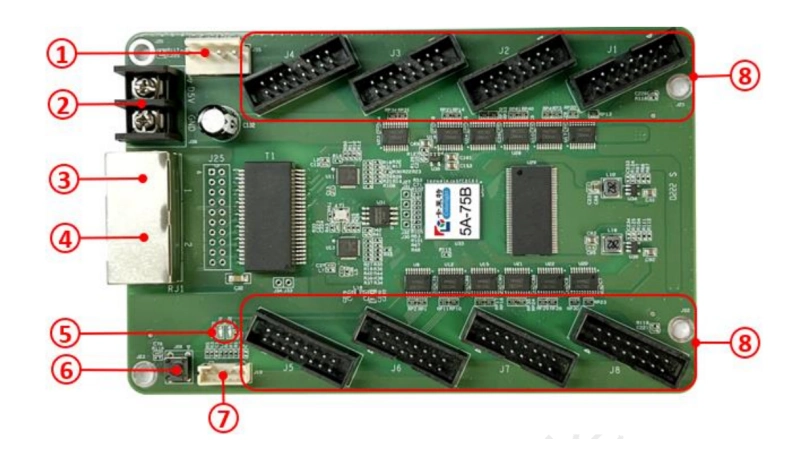
5.3 Linsn
Linsn covers both synchronous and asynchronous systems. They’ve been in the market for a long time, and their hardware is stable and well-understood by installers. A Linsn LED controller is a common choice for mid-range projects — retail signage, small outdoor screens, straightforward indoor installations — where you don’t need top-tier specs but still want reliable performance.
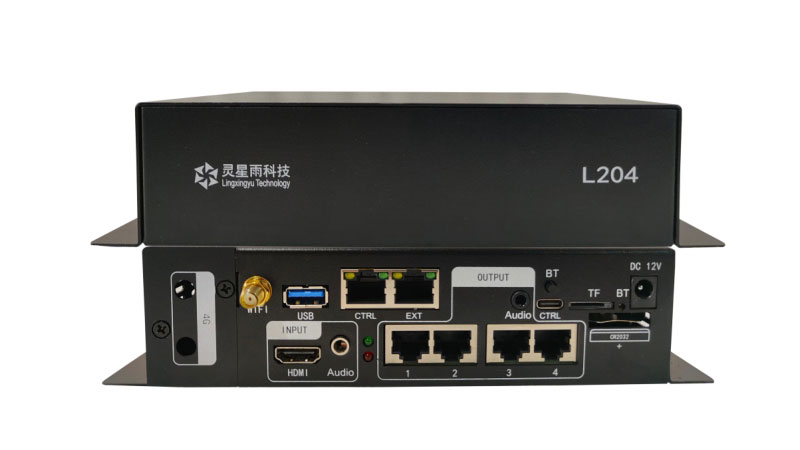
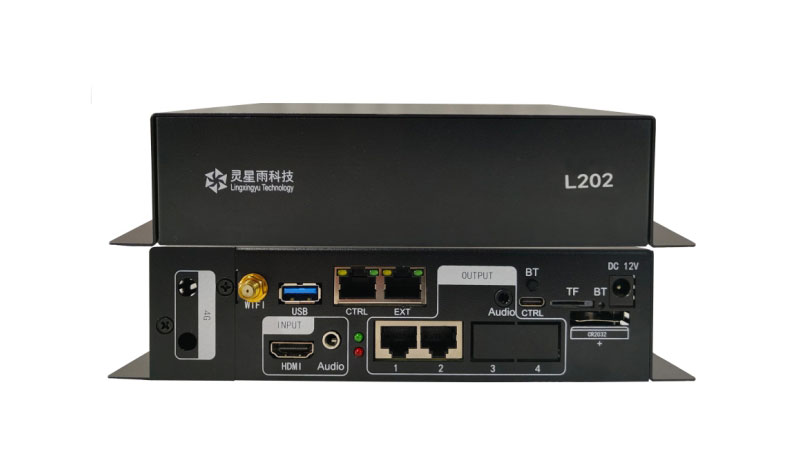
5.4 Huidu
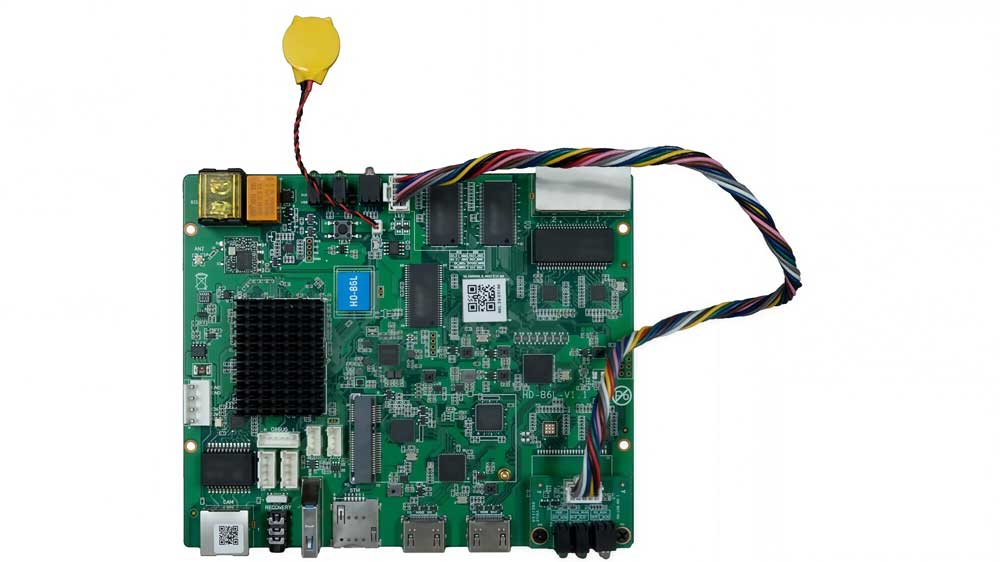
Huidu focuses on asynchronous control. Their controllers are affordable, easy to set up, and widely used in small commercial applications. If your project is a storefront sign or a simple outdoor display running looped content, Huidu gets the job done without the cost of a full synchronous system.
6. FAQ
Can I mix sending cards and receiving cards from different brands?
No. Sending cards and receiving cards must be from the same brand. A NovaStar sending card only works with NovaStar receiving cards. The same applies to Colorlight, Linsn, and Huidu. Each brand uses its own communication protocol, so cross-brand combinations are not compatible.
How many receiving cards do I need for my screen?
It depends on your screen size and the loading capacity of the receiving card. Each receiving card supports a specific number of pixels. Calculate the total screen resolution and divide it by the card's loading capacity to estimate the number of receiving cards required.
What happens if the sending card fails during a live event?
The screen will stop receiving new image data and may go dark. Because of this, professional rental and live-event systems typically keep a backup sending card or controller on-site. Some advanced systems also support redundancy features that reduce downtime if a failure occurs.
Can one sending card drive multiple LED screens?
Yes. A single sending card can drive multiple LED cabinets or display sections as long as the total pixel count remains within its rated loading capacity. Larger installations may require multiple sending cards or additional controller outputs.
What controller works with P10 LED modules?
P10 LED modules can work with controllers from NovaStar, Colorlight, Linsn, and Huidu. The controller choice depends on screen size, control requirements, and whether the project uses synchronous or asynchronous playback rather than the pixel pitch itself.
Does the control system affect image quality?
Yes. The control system directly affects refresh rate, grayscale performance, signal transmission, color calibration, and brightness consistency. A higher-quality control system can improve image stability, reduce flicker, and produce better visual performance both in person and on camera.
7. Conclusion
Picking the right LED display control system comes down to three things: your content type, your pixel count, and your budget.
Synchronous or asynchronous, NovaStar or Huidu — there’s no universal answer. But once you know what your screen needs to do, the right controller becomes obvious.
Visit LedInCloud – LED Screen Cloud Platform or reach out directly — we’re happy to help.